Disclosure: This website may contain affiliate links, which means I may earn a commission if you click on the link and make a purchase. I only recommend products or services that I personally use and believe will add value to my readers. Your support is appreciated!
SHARE
- Advertisement -
In this article, I will share the Best AI Digital Employee Platforms that help businesses automate repetitive tasks, manage workflow, support employees, and improve productivity. We will review top platforms on AI capabilities, automation, integrations, pricing, security, oversight by humans, scalability, and enterprise use cases to help organizations find the right digital employee solution for their business needs.
Provides AI coworkers and enterprise agents that help employees search, analyze information, and execute work across connected business systems.
Moveworks
Delivers AI assistants and agents that automate employee support, knowledge access, and business workflows across enterprise applications.
Agentforce
Offers Salesforce-based AI agents that automate business processes and support employees across sales, service, and operations workflows.
Sierra
Provides conversational AI agents designed to handle customer and employee-facing interactions through autonomous workflows.
Kore.ai
Enables enterprises to build, deploy, and manage AI agents for employee productivity, operations, and service automation.
Aisera
Delivers AI-driven employee support and service automation across IT, HR, and enterprise operations.
Decagon
Provides enterprise AI agents that automate support and operational tasks through autonomous workflows.
NiCE Cognigy
Offers conversational AI agents and workflow automation for employee and customer service environments.
Noca AI
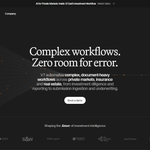
Provides autonomous digital employees capable of completing end-to-end business processes with minimal supervision.
UnifyApps
Enables organizations to build and orchestrate AI agents across enterprise applications using an AI operating system approach.
1. Glean
Glean, founded in 2019 and headquartered in Palo Alto, California, Its AI employee model combines enterprise search, AI assistants, agents and AI coworkers to help employees find knowledge and complete work across business systems.
Its main uses cases are employee productivity, knowledge management, operations, support, sales, engineering, and cross-functional workflows. Glean integrates with hundreds of workplace applications and has 275+ connectors. Pricing is usually customized and enterprise-oriented. Permissions, governance and observability help support oversight by humans. Security: SOC 2 Type II, ISO 27001, ISO 42001, GDPR, HIPAA.
Glean Features
Enterprise AI Agents: Develops reasoning agents with business context and the ability to perform multi-step tasks.
275+ Connectors: Connects with 275+ enterprise apps, preserving source-system permissions.
Agent Orchestration: Routes between specialized agents and coordinates multi-step workflows.
Human-in-the-Loop: Features approval checkpoints, and permission-based actions, before sensitive operations.
Agent Observability: Monitoring for adoption, errors, performance, workflow activity, and ROI.
Pros
Cons
Permission-aware enterprise search and AI agents provide strong access-controlled knowledge retrieval.
Pricing is generally custom, which can make initial budget planning difficult.
Broad integrations make it useful across fragmented enterprise application stacks.
Organizations with a highly standardized single-vendor stack may not need its broader cross-system layer.
Strong combination of enterprise search, knowledge, and workflow agents.
Deployment can require substantial configuration and enterprise infrastructure planning.
Strong security and governance capabilities support enterprise adoption.
Its broad feature set can be more than smaller teams need.
Useful for organizations with information distributed across many applications.
Value depends heavily on connector coverage and the quality of connected enterprise knowledge.
Founded in 2016, Moveworks is headquartered in Mountain View, California. The AI employee platform uses an agentic Reasoning Engine to understand requests, plan actions, execute workflows and adapt across enterprise systems. It is used primarily for IT service management, employee support, HR, customer operations and workplace productivity.
- Advertisement -
The platform includes hundreds of connectors and plug-ins, an AI agent marketplace, and agent-building tools. Enterprise customers usually get custom pricing, rather than published pricing. Governance, analytics, permissions, and workflow controls are all part of human supervision. Security includes SOC 2 Type II, ISO 27001, GDPR, HIPAA, CCPA and FedRAMP.
Moveworks: Features
Agentic AI Assistant: Employs an Agentic Reasoning Engine to comprehend employee requests and execute tasks.
Workflow Automation: Agents can automate tasks such as email, calendar management, time-off requests, expenses, and CRM-related work.
Enterprise Integrations: Integrates with workplace apps and surfaces such as MS Teams, Slack and web.
Task Execution: Tools and plugins are used to allow AI agents to take action, not just provide answers.
Administrative Controls: Offers administrators controls and analytics in order to manage a secure enterprise AI environment.
Pros
Cons
Strong focus on employee-facing IT and HR automation.
Its strongest use cases are concentrated around IT and employee workflows rather than every business function.
Cross-system orchestration lets employees complete tasks through a conversational interface.
Organizations outside the ServiceNow ecosystem may need to evaluate integration requirements carefully.
Mature enterprise integrations and workflow automation.
Enterprise pricing can make it less accessible for smaller organizations.
Strong governance and security capabilities.
Implementation may be excessive for teams needing only a lightweight AI assistant.
Well suited to large organizations with high employee-support volumes.
It is more specialized than broad general-purpose agent platforms.
3. Salesforce Agentforce
Salesforce Agentforce is Salesforce’s AI-agent platform, built on the Salesforce ecosystem, whose parent company was founded in 1999 and is headquartered in San Francisco, California. It delivers AI agents that interact with customers and employees, answering questions, updating records, automating workflows and taking actions across Salesforce data and applications.
Its primary use cases include sales, service, marketing, commerce, employee support and CRM operations. Agentforce supports Flex Credits, conversation-based pricing, and per-user licensing. Flex Credits are listed at $500 per 100,000 credits and conversations are $2 each. Deployment is built with human controls and Salesforce governance.
Salesforce Agentforce Features
Autonomous AI Agents: Agents can take in data, produce action plans, reason through tasks, and perform workflows.
Data Cloud Integration: Leverages connected structured and unstructured business data to deliver contextual responses.
Hybrid Reasoning: Mixes deterministic business logic and adaptive AI reasoning for automated, controlled decision making.
Low-Code Agent Builder: Allows organizations to build and customize agents using visual workflows and reusable components.
Agent Observability: Offers insight into agent thought process, task execution, performance and impact on operations.
Pros
Cons
Deep integration with Salesforce CRM, customer data, and business workflows.
Organizations outside the Salesforce ecosystem may see less value from its native platform advantages.
Agents can retrieve information, reason through tasks, and execute actions.
Advanced deployments can require careful configuration of data, actions, permissions, and workflows.
Low-code tooling makes agent creation more accessible to business teams.
Costs can become difficult to predict when usage-based AI consumption is significant.
Strong enterprise governance through the Salesforce ecosystem.
The platform can be complex for small businesses seeking simple automation.
Suitable for sales, service, marketing, commerce, and employee workflows.
Businesses may need existing Salesforce infrastructure to gain its full benefit.
4. Sierra
Sierra was co-founded by Bret Taylor and Clay Bavor and was launched commercially in 2024. It is based in the San Francisco Bay Area. It specializes in autonomous AI customer-service agents to perform entire customer-facing jobs, rather than just answer questions.
Key use cases are customer support, account servicing, retention, sales assistance and proactive client engagement through chat, SMS, WhatsApp, email, voice and ChatGPT. Sierra’s outcome-based pricing allows customers to pay for defined business outcomes instead of traditional seat licensing.
- Advertisement -
Human supervision is supported by guardrails, testing, monitoring and visibility into agent decisions. Security: SOC 2, ISO 27001, ISO 42001, HIPAA, GDPR, PCI DSS, FedRAMP.
Sierra Features
Customer agents: Autonomous agents that can carry out entire customer-service tasks, not just respond to customer questions.
Omnichannel Support: Provides customer support through phone, chat, SMS, messaging, and email. Complex Reasoning: Agents can interpret customer intent and handle more complex conversations.
Personal Conversations: Offers context-aware responses to enable genuine and brand-appropriate interaction.
Customer-Service Automation: Automates routine customer service interactions and routes complex cases to the right human support.
Pros
Cons
Purpose-built for autonomous customer-service experiences rather than simple chatbot responses.
Primarily focused on customer experience rather than broad internal employee automation.
Outcome-based pricing aligns spending with completed customer-service outcomes.
Outcome-based pricing can make costs harder to forecast than straightforward seat-based pricing.
Supports multiple customer communication channels and complex workflows.
Enterprise deployments are generally sales-led rather than self-service.
Strong security and enterprise compliance positioning.
May be excessive for companies looking only for basic FAQ or ticket automation.
Strong fit for high-volume customer-service operations.
Organizations wanting to independently manage every aspect of agent development should evaluate its operating model carefully.
5. Kore.ai
Kore.ai Founded in 2014, Kore.ai is headquartered in Orlando, Florida, but opened a strategic headquarters in San Mateo, California in 2026. Its AI employee platform is based on enterprise AI agents that can understand requests, connect to business systems, and complete tasks across employee and customer workflows.
They are mainly used for customer service, banking, healthcare, retail, IT, HR, and enterprise automation. Kore.ai supports voice, web, Slack, Teams, mobile and other channels, and integrates with enterprise systems. Rather than a single, universal public rate, we offer pricing through configurable packages. Human supervision consists of agent observability, evaluations, guardrails, and administrative controls.
- Advertisement -
Kore.ai Features
Multi-Channel Experiences: Enable conversational experiences across digital and enterprise communication channels.
Enterprise AI Agents: Offers AI agents for customer service, employee support and business workflow automation.
Workflow Automation: Agents can link business knowledge to actions, automating multi-step processes.
Enterprise Integrations: Integrate AI experiences with business applications, data sources, APIs and enterprise systems.
Agent Governance: Enterprise controls for managing, monitoring, testing and deploying AI agents at scale.
Pros
Cons
Broad enterprise platform covering customer service, employee experience, and automation.
Its breadth can make the platform feel complex compared with narrower AI-agent products.
Strong conversational AI and multi-agent orchestration capabilities.
Deployment and configuration may require more technical planning.
Supports multiple enterprise channels and integrations.
Smaller teams may not need its extensive enterprise feature set.
Suitable for large-scale customer and employee automation.
Pricing and packaging can be less transparent than self-service AI tools.
Useful for organizations wanting a configurable enterprise AI platform.
Broader platform capabilities can increase implementation complexity.
6. Aisera
Aisera was founded in 2017 and is based in Santa Clara, CA. Its AI employee platform delivers purpose-built, customizable agents for IT, HR, customer service, and other enterprise functions to use natural-language requests that trigger multi-step workflows.
Its main use cases are IT service management, employee onboarding, access management, customer support, incident resolution and enterprise search. Aisera supports 100+ integrations including Microsoft Teams, Slack, Salesforce,
Zendesk, ServiceNow and Zoom. Pricing is by quote and tailored to enterprise needs. RBAC, SSO, audit trails, governance, and configurable administration are part of human supervision. Security is ISO 27001, SOC 2, HIPAA, GDPR, CCPA, Encryption, and Aisera’s TRAPS framework.
Aisera Features
Workflow Automation: Enables automation of multi-step business processes and repetitive service requests.
Enterprise Knowledge: Provides contextual answers and automated decision-making based on organizational knowledge.
Business Integrations: Integrates with enterprise applications and service-management environments.
Governance & Security: Provides enterprise administration, control of access, auditability and security-focused deployment.
Pros
Cons
Multi-agent automation covers IT, HR, and business operations.
Multi-agent architectures can be more difficult to debug and manage than simpler agent setups.
Strong focus on service-desk and employee-support automation.
Its brand recognition is lower than some larger enterprise AI vendors.
Supports prebuilt workflows that can reduce implementation effort.
Custom enterprise pricing makes direct cost comparison difficult.
Enterprise security and compliance capabilities are available.
Organizations wanting a general-purpose AI platform may find its service-focused approach narrower.
Good option for businesses seeking domain-specific AI agents.
Complex agent coordination can require stronger internal governance and technical expertise.
7. Decagon
Decagon was founded by Jesse Zhang and Ashwin Sreenivas and is building AI agents for enterprise customer experience. Its AI employee type is an autonomous customer-service agent that can hold conversations and execute support workflows across multiple channels.
Typical use cases include customer support, ticket resolution, account help, troubleshooting, escalation, and customer self-service. Decagon integrates with systems like Salesforce, Intercom, Zendesk, Confluence, Contentful,
Kustomer, Amazon Connect, and RingCentral, and also offers API and MCP support. Pricing is mostly enterprise and custom. Escalation workflows and agent controls support oversight by humans. Security includes: RBAC, SSO, short lived API tokens, AES-256 encryption, TLS 1.2+, SOC 2 Type II, ISO 27001, GDPR, HIPAA, and PCI DSS.
Decagon Features
Multi-Step Resolution: Agents can reason through support problems and take actions, not just generate responses. Enterprise Integrations: Integrates with customer service, CRM, knowledge management, and communication systems.
Escalate to humans: Escalate complex or sensitive conversations to human support teams.
AI Customer Experience: Aims to minimize repetitive support workload while preserving contextual and personalized customer interactions.
Pros
Cons
Strong focus on autonomous customer-support agents.
Primarily optimized for customer experience rather than general employee workflows.
Agent Operating Procedures allow teams to define behavior in natural language.
No simple self-service pricing model; enterprise deployments are sales-led.
Provides testing, analytics, monitoring, and agent optimization capabilities.
Costs can be difficult to estimate without discussing expected conversation volume.
Supports human approval for proposed agent improvements.
Best suited to organizations with significant customer-support volume.
Strong fit for teams wanting more direct control over agent behavior.
Advanced implementations may require dedicated teams to continuously test and optimize agents.
8. NiCE Cognigy
NiCE Cognigy (formerly Cognigy) was founded in 2016 in Düsseldorf, Germany. Its AI workforce platform is specialized in conversational and customer-service agents that can work across voice and digital channels. The main use cases are customer service automation, intelligent IVR, self-service, agent assistance, call handling and complex customer journeys.
The platform connects AI agents to enterprise systems and provides pretrained skills that can be adapted to business processes. Pricing is mostly enterprise and custom. Human supervision is supported by agent-assist capabilities, workflow controls, and escalation to human agents. It’s enterprise approach focuses on security, governance, multilingual operation and integration with existing contact-center infrastructure.
NiCE Cognigy Features
Conversational AI Agents: Creates AI-driven agents for customer-service and contact-center processes.
Voice Automation: Allows AI agents to handle voice interactions and automate standard IVR experiences.
Digital Channels: Enables customer interaction through digital channels of communication.
Agent Help: Provides information, recommendations, and live support to human contact-center agents.
Enterprise Workflow Integration: Combines conversational AI with business systems and contact-center processes for automated customer journeys.
Pros
Cons
Strong specialization in conversational AI and contact-center automation.
Its enterprise contact-center focus may be broader than needed for simple chatbot deployments.
Particularly strong for high-volume voice automation.
Contact-center implementations can involve significant configuration and integration work.
Supports customer-service workflows across voice and digital channels.
Smaller organizations may find the platform more complex than lightweight alternatives.
Integrates conversational AI with enterprise systems and workflows.
Pricing is generally enterprise-oriented rather than simple self-service pricing.
Strong option for organizations modernizing traditional IVR and contact centers.
Best value is concentrated in organizations with substantial conversational or contact-center requirements.
9. Noca AI
Noca AI is an AI-agent and automation platform that allows businesses to build workflows, bots, applications, and AI workers using natural-language prompts. It can be primarily used for sales and marketing automation, customer support, data insights, HR workflows, IT operations, document generation and voice based automation.
Noca offers an AI flow builder; AI agents; AI bots; voice agents; prompt-to-app capabilities and connectors for business systems. Pricing includes a Free plan, Starter at $20 per month, Growth at $150 per month and custom Scale pricing. Usage credits vary by plan. Enterprise Scale: GDPR, SOC 2, HIPAA compliant and supervised by humans through controls on access, environments and governance features.
Noca AI Features
AI Agents: enable organizations to build AI workers that can execute specific business processes and activities.
AI Flow Builder: Tools to design automated processes and connect AI actions to business operations.
Voice Agents: Provides AI-powered voice automation for customer and business interaction. Prompt-to-App: Allows users to develop AI-powered applications and workflows through natural language commands.
Business Automation: Can automate processes in sales, marketing, customer support, HR, and operations.
Pros
Cons
Provides AI agents, workflows, voice agents, and prompt-based application creation in one platform.
Its broad functionality can require careful planning to avoid unnecessary workflow complexity.
More accessible pricing structure than many enterprise-only AI employee platforms.
Enterprise buyers should evaluate governance, security, and integration requirements against larger established vendors.
Natural-language and no-code approaches can reduce technical barriers.
Advanced enterprise deployments may require more customization than basic use cases.
Supports automation across multiple business functions.
Smaller or straightforward workflows may not require its full platform capabilities.
Useful for teams seeking an all-in-one AI automation environment.
Buyers should validate integration depth and operational scalability for mission-critical workflows.
10. UnifyApps
UnifyApps is an enterprise AI operating system centered on agentic automation, workflow orchestration, applications, and enterprise data. The company is based in New York, Gurugram, Dubai and Hyderabad. Its AI employee approach combines an Enterprise Brain with agents, workflows, applications and reusable business context.
The core use cases are finance, HR, legal, operations and other enterprise processes that require multiple systems to work together. UnifyApps supports over 950 connectors and 10,000+ pre-built actions and A2A, MCP and UCP protocols.
The pricing is targeted at enterprise deployments, rather than a straightforward public per-user plan. Governance and central control provide oversight by humans and can be deployed on cloud, network or on-premises environments.
Unify Apps Features
Contextual Awareness: Agents leverage the business context surrounding them to make better decisions and execute tasks.
Specialized AI Agents. Allows businesses to build domain-specific agents and multi-agent teams focused around specific roles or tasks.
Action Planning: Agents can break down goals into logical steps and perform actions across linked systems.
Knowledge-Driven AI: Uses organizational knowledge for contextually relevant responses.
No-Code Agent Creation: Enables organizations to create and deploy AI agents without the need for traditional manual configuration or heavy coding.
Pros
Cons
Combines AI agents, applications, workflows, data, and automation into one enterprise platform.
Its broad platform approach can create more complexity than a specialized AI agent tool.
Supports a large number of enterprise connectors and fragmented technology stacks.
Public pricing is not readily available, making procurement planning harder.
LLM-agnostic architecture can reduce dependence on one AI model provider.
The platform is newer than some established enterprise automation competitors.
Flexible deployment options can support different enterprise infrastructure requirements.
Organizations with simple automation needs may find its capabilities excessive.
Strong fit for enterprises wanting a unified AI operating layer across applications.
Its broad scope can increase the amount of planning required during implementation.
Conclusion
AI digital employee platforms are becoming a key component of modern business automation, executing repetitive tasks, orchestrating workflows, accessing enterprise systems, and providing assistance to employees or customers. Automation, integrations, security and autonomy are the basis of different approaches offered by platforms like Glean, Moveworks, Agentforce, Sierra, Kore.ai, Aisera, Decagon, NiCE Cognigy, Noca AI and UnifyApps.
The best platform will depend on the specific workflows of your organization, technology stack, budget, and need for human supervision. When selecting one, companies should consider integration depth, security controls, pricing, scalability, agent capabilities and governance. A good choice should boost productivity but keep humans in charge of critical decisions.
FAQ
What are AI digital employee platforms?
AI digital employee platforms provide AI-powered agents that can perform business tasks, interact with enterprise applications, manage workflows, answer questions, and complete repetitive processes with limited human intervention.
How do AI digital employees work?
They combine AI models, business data, integrations, workflow automation, and predefined permissions to understand requests and execute multi-step tasks across connected business applications.
What tasks can AI digital employees perform?
They can handle customer support, IT requests, HR processes, sales operations, data entry, document processing, employee assistance, workflow management, and other repetitive business activities.
Are AI digital employees fully autonomous?
Not always. Their autonomy depends on the platform and workflow. Many systems allow businesses to establish approval requirements, escalation rules, permissions, and human review for sensitive or complex actions.
Are AI digital employee platforms secure?
Enterprise platforms commonly provide security features such as encryption, role-based access controls, SSO, audit logs, compliance certifications, and administrative governance. Businesses should verify the specific security standards of each platform.