



In this article, I will share the Top Phind Alternatives for Developer Search which help developers research technical topics, find documentation, generate code, debug errors, and understand codebases. This comparison covers core features, AI models, pricing, citations, privacy, IDE integration and developer-focused features to help the readers evaluate different options for their workflows.
What Is Phind Alternatives?
Phind alternatives are AI-powered search, coding, and developer assistance platforms with similar or overlapping capabilities for technical research and software development. These tools can help developers find documentation, explore programming questions, write and explain code, debug errors, understand repositories, and research technical topics.
Alternatives may be focused on web-based AI search, IDE integration, codebase intelligence, terminal-based coding agents, or conversational assistance, depending on the platform.” Popular choices are Perplexity AI, GitHub Copilot, Cursor, Claude Code, OpenAI Codex, Sourcegraph Cody, Windsurf, Devv.AI, You.com and ChatGPT.
The differences between them are mainly in the quality of search, citations, coding abilities, AI models, integrations, pricing, privacy, and developer workflow support.
Why Choose Phind Alternatives for Developer Search
Better Coding Skills: There are many alternatives that combine developer search with code generation, debugging, refactoring, testing and agentic coding workflows.
Improved IDE Support: Coding assistants and AI-native editors work directly within development environments, reducing the need to jump between search and coding tools.
Wider AI Model Choice: On some platforms you can have access to several AI models so you can choose the model you want according to your coding, reasoning, research or speed needs.
Enhanced Codebase Context: Repository-oriented tools can evaluate multiple files and understand project relationships, which is useful for maintaining and modifying existing applications.
Better Documentation Research: AI search engines can find you the latest technical documentation, API references, GitHub resources, and framework information.
Source Citations: Search-oriented alternatives can provide citations and references, allowing developers to verify technical answers with original sources.
Flexible Pricing Options: Alternatives provide a range of subscription, usage-based, free tiers, and enterprise plans, exposing developers to more options based on their workload.
Varied Privacy and Deployment Options: Depending on the platform, developers may have access to enterprise controls, cloud environments, sandboxing or other data management options.
Agentic Development Processes: Some alternatives can do multi-step tasks like modifying files, running tests, checking errors, and making requested changes instead of just answering questions.
Developer Workflows Specialized: Instead of a one-size-fits-all search experience, developers are able to use one tool for technical research, another for IDE coding, a third for repository analysis, and a fourth for terminal-based development.
Key Points
| Alternative | Category | Key Strength |
|---|---|---|
| Perplexity AI | AI Search Engine | Real-time web search with cited sources and technical research capabilities. |
| GitHub Copilot | AI Coding Assistant | Deep GitHub and IDE integration for code generation and debugging. |
| Cursor | AI Code Editor | AI-native coding environment with codebase understanding and editing. |
| Claude Code | AI Coding Agent | Strong reasoning for debugging, refactoring, and terminal-based development. |
| OpenAI Codex | AI Software Engineering Agent | Agentic coding workflows and automated software development tasks. |
| Sourcegraph Cody | Code Search & AI Assistant | Powerful large-codebase search, navigation, and code understanding. |
| Windsurf | AI Development Environment | AI-first IDE focused on end-to-end software development. |
| Devv.AI | Developer AI Search | Search engine built specifically for programming questions and documentation lookup. |
| You.com | AI Search Engine | Search, coding assistance, and conversational AI in one platform. |
| ChatGPT | AI Assistant | Broad programming support, debugging help, and technical explanations. |
1. Perplexity AI
Perplexity AI is an AI-powered answer and developer research platform that specializes in web search, cited answers and multi-model answers. Launch & Category: It is an AI search engine, not a dedicated IDE. Pricing: Free plan for $0, Pro for $20/month. Deployment & Privacy: Enterprise security with no data controls training for cloud based solution.

Citations: Inline citations are provided with the answers. Code Generation: The available models can produce and explain code. AI Models: Access to models from OpenAI, Anthropic, Google and others. ** Documentation support: Web-based documentation lookup is supported. IDE: It’s mostly browser/search-focused, not IDE-native.
Perplexity AI Features
- AI Developer Lookup: Looks up technical information on the web.
- Cited Answers: Provides answers with sources based on search.
- Research Aid: Helpful to compare frameworks, libraries and technologies.
- Code Help: I can write, explain and debug code.
- Multi-Model Access: Employs a range of AI models for research and reasoning.
| Pros | Cons |
|---|---|
| Provides real-time web research with cited sources. | Less focused on full IDE-based software development. |
| Supports multiple AI models. | Coding workflows are less specialized than dedicated coding agents. |
| Useful for technical research and documentation discovery. | Advanced features require paid plans. |
| Offers API access for developer applications. | Search answers can still require manual verification. |
| Supports deeper research and follow-up analysis. | Not primarily designed for large repository editing. |
2. Copilot for GitHub
GitHub Copilot is an AI-powered coding assistant for developers, embedded across the entire software development workflow. Launch & Category: It is largely within the AI coding assistant and coding-agent class. Pricing: Current plans Individual Free, Pro $10/month, Pro+ $39/month, Max $100/month. Deployment & Privacy: Hosted on GitHub’s cloud services and supported development environments, and with business controls for governance and data privacy.

Citations: It can give you answers and documentation-related information in GitHub. Code generation: inline completion, edits, reviews, and agent workflows. Ai Models: Multiple models including Claude-family models and GPT-5 mini. **GitHub documentation support: Contextual development information and GitHub documentation. IDE: VS Code and other supported IDEs are available.
GitHub Copilot Features
- Code Completion: Offers contextual inline code suggestions.
- AI Coding Agent: Manages multi-step development tasks and code changes.
- GitHub Integration: Very tight integration with repositories, issues and pull requests.
- Code Review: Identifies and explains potential problems in code.
IDE Support: Compatible with popular IDEs.
| Pros | Cons |
|---|---|
| Strong integration with GitHub development workflows. | Advanced usage requires a paid plan or usage limits. |
| Provides contextual code completion and generation. | AI-generated code still requires developer review. |
| Supports agentic coding workflows. | Less focused on general web research than AI search tools. |
| Works across popular development environments. | Model and feature availability can vary by plan. |
| Useful for repository, coding, and review tasks. | Heavy usage can consume available AI limits. |
3. Cursor
Cursor is an AI native code editor built around conversational programming, code generation and repository level development. Launch & Category: This is in AI IDE and coding-agent category. Pricing: Begin at ₹649/month in India, Pro at $20/month, Pro Plus at $60/month, and Ultra at $200/month.

Deployment & Privacy: As a desktop development environment, Cursor is primarily cloud-connected, with data-governance options such as regional data residency. References Its core workflow is about contextual coding, not traditional search result citations.
Code generation: Supports code completion, editing, debugging, and agent workflows. AI Models: Cursor Models and third-party models. Documentation Support: Technical development can be supported by Web and project context. IDE: The main IDE is the cursor itself.
Cursor Features
- AI-Native IDE: An editor designed for AI-assisted development.
Codebase Context: Understands the files in the project and the relationships between the code pieces.
Agentic Coding: Can plan and complete multi-file development tasks. - Code Generation: Writes, revises, reworks and explains code.
- Model Choice: Allows developers to work with multiple AI models.
| Pros | Cons |
|---|---|
| AI-native editor provides deep coding assistance. | Requires developers to adopt another coding environment. |
| Understands project and codebase context. | Advanced usage can become expensive for heavy users. |
| Supports multi-file agentic coding tasks. | Web research is not its primary focus. |
| Offers multiple AI model options. | Large projects can require careful context management. |
| Strong support for editing, debugging, and refactoring. | Some advanced features depend on usage limits. |
4. Claude Code
Claude Code is Anthropic’s agentic coding environment, built to work directly with developer projects and terminal workflows. Category & Launch: ** It falls under the category of AI coding-agent and developer-assistant. Pricing: Available on qualifying Claude plans with additional usage and business controls that vary by subscription.
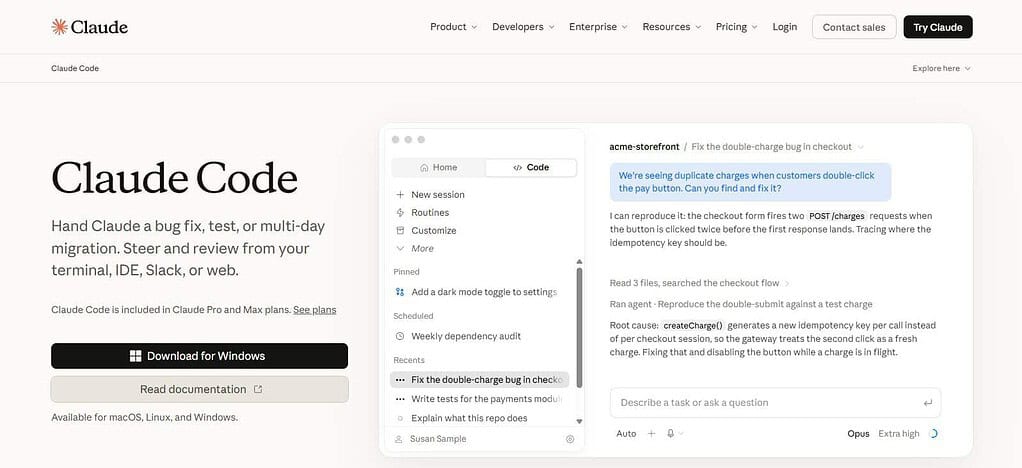
Deployment & Privacy: It runs locally and has access to a developer’s filesystem, shell, and network, with sandboxing adding additional boundaries. Citations: It is mostly about coding-agent execution, not about search-result citation.
Code Generation: It can create, edit, test and debug code across files. AI Models: It uses the family of Claude models from Anthropic. Help with Documentation: Developers are able to ask Claude to search for frameworks and technical information. IDE: It integrates with and supports terminal-based workflows.
Claude Code Features
- Terminal Agent: Runs natively in the developer’s command-line environment.
- Repository Understanding: It reads the project files to understand the development context.
- Multi-file Editing: Make changes in several files in a coordinated fashion.
- Debugging: Assists in finding and correcting errors.
- Automation: Enables multi-step coding tasks such as testing, scripts, migrations and more.
| Pros | Cons |
|---|---|
| Strong terminal-based coding workflow. | Primarily oriented toward coding rather than general search. |
| Can work across multiple project files. | Terminal-based workflows may have a learning curve. |
| Supports complex multi-step development tasks. | Usage depends on the selected Claude plan and limits. |
| Useful for debugging, testing, and code modification. | It does not function as a traditional standalone IDE. |
| Can work with existing developer environments. | Developers must carefully review agent actions and changes. |
5. OpenAI Codex
OpenAI Codex is an AI coding agent that can write, review, modify, and ship software. Release & Type: It belongs to the coding-agent class and is suitable for multi-step development tasks. Pricing: Codex is available with qualifying ChatGPT subscriptions, and additional usage and business pricing options may be available.
Deployment & Privacy: It is available in web, desktop, CLI and IDE environments, with sandboxing and customizable permissions for agent actions. ** Cites:** Codex can use the web information in the supported workflows, but it is intended primarily for code execution, not search-result presentation.
Code Generation: Code writing, code review, code debugging, and repository changes are basic capabilities. AI Models: It uses OpenAI models that can write code. Documentation Help: Technical research can assist with development tasks. IDE: CLI and web and desktop and IDE extensions .
OpenAI Codex Features
- Code generation: Writes and changes application code.
- AI Coding Agent: Executes software-development tasks based on instructions written in natural language.
- Repository Tasks Can work across project files and dev environments.
- Code Review: Helps with reviewing and improving existing implementations.
- Developer Integrations: Supports web, CLI, desktop and IDE-based workflows
| Pros | Cons |
|---|---|
| Designed for agentic software-development tasks. | Primarily focused on coding rather than general search. |
| Can generate and modify code across repositories. | Usage limits vary according to the ChatGPT plan. |
| Supports code review and debugging workflows. | Complex tasks still require human verification. |
| Available across web, CLI, desktop, and IDE workflows. | Some advanced capabilities may require eligible plans. |
| Useful for multi-step development automation. | Results can vary depending on repository context and task complexity. |
6. Sourcegraph Cody
Sourcegraph Cody is an AI-powered code assistant powered by codebase context and Sourcegraph’s search. Launch & Category: This is in the code-intelligence and AI coding-assistant category. Pricing: Much of the current Cody access is tied to Sourcegraph Enterprise. Deployment & Privacy: Compatible with your Sourcegraph environments and connected codebases.
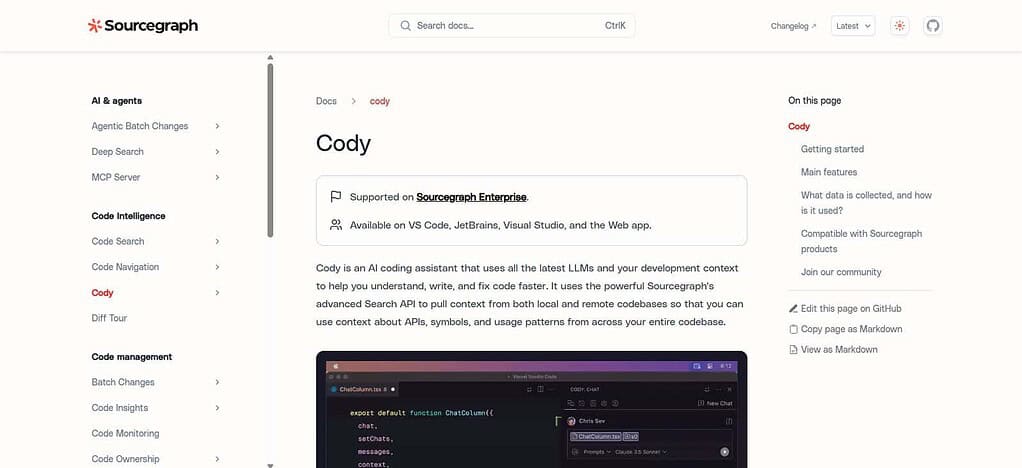
Enterprise controls for managing dev context. Citations: Cody’s principal strength is code-context retrieval, not traditional web-search citations. Code Generation: Code completion, edits, generation and developer chat. AI Models: Cody may use a variety of existing large language models. Documentation support: retrieves APIs, symbols, usage patterns, and repository context. IDE: Supports VS Code, JetBrains, Visual Studio, web, and CLI environments.
Sourcegraph Cody Features
- Codebase Search: Uses Sourcegraph Search to find relevant repo context.
AI Chat: Answers questions about code, APIs, symbols, and project architecture. - Code Generation: Creates and modifies code according to the repository context.
Debugging: Helps you locate and correct errors in your code. - IDE Integration: Supports VS Code, JetBrains, Visual Studio, Web and CLI workflows.
| Pros | Cons |
|---|---|
| Strong repository and codebase context. | Primarily aimed at professional development teams. |
| Uses code search to retrieve relevant project information. | Less suitable for general-purpose web research. |
| Supports code generation and editing. | Availability and features can depend on Sourcegraph plans. |
| Useful for understanding large codebases. | Enterprise setup may require additional configuration. |
| Integrates with several development environments. | More specialized than general AI assistants. |
7. Windsurfing
Windsurf is an AI-assisted dev environment focused on agentic coding, codebase context, and assisted software development. Launch & Category: It falls into the AI IDE and coding agent category. Pricing: Pricing is based on plan and usage, with consumption based on model usage.

Deployment & Privacy: Windsurf supports cloud-based development workflows and enterprise data controls, and its published data policies say that customer data is used to provide the service and not to train models. Citations: Instead of making citations the main product feature, Web Retrieval can add external information when enabled.
Code Generation: Core capabilities include agentic editing and coding assistance. ** AI Models: Depending on the workflow you select, you can have multiple AI models to choose from. Support for Documentation: Retrieval from the web and development context can support documentation research. IDE: Windsurf features its own AI development environment.
Windsurf Features
- AI Code Editor: An AI-first development environment
Agentic Workflows: Helps you do larger coding tasks across a project. - Codebase Context: Uses project context to give you more relevant coding assistance.
Code Generation: create, edit, and refactor code. - Contextual Assistance. Combines the editor’s interaction layer with AI-powered development workflows.
| Pros | Cons |
|---|---|
| Provides an AI-first development environment. | Requires adapting to its development environment. |
| Supports agentic coding workflows. | Pricing and usage can vary with AI consumption. |
| Maintains context across project files. | General-purpose search is not its primary purpose. |
| Useful for code generation, editing, and refactoring. | Complex agent tasks still need human oversight. |
| Designed for continuous AI-assisted development. | Advanced functionality can depend on plan and model availability. |
8. Devv AI
Devv.AI is an AI developer platform that combines developer search with AI coding and app development tools. **Launch and Category: With its current product suite, Devv Search and Devv Code put it squarely in the developer-search and AI coding categories.
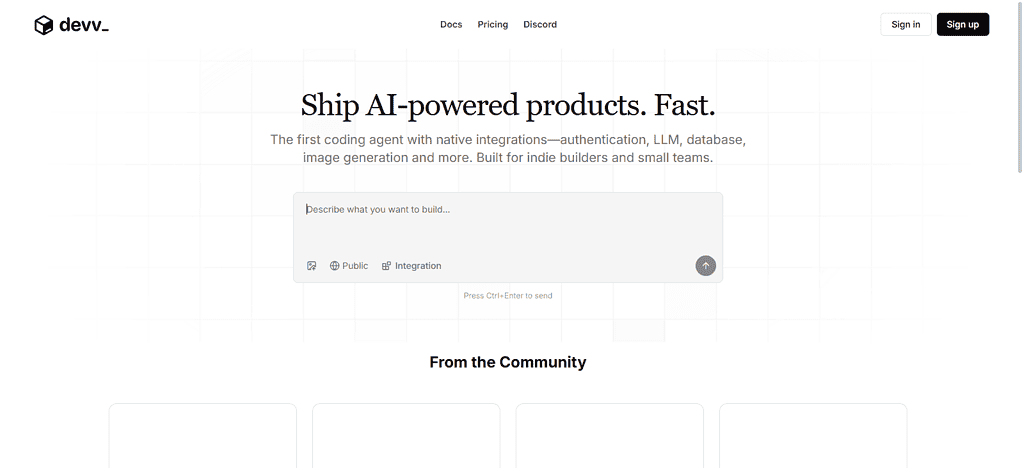
Pricing: Pricing depends on the product and current usage model, so check the active plan before publishing. Deployment & Privacy: Delivered primarily as a cloud-based platform. Citations: Devv Search is built to fetch AI-assisted technical information and citation behavior may vary depending on the search experience.
Code Generation: Devv has AI code-generation and tools for Python, SQL, HTML and other development tasks. AI Models: The availability of its underlying model varies by product. Documentation Support: Developer oriented search is a main use case. ID: Its main experience is web-based, not a traditional standalone IDE.
Devv.AI Features
- Developer Search: AI-powered search for programming and technical questions.
Code Generation assists developers to generate and understand code. - Technical Research: Great for finding programming solutions and development resources.
Documentation Discovery: Helps you find related technical information and documentation. - Programming Search & Assistance Oriented: Built around the programming search & assistance use case.
| Pros | Cons |
|---|---|
| Specifically targets developer-oriented search. | Smaller ecosystem than major general AI platforms. |
| Useful for programming and technical questions. | Feature availability can change as the platform develops. |
| Can assist with code generation. | Less extensive IDE integration than dedicated coding platforms. |
| Helps discover technical resources and solutions. | Pricing and usage details may vary by product. |
| Simple developer-focused search experience. | Less suitable for complex repository-level agent workflows. |
9. You.com
You.com is an AI search, research and developer search infrastructure with APIs for building AI applications. Launch & Category: Belongs to the AI search, research, and search-API category. Pricing: The API is pay-per-credit, and the Web Search and Answer APIs are $5 for 1,000 calls.
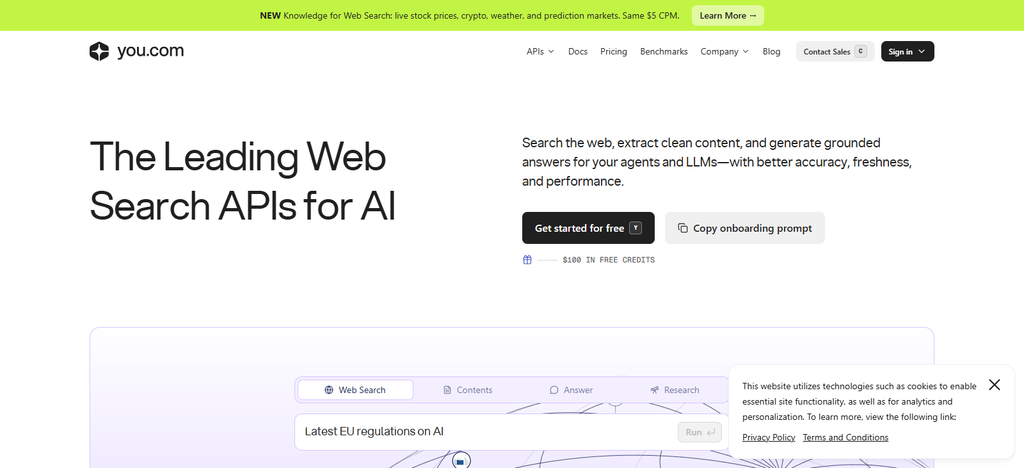
Deployment & Privacy: It can plug its search APIs into external applications, instead of making developers only work within a proprietary IDE. Citations: API answers are accompanied by citations with inline references.
Code Generation: AI help can assist with coding and development research. AI Models: It offers AI-powered search and answer infrastructure. Documentation support: Developers are able to access web content and technical documentation. ID: It’s more of a web/API oriented coding assistant and not an IDE native one.
You.com Features
- Citations: Lists sources for information that has been retrieved.
- AI Search: AI-generated responses, in addition to web search.
- Developer Research: Supports research on APIs, frameworks, libraries and technical topics.
- Search APIs: Gives developers search infrastructure to embed into their applications.
- AI Answers: Summarizes retrieved web information in conversational answers.
| Pros | Cons |
|---|---|
| Combines AI answers with web search. | Coding is not its primary specialization. |
| Provides citations for search-based responses. | Developer workflow is less IDE-centric. |
| Useful for technical research and documentation discovery. | Advanced API usage can introduce additional costs. |
| Offers APIs for integrating search capabilities. | Search results still require developer verification. |
| Supports multiple AI-powered research workflows. | Less focused on repository-level coding agents. |
10. ChatGPT
ChatGPT is a general purpose AI assistant, but it also has substantial developer-search and software-development capabilities through its coding and research workflows. **Category & Launch: It is classified as conversational AI, AI research, and coding assistant.

Pricing: Free, Go, Plus, Pro, Business and Enterprise plans. Pricing varies by tier. Deployment & Privacy: Primarily cloud-based with enterprise controls over business plans. Citations: Search-enabled workflows deliver answers with sources.
Code Generation: It can generate code, explain and debug code, refactor and review code. AI Models: There are multiple models from OpenAI, depending on the plan. Documentation support: It can help with technical documentation and research. IDE: Codex extends the workflow through CLI, web, desktop and IDE extensions.
ChatGPT Features
- Developer Research: Can research technical concepts, libraries, APIs and programming problems.
- Conversational Coding: Code generation, explanation, debugging, refactoring
- Code Execution: Allows for development workflows that use code analysis and execution.
- Codex Integration: Offers specialized agentic coding through Codex.
- General AI Help: Technical research, coding, documentation analysis and general problem solving.
| Pros | Cons |
|---|---|
| Supports coding, debugging, explanation, and technical research. | It is broader than a dedicated developer-search platform. |
| Can combine web research with conversational assistance. | Advanced features depend on the selected plan. |
| Supports Codex for agentic coding workflows. | Generated code requires testing and review. |
| Useful for documentation and programming questions. | Usage limits vary between plans and models. |
| Supports multiple development and research workflows. | Dedicated repository workflows may require additional tools or integrations. |
Conclusion
It is dependent on whether you want developer search, technical research, coding, documentation, or integrated development workflow. Perplexity AI and You.com are pretty heavily AI-powered search and cited research oriented, while GitHub Copilot, Cursor, Claude Code, OpenAI Codex, Sourcegraph Cody and Windsurf are more oriented to coding and codebase workflows.
Devv.AI offers a search experience for developers, while ChatGPT integrates research, programming and conversational help.
Before you switch, compare pricing, AI models, citations, documentation support, IDE integration, privacy controls and code-generation capabilities. Ultimately, the decision of what to use depends on your development workflow, technical requirements and the type of working environment you prefer.
FAQ
What are the best Phind alternatives for developers?
Popular alternatives include Perplexity AI, GitHub Copilot, Cursor, Claude Code, OpenAI Codex, Sourcegraph Cody, Windsurf, Devv.AI, You.com, and ChatGPT. Each focuses on different developer-search, coding, research, or codebase workflows.
Which Phind alternative is best for coding?
GitHub Copilot, Cursor, Claude Code, OpenAI Codex, and Windsurf are designed specifically around coding workflows, including code generation, debugging, editing, repository tasks, and agentic development.
Are there free Phind alternatives?
Yes. Several alternatives offer free access or free tiers, including Perplexity AI, GitHub Copilot, Cursor, and ChatGPT. Free usage limits and available features can vary by plan.
Which Phind alternatives provide citations?
Perplexity AI and You.com are particularly focused on search-based answers with citations. Other coding-focused tools may provide references or retrieved context depending on their specific search and documentation features.
Can Phind alternatives search developer documentation?
Yes. Developer-oriented alternatives can help locate and explain technical documentation, APIs, libraries, frameworks, GitHub repositories, and programming resources, although their coverage and retrieval methods differ.