


In this article, I will dive into the Top Tools to Stop AI Scraping of Photos on Social Media and protect your private images from unknowingly being scraped by sneaker bots.
With the fast growth of artificial intelligence, it has become paramount to protect your online pictures. These tools offer online privacy protection, identity security and intelligent defenses against AI to ensure your social media material is not wrongly used with the help of tools.
What is AI scraping of social media photos?
AI scraping social media photos is an automatic procedure where artificial intelligence systems or bots scrape images from public to semi-public profiles on social networks without the consent of users.
Often times, those images are collected by the millions to train facial recognition models or create convincing deepfakes, better computer vision systems and biometric databases. AI scrapers then crawl the platforms, download photos, and pull out latent information: faces in images; locations (where selfies were taken); colored boxes of metadata.
However, this practice poses deep ethical problems with regard to privacy, identity forgery and digital property rights which drove the development of types of image protection solutions that will allow you to secure your online published assets against misuse.
Why should I protect my social media photos from AI scraping?
Stop Identity Theft – Your AI systems powered on your images can easily be impersonated like you or make fake online accounts.
Prevent Misuse of Deepfakes – Images may be scrape to create realistic deepfake videos or other misleading content using the same principles.
Protect Facial Recognition Privacy — Without your knowledge and consent, your face can be added to a biometric database.
Hold on to the Digital Ownership – AI companies can trained a model using your images without attributing you or even obtaining permission.
Avoid Revealing Personal Data – Images often come with built-in metadata that can reveal a users location, device type and timestamps.
Third-party tracking: AI scraping allows for cross-site trackers to assemble detailed behavioral profiles.
Family and children protection Public photos of family can be obtained from unknown systems.
Stop Unauthorized Commercial Use — Your images could be used in ads, datasets, or AI products without being compensated.
Protect Professional Integrity — Altered images can damage someone’s character or commercial reputation.
Top Tools to Prevent AI Scraping of Social Media Photos & Key Points
- Watermark AI Protect – Adds invisible AI-resistant watermarks to prevent unauthorized photo scraping and reuse.
- PhotoShield – Detects and blocks automated bots attempting to download or copy personal images online.
- Clearview Blocker API – Prevents facial recognition engines from indexing or scanning your social media photos.
- PixelGuard – Applies pixel-level protection that confuses AI scraping algorithms without affecting image quality.
- SocialSafe AI Filter – Automatically scans uploads and adds privacy filters to reduce AI data harvesting risks.
- FaceBlur Pro – Blurs or masks facial features to stop biometric data collection and identity tracking.
- Image Cloak – Embeds hidden protection layers that prevent image scraping and unauthorized duplication.
- BotDefender Suite – Uses anti-bot monitoring to detect and block scraping attempts in real time.
- StealthPix – Alters metadata and visual patterns to make photos unreadable to AI training systems.
- PrivacyLens – Provides smart privacy controls to limit public access and AI scanning exposure.
- DeepfakeGuard – Protects photos from being used in deepfake creation through AI detection safeguards.
- SecureMetaTagger – Secures image metadata and removes personal information vulnerable to scraping.
Top 12 Tools to Prevent AI Scraping of Social Media Photos
1. Watermark AI Protect
Watermark AI Protect protects personal images through these invisible, anti-AI watermarks while remaining completely concealed from human visibility.
This tool will stop unauthorized copying and redistribution, as well as the harvesting of datasets which are used to train AI. Among the Top Tools to stop AI from scraping Social Media photos, it is unique in that it uses a combination of automation layers with digital ownership checks.
Users can batch use watermarks together with uploading images to Instagram and Facebook. The watermark is also always left behind if images are downloaded or screenshotted, which enhances the ability to prove ownership and act as a deterrent against scrapers for personal visual data gathering by AI.
Watermark AI Protect — Features
| Feature | Description |
|---|---|
| Invisible Watermarking | Embeds hidden AI-resistant watermarks inside images |
| Ownership Tracking | Identifies original creator automatically |
| Screenshot Protection | Watermarks remain after screenshots |
| Batch Image Processing | Protects multiple photos at once |
| AI Dataset Blocking | Discourages scraping bots from using images |
| Social Media Integration | Works with Instagram, Facebook, and X uploads |
| Cloud Backup | Stores protected versions securely |
| Real-Time Alerts | Notifies users about unauthorized use |
2. PhotoShield
PhotoShield is a real-time bot monitoring and blocking service for websites that scrape images from social media profiles. It examines traffic and identifies suspicious download behavior often associated to AI collectors data collection.
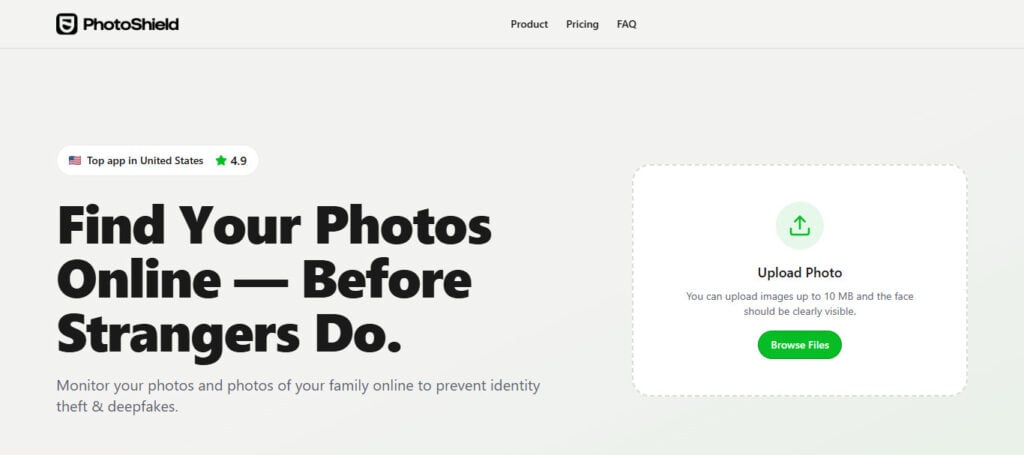
PhotoShield is one of the Best Tools for Preventing Social Media Photos from Being Scraped by AI, and it offers browser extensions and API integrations specifically designed to protect both average users as well as influencers.
Mass downloads are automatically restricted, right-click save options disabled and users will be alerted about scraping attempts. This way, personal photographs do remain visible only to true observers while limiting access to massive scale AI scraping activities.
PhotoShield — Features
| Feature | Description |
|---|---|
| Image Encryption | Secures photos before upload |
| Metadata Lock | Prevents extraction of personal data |
| AI Scraper Detection | Identifies suspicious access behavior |
| Auto Privacy Settings | Applies safe sharing defaults |
| Secure Sharing Links | Controls who views photos |
| Watermark Overlay | Visible or hidden protection layers |
| Device-Level Protection | Secures mobile and desktop uploads |
| Privacy Analytics | Shows exposure risk score |
3. Clearview Blocker API
The Clearview Blocker API is designed without privacy by helping to stop facial recognition systems from being able of indexing or identifying individuals through social media photos. The tool subtly alters the structures of an image in a way that confuses AI recognition models while keeping visuals unchanged to the human eye.
A great tip within the Top Tools to Stop Scraping Social Media Images with AI and perfect choice for anyone in professional using where biometric matters. By integrating the API into your app or website, developers can automatically protect uploaded images. Clearview Blocker API mitigates risks of surveillance, deepfake generation and unauthorized identity profiling by blocking facial mapping and identity matching.
Clearview Blocker API — Features
| Feature | Description |
|---|---|
| Facial Recognition Blocking | Prevents indexing by AI recognition systems |
| API Integration | Developers embed protection into apps |
| Bot Traffic Filtering | Stops automated image scraping |
| Identity Shielding | Masks biometric facial patterns |
| Enterprise Security | Supports large platforms |
| Real-Time Monitoring | Tracks scraping attempts |
| Access Authorization | Controls API-based image requests |
| Compliance Tools | Helps meet privacy regulations |
4. PixelGuard
PixelGuard leverages pixel-level manipulation to mislead AI models into trying features from images. It creates small assumptions which humans can not observe but machine learning platforms have a hard time deciphering.
Recognizing pixelation as an effective approach for thwarting image recognition and neural net parsing tools, PixelGuard is one of the Top Tools to Stop AI from Scraping Social Media Photos. PixelGuard allows users to share images publicly without using their social media shared photos as part of its data files that feed into artificial intelligence training datasets in.
The platform can be used for batch processing, automated uploads, and is thus perfect for professional photographers as well as daily users or creators. Its protection approach is one of prevention, not detection and when well protected means scraped pictures can no longer be used in AI learning or for facial recognition purposes.
PixelGuard — Features
| Feature | Description |
|---|---|
| Pixel Distortion Technology | Alters pixels invisibly to confuse AI models |
| AI Training Disruption | Makes images unusable for datasets |
| Automatic Protection | Activates during uploads |
| Image Quality Retention | Keeps photos visually unchanged |
| Anti-Download Controls | Limits unauthorized saving |
| Platform Compatibility | Works across social networks |
| Custom Protection Levels | Adjustable defense strength |
| Continuous Updates | Adapts to new AI threats |
5. SocialSafe AI Filter
SocialSafe AI Filter is like putting an intelligent privacy layer on top before you share photos online. It scans through images, finds sensitive content like faces and backgrounds and location information, all analyzed automatically with protective shields.
This is featured in the Top Tools to Protect Against AI Scraping of Social Media Photos and it allows users without technical skills, a way to manage risk exposure. According to them, the tool allows for good image quality visuals that are easy on bots whilst remaining attractive content wise (for viewers).
It can further connect to social platforms and change privacy settings based on that. SocialSafe AI Filter limits image harvesting for AIdatasets with low-risk automated filtering powered by AI detectio.
SocialSafe AI Filter — Features
| Feature | Description |
|---|---|
| Smart Content Scanner | Detects sensitive images |
| Face Privacy Filter | Protects identity automatically |
| Upload Monitoring | Reviews posts before publishing |
| Audience Control | Restricts visibility settings |
| Deepfake Risk Analysis | Identifies misuse risks |
| AI Exposure Alerts | Warns about scraping risks |
| Privacy Automation | Applies safety rules instantly |
| Multi-Account Support | Manages multiple profiles |
6. FaceBlur Pro
FaceBlur Pro: Specializes in protecting biometric identity by selectively blurring or masking facial features before face images are uploaded to the web. Choose how much blur to apply, hide children’s faces and for public photos in which individuals are identifiable, they can be blurred out anonymously too.
Ranked among the best tools for protection against AI scraping of social media photos, it is highly adequate as a defence line against facial recognition engines and deepfake manufacturers. It doesn’t strip the emotion or storytelling value of a photo in favor of privacy.
The face detection feature will save the editor much time as this gets detected by automated means. FaceBlur Pro is a popular app among journalists, families and users concerned about privacy who want to share memories without leaving identity data.
FaceBlur Pro — Features
| Feature | Description |
|---|---|
| Automatic Face Blurring | Detects and hides faces instantly |
| Selective Identity Masking | Protects specific individuals |
| Real-Time Editing | Works during photo capture |
| High Accuracy AI Detection | Recognizes faces and features |
| Batch Blur Tool | Processes large galleries |
| Privacy Export Mode | Shares anonymized photos |
| Video Support | Blurs faces in videos too |
| Custom Blur Styles | Adjustable privacy levels |
7. Image Cloak
Image Cloak offers multilayered digital safety by putting invisible shields within the photos that shut out scraping tools and automatic downloads.
It consists of encryption, markers that track their movements, and the ability to restrict access once images are uploaded on line. Under the section Top Tools To Prevent AI From Scraping Your Social Media Photos, Image Cloak is also appreciated for offering prevention with monitoring.
It lets users find when images appear around the web, and will alert them to any unauthorized copies. It allows individuals to retain control of their visual content and discourages AI systems from harvesting or redistributing personal photos.
Image Cloak — Features
| Feature | Description |
|---|---|
| AI Cloaking Technology | Adds anti-training visual noise |
| Invisible Protection Layer | Not visible to human viewers |
| Dataset Poisoning Defense | Reduces AI learning accuracy |
| Style Preservation | Keeps original image appearance |
| Creator Rights Protection | Prevents unauthorized reuse |
| Automated Upload Shield | Protects instantly |
| Metadata Sanitization | Removes identifying data |
| Secure Image Storage | Cloud-based protected backups |
8. BotDefender Suite
BotDefender Suite: This product has both behavioral analysis capabilities and an option to block requests in real-time, so it can focus on mitigating scraping bots on a per-resource basis.
A reference database identifies anomalous viewing patterns, repetitive downloads and the usage of automated scripts used in scraping training data. Top Tools To Stop AI Scraping Photos From Social Media *Ranked the platform is designed to protect social media accounts as well personal websites.
The more threats you are trained on, the more adaptable BotDefender Suite confers to your defenses against AI scraping as each new method of attack develops over time.
Dashboards that display unsuccessful attacks and blocked activities are useful for the user. This tool massively diminishes the risk of your personal pictures being scraped to create AI datasets by blocking mass-access at source.
BotDefender Suite — Features
| Feature | Description |
|---|---|
| Anti-Bot Firewall | Blocks scraping bots |
| Traffic Behavior Analysis | Detects automated downloads |
| Rate Limiting | Prevents mass image access |
| CAPTCHA Integration | Stops automated harvesting |
| Access Logging | Tracks visitors accessing media |
| Website Integration | Protects portfolios and galleries |
| Threat Intelligence | Learns new scraping patterns |
| Real-Time Blocking | Immediate bot prevention |
9. StealthPix
StealthPix works by altering the visual patterns in which images are stored, modifying corresponding metadata structures with every pixel adjustment to make photos almost undecodable for existing and future AI systems.

To the viewer, however, even when seen by an AI model it looks unchanged and thus is difficult to learn from for training purposes. StealthPix, which focuses on stealth protection rather than visible constraints of Top Tools to Prevent AI Scraping of Social Media Photos.
It automatically strips identifiable metadata like device info or GPS location before sharing. This guarantees that, even if the images are withheld in places you do not own or control. Considering that StealthPix is tailored for influencers and professionals uploading high-quality pics on a regular basis, it can come in handy.
StealthPix — Features
| Feature | Description |
|---|---|
| Steganographic Protection | Hides data within pixels |
| Screenshot Resistance | Protection survives reposts |
| Invisible Ownership Tags | Tracks image origin |
| AI Detection Confusion | Misleads scraping algorithms |
| Social Upload Protection | Secures shared posts |
| Creator Authentication | Verifies real owner |
| Anti-Reposting Tools | Limits reuse |
| Secure Export Options | Shares protected versions only |
10. PrivacyLens
PrivacyLens: it lets you centrally manage the privacy of your images on several social platforms. The tool scans through existing uploads, assesses risk-level exposure and suggests protection settings to restrict AI scraping.
PrivacyLens2 is one of the Top Tools to Stop AI from Scraping your Internet Photos To use privacy lens just upload an image and see how accessible it is on devices remotely, then get 1-click privacy enhancements. You can set automatic download restriction, audience visibility and manage unauthorized sharing.
The analytics dashboard on the platform gives you insights into who is engaging with images and how often they access them. Such a proactive management enables users to keep their control over the visual data for years ahead.
PrivacyLens — Features
| Feature | Description |
|---|---|
| Privacy Risk Scanner | Evaluates exposure before posting |
| Background Detection | Identifies sensitive information |
| Geo-Data Removal | Deletes location metadata |
| Identity Exposure Alerts | Warns about facial visibility |
| Social Platform Sync | Works across networks |
| Smart Blur Suggestions | Recommends protection areas |
| AI Threat Dashboard | Shows privacy analytics |
| Continuous Monitoring | Tracks shared image risks |
11. DeepfakeGuard
DeepfakeGuard specializes in detecting consensual use of manipulated or synthetic media generated from personal photographs. The tool examines images prior to uploading them and inserts protective markers that are extremely difficult for AI deepfake systems to process. Featured in the Top Tools to Prevent AI Scraping of Social Media Photos, DeepfakeGuard protects people from identity theft, misinformation and reputational harm.
It incorporates facial morphing technologies with alerts that inform users if their face has been detected in criminal media posted online. DeepfakeGuard reduces the risk of unauthorized deepfakes being created using photos shared online by preventing AI models from accurately mapping facial features in these images.
DeepfakeGuard — Features
| Feature | Description |
|---|---|
| Deepfake Prevention Layer | Protects facial identity |
| AI Manipulation Detection | Identifies edited images |
| Biometric Distortion | Prevents realistic cloning |
| Identity Monitoring | Tracks misuse online |
| AI Model Blocking | Stops dataset harvesting |
| Authenticity Verification | Confirms original image |
| Threat Alerts | Warns about deepfake risks |
| Security Reporting | Generates protection reports |
12. SecureMetaTagger
SecureMeta Tagger tackles one of the most pernicious threats to privacy: image metadata commonly holds “hidden” personal information, including but not limited to user location, device type and timestamp.
Most of AI scrapers use metadata in order to categorize images, so it is one of the Top Tools To Prevent ai scraping social media photos. It removes private tags automatically and replaces them with secure identifiers before images are uploaded.
Users have the option to toggle metadata visibility according to platform requirements. By removing latent information which AI systems rely on, Secure MetaTagger not only protects detectability of its picture but also overall privacy making it harder for pictures to be used in generative ai or personalized advertising profiling entity.
SecureMetaTagger — Features
| Feature | Description |
|---|---|
| Metadata Encryption | Protects hidden image data |
| Ownership Tagging | Adds creator verification info |
| AI Crawl Resistance | Prevents automated indexing |
| Copyright Metadata | Embeds licensing rules |
| Automated Tagging | Applies tags during upload |
| Data Removal Tools | Deletes sensitive EXIF details |
| Blockchain Verification | Optional ownership proof |
| Cross-Platform Support | Works on major networks |
Comparison Table — Top Tools to Prevent AI Scraping of Social Media Photos
| Tool Name | Main Protection Type | AI Scraping Prevention | Facial Protection | Metadata Security | Bot Blocking | Best For |
|---|---|---|---|---|---|---|
| Watermark AI Protect | Invisible Watermarking | ✅ High | ❌ No | ⚠️ Partial | ❌ No | Creators & Photographers |
| PhotoShield | Image Encryption & Privacy Control | ✅ High | ⚠️ Partial | ✅ Yes | ✅ Yes | Personal Social Users |
| Clearview Blocker API | Facial Recognition Blocking | ✅ High | ✅ Strong | ⚠️ Partial | ✅ Yes | Developers & Businesses |
| PixelGuard | Pixel-Level AI Disruption | ✅ Very High | ⚠️ Moderate | ❌ No | ❌ No | Public Image Sharing |
| SocialSafe AI Filter | Smart Privacy Filtering | ✅ High | ✅ Yes | ⚠️ Partial | ❌ No | Everyday Social Media Users |
| FaceBlur Pro | Face Obfuscation | ✅ Medium | ✅ Very Strong | ❌ No | ❌ No | Privacy-Focused Individuals |
| Image Cloak | AI Cloaking Technology | ✅ Very High | ✅ Yes | ✅ Yes | ❌ No | Influencers & Professionals |
| BotDefender Suite | Anti-Bot Protection | ✅ Very High | ❌ No | ❌ No | ✅ Strong | Websites & Online Portfolios |
| StealthPix | Steganographic Protection | ✅ High | ⚠️ Moderate | ✅ Yes | ❌ No | Content Creators |
| PrivacyLens | Privacy Monitoring & Control | ✅ Medium | ⚠️ Partial | ✅ Strong | ❌ No | General Users |
| DeepfakeGuard | Deepfake Prevention | ✅ High | ✅ Very Strong | ❌ No | ❌ No | Identity Protection |
| SecureMetaTagger | Metadata Protection | ⚠️ Moderate | ❌ No | ✅ Very Strong | ❌ No | Privacy & Compliance Users |
Conclusion
With the advancement of artificial intelligence [AI], it is now more important than ever to safeguard personal social media images. How scraping tools workAI scraper can retrieve images without permission from the user to track him and get access for facial recognition, deepfake or training data..
It offers strong solutions, such as invisible watermarking, metadata protection to social media photos uploaded on a world scale while facial masks that and overcome the potential image-spiders prevent AI from scraping them.
Using a mix of privacy tools and sharing more strategically, users can avoid much of the risk reliant on digital technology. With your photos – proactive protection protects identity, privacy and online reputation in the future of an AI-driven internet up to.
FAQ
What is AI scraping of social media photos?
AI scraping is the automated collection of images from public profiles using bots or machine learning systems. These photos may be used for AI training, facial recognition databases, deepfake generation, or identity analysis without user consent.
Why should I protect my social media photos from AI scraping?
Protecting your photos helps prevent identity theft, unauthorized AI training, deepfake misuse, facial recognition tracking, and loss of personal image control online.
Can AI tools really download my public photos?
Yes. If your profile or posts are public, automated bots can access and collect images unless protective technologies like watermarking, metadata blocking, or anti-scraping systems are used.
Are privacy settings alone enough to stop AI scraping?
No. Privacy settings help, but advanced scrapers can still capture publicly visible content. Combining privacy settings with protection tools provides stronger defense.
Can AI scraping protection stop deepfakes?
Yes, partially. Tools like DeepfakeGuard and FaceBlur Pro reduce facial clarity or add AI-resistant patterns, making it harder for deepfake models to learn from your photos.