


I will discuss the Best Claude AI Features for Writing, Coding & Business in this article. These features help improve productivity and professionalism by automating workflows and simplifying tasks.
Claude AI capabilities range from writing and coding to advanced multimodal analysis, offering tools for creators, developers, marketers, and businesses. These features help users save time and improve efficiency in more complex work process management.
How Claude AI Features for Writing, Coding & Business
Writes Better Quality Content: Revising and writing emails, reports, articles, or social media posts becomes easier thanks to Claude AI. Writers or marketers can express their thoughts clearly and be error-free.
Completes Coding Tasks Faster: Speeds up the development process by generating code, documenting, and explaining code, all thanks to Claude AI.
Optimizes Business Workflows: Automating repetitive work saves employees time and enables them to be more focused more productive at work. This can be done through analyzing reports or improving internal communication with Claude AI.
Handles Long Document Complexities: Save time by having Claude analyse long business documentation, research papers, or PDF files, by utilizing its long context window, to ensure no other interpretation is missed in the documentation.
Creates Better Professional Tone; Claude AI can help write tone-correct customer support responses, business proposal emails, or communications with clients, with the correct time and format, and expresses your professionalism.
Drives Better Data Extraction: Present complex research data and synthesize your findings to do effective research using Claude AI.
Improves Drafting of Policies and Contracts: Save time drafting compliance and H.R. policies, contracts, or legal briefs through analyses done by Claude AI.
Improves Overall Productivity of the Team: Claude AI can improve internal documentation support and help the team better automate workflows, while easily managing knowledge.
Complements Diverse Workflows: Compared to other AIs, Claude can understand aspects of tasks like charts, images, or written documentation using multimodal analysis.
Key Point & Best Claude AI Features for Writing, Coding & Business
| Claude AI Feature | Key Point |
|---|---|
| Anthropic Constitutional AI | Uses ethical AI training methods to provide safer and more reliable responses. |
| Claude Long Context Window | Can process large documents, long chats, and extensive datasets efficiently. |
| Claude Writing Assistant | Helps create blogs, articles, summaries, and marketing content quickly. |
| Claude Coding Assistant | Assists developers with code generation, debugging, and explanations. |
| Claude Business Analyst | Analyzes reports, business data, and workflows for better decisions. |
| Claude Legal & Policy Drafting | Supports drafting contracts, policies, compliance documents, and legal summaries. |
| Claude Research Mode | Performs deep research, information extraction, and content summarization. |
| Claude Email & Communication Agent | Generates professional emails, replies, and customer communication drafts. |
| Claude Knowledge Management | Organizes company knowledge, notes, and internal documentation efficiently. |
| Claude Multimodal Input | Understands text, images, PDFs, and other content formats for advanced tasks. |
1. Claude Constitutional AI
Claude Constitutional AI uses a unique method of safety-centric training that helps the AI produce more ethical, trustworthy, and balanced responses. Rather than relying entirely on human oversight, Claude adheres to a prescribed “constitution” of principles to form its responses.

As such, this is among the Best Claude AI Features for Writing, Coding & Business, as businesses will feel more comfortable using it for customer support, documentation, and formal communications. The system balances the need for truth and usefulness while lessening the risk of producing harmful or biased outputs.
Organizations working with sensitive material, teaching content, or interacting with the public will reap the rewards from Claude Constitutional AI’s better AI behavior in their day-to-day operations.
Claude Constitutional AI Features, Benefits & Drawbacks
Features
- Ethical reactions
- Safer content generation
- Lesser harmful outputs
- Balanced conversational responses
- AI safety principles
Benefits
- More trust in AI-generated content
- Keeps business communication safe
- Lesser biased responses
- Professional environments
- Responsible AI advancement
Drawbacks
- Avoids sensitive topics
- Responses are overly cautious
- Controversial topics are inflexible
- Refuses complex prompts
- Critical tasks rely on human review
2. Claude Long Context Window
Claude Long Context Window allows users to process massive amounts of text in a single interaction. It can read and analyze large PDFs, research papers, business reports, meeting transcripts, and large coding files and still keep context. This is among the Best Claude AI Features for Writing, Coding & Business because professionals can summarize large documents, sift and compare data, and carry on lengthy discussions.
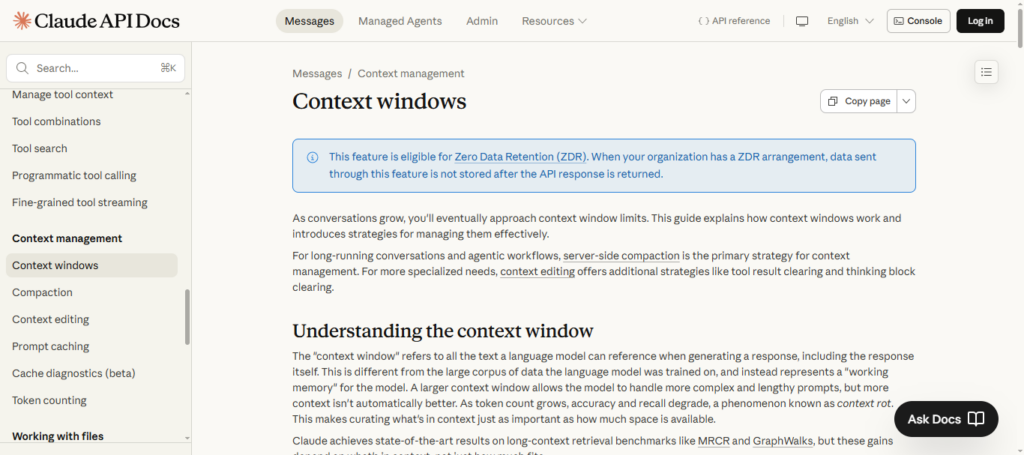
Writers can compose sequential drafts and business teams can analyze elaborate reports. The long context capability optimizes time and enhances productivity both for the user and for the AI itself, reducing the need for the user to break down data into smaller units before AI helps with and manages workflow.
Claude Long Context Window Features, Benefits & Drawbacks
Features
- Handles large documents
- Processes long conversations
- Supports huge code files
- Maintains context accuracy
- Works with lengthy PDFs
Benefits
- Saves time during analysis
- Improves productivity for researchers
- Helps developers review codebases
- Reduces need for content splitting
- Enhances workflow continuity
Drawbacks
- Slower with very large inputs
- High processing resource usage
- Can miss minor details occasionally
- Large files may increase response time
- Advanced features may require premium plans
3. Claude Writing Assistant
With Claude Writing Assistant, you can easily produce high-quality copy for a variety of purposes such as blog writing, professional documents, social media posts, etc. This writing assistant provides readability and tone suggestions while correcting grammar and improving syntax.
Being one of the best Claude AI features for business, writing, and coding, this function takes care of the hard work that goes into written content while allowing for a fast and engaging output. Content can be optimized for SEO and branding through rewriting, summarizing, and expanding.
This feature is ideal for bloggers, marketers, students, and other professionals in increasing the speed of content production and the frequency of campaigns while maintaining a high standard and consistency.
Claude Writing Assistant Features, Benefits & Drawbacks
Features
- Blog and article writing
- Grammar correction
- SEO-friendly content generation
- Tone improvement tools
- Content summarization
Benefits
- Speeds up content creation
- Improves writing quality
- Helps marketers and bloggers
- Reduces editing effort
- Supports professional communication
Drawbacks
- Content may sound repetitive
- Requires fact-checking
- Creativity can be limited
- SEO optimization may require manual adjustments
- Can create boilerplate content
4. Claude Coding Assistant
With Claude Coding Assistant, programmers enjoy a wide range of support, from code generation to scrapping and optimization. Claude coding support extends to many programming languages such as Javascript, SQL, and HTML.
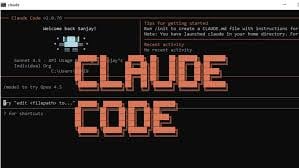
This is one of the best Claude AI Writing, Coding & Business features because even everyday coding tasks can become tedious and drain productivity, but this feature allows fast development through its automation tools.
Claude has the ability to explain algorithms, review code for quality, and help with automation tasks. Beginners enjoy a learning support tool, while more experienced coders appreciate fast debugging and code documentation. Claude Coding Assistant is also great for businesses, boosting workflows and productivity.
Claude Coding Assistant Features, Benefits & Drawbacks
Features
- Code generation
- Debugging aids
- Coding in various languages
- Code breakdown
- Code documentation
Benefits
- Developers saving time
- Coding principles for beginners
- Effective debugging
- Elimination of redundant functions
- Improvement of development process
Drawbacks
- Code can be incorrect
- Security tests are still a requirement
- Difficult tasks can perplex AI
- Not always the best choice for optimization
- Confirmation by a developer is neede
5. Claude Business Analyst
Using AI, Claude Business Analyst helps organizations analyze business reports, financial information, market research, and other operational processes with its research capabilities. Claude Business Analyst has the ability to analyze vast amounts of data, spot trends, and provide strategic insights.
This is one of the Best Claude AI Features for Writing, Coding & Business because it allows the organization to manage the business with greater productivity and foresight while minimizing the time and effort required for manual analysis.

With Claude, teams can easily create and manage business reports and business operations, performance metrics, and documents. Claude helps data-driven managers and entrepreneurial users of Claude maximize data interpretation with advanced workflow and data analysis.
This Business Analyst feature helps organizations of all sizes, including Startups and Enterprises, as well as business consultants by streamlining business tasks and processes in sales, marketing, operations, and overall management.
Claude Business Analyst Features, Benefits & Drawbacks
Features
- Batch data processing
- Review documents
- Understand the flow of work
- Analyze the activity and identify the business trends
- Develop business strategies
Benefits
- Advanced judgment
- Less time spent on analysis
- Reporting is straightforward
- Improves efficiency
- Takes workload off managers
Drawbacks
- Has a limited grasp of business operations
- Can analyze multiple data sets with inaccuracies
- Depends on usable source data
- Cannot fill the role of human analysts
- Manual adjustments are needed for financial extrapolation
6. Claude Legal & Policy Drafting
With Claude Legal & Policy Drafting, users can create contracts, company policies, compliance documents, legal briefs, and agreements more efficiently. It helps to improve the organization of legal and business communications by creating more formal and easy to understand language.
This is one of the Best Claude AI Features for Writing, Coding & Business because it serves to reduce the burden of monotonous legal work. Legal teams and HR departments, as well as many startups, use Claude to efficiently create and review Policy documents and contracts.
Claude streamlines the Legal documentation process by ensuring that legal documentation is consistent, accurate, and up to date in a professional manner. Although legal review by professionals is a must, Claude helps to significantly improve the workflow and productivity of a legal team.
Claude Legal and Policy Drafting Features, Benefits & Drawbacks
Features
- Writing draft submissions of Contracts
- Assisting the Policy making process
- Summarizes legal documents.
- Prepares legal documents of a Compliance nature
- Assists with layout and presentation
Benefits
- Speeds up the drafting of legal submissions
- Brings order to legal documents.
- Diminishes effort required for routine legal activities.
- Aids Human Resources and Compliance functions
- Reduces cost of operations
Drawbacks
- Cannot fill the role of a legal practitioner.
- Legal accuracy must be verified
- Country laws may differ
- Sensitive legal matters need experts
- Complex contracts require a manual review.
7. Claude Research Mode
Claude Research Mode is valuable for analyzing information and simplifying research materials into substantive insights. It can be especially useful for research, content development, or work involving business or market research.

One of the Claude AI features that promotes writing, coding, and business, this tool helps users process large batches of information in less time. Researchers, students, journalists, and other business professionals can easily capture key ideas from reports, articles, and other documents, and the tool helps them identify and formulate summaries, outlines, and insights.
This profoundly impacts productivity and reduces the effort needed for research, while enabling better decisions in any industry and in any profession.
Claude Research Mode Features, Benefits & Drawbacks
Features
- Research summation
- Information extraction
- Data organization
- Content analysis tools
- Insight generation tools
Benefits
- Time-saving
- Simplifies research queries
- Useful for students and professionals
- Boosts productivity
- Assists in organizing research
Drawbacks
- Can overlook certain details
- Sources need to be verified
- Research may be inaccurate
- Restricted access to real-time data
- May need work from a subject expert
8. Claude Email & Communication Agent
Claude Email & Communication Agent is terrific for creating emails and documents for almost any form of communication used in the workplace, such as customer replies and meeting requests, or sales and internal communications, as it can draft messages clearly and professionally in a fraction of the time.
This Claude AI feature that helps with writing, coding, and business enables companies to automate repetitive communications while ensuring consistent professional standards. Claude helps teams manage customer service communications efficiently and manage business proposals and other corporate communications.
Freelancers, marketers, and office professionals find value in the time savings and productivity improvements that come from faster response automation and increased communication clarity and engagement standards.
Claude Email & Communication Agent Features, Benefits & Drawbacks
Features
- Email drafting
- Customer reply generation
- Sales email drafting
- Tone adjustment
- Communication templates
Benefits
- Saves time with communication
- Creates better professional summons
- Customer service communication improved
- Reduces spelling and grammatical errors
- Boosts productivity at work
Drawbacks
- Can make messages sound robotic
- May lack personalization
- Needs to be carefully edited to send sensitive emails
- Can misinterpret email context
- Must be reviewed before sending
9. Claude Knowledge Management
Claude Knowledge Management allows users to catalog, retrieve, summarize, and preserve internal company information such as documentation, training, SOPs, and knowledge. Employees can access information quickly, without going through many systems.

This product is one of the Best Claude AI Features for Writing, Coding & Business as it improves collaboration, decreases information loss, and optimizes internal business functions. Claude can summarize lengthy documentation and respond to questions related to workflows, all while keeping an orderly digital knowledge system.
This functionality is used for employee onboarding, project management, and business function optimization. Knowledge management provides productivity and quick access to internal business information.
Claude Knowledge Management Features, Benefits & Drawbacks
Features
- Document organization and storage
- Managing internal knowledge
- Document summarization
- Standard Operating Procedures (SOP) Management
- Collaboration assistance
Benefits
- Boost interpersonal access to information
- Knowledge fade is diminished
- Aids user instruction
- Aids project management
- Boosts efficiency across management systems
Drawbacks
- Needs to be designed properly to work
- May require a dedicated internal resource if system is large
- May lose project relevance
- Can take time to set up projects
- Must have secure access protocols
10. Claude Multimodal Input
Claude Multimodal Input allows users to engage with other file formats besides text such as images, PDFs, charts, and screenshots all in one AI interaction. Users can drag and drop their visual or document-based content and receive an analysis, summary, explanation, or drawn insights.
This functionality is one of the Best Claude AI Features for Writing, Coding & Business as it expands the boundaries of AI beyond simple text-based conversations. Businesses can analyze reports and presentations, developers can capture and evaluate UI screenshots, and writers can document efficient information extraction.
The multimodal feature provides workflow automation and decreases manual labor when dealing with varied content type. It promotes collaboration, productivity, and content processing within multiple industries and professional tasks.
Claude Multimodal Input Features, Benefits & Drawbacks
Features
- Text and image input
- Ability to work with PDFs
- Supporting screenshots
- Mixed modalities
- Extracting informative content from images
Benefits
- Breaking the boundaries of AI
- Parsing documents made easy
- Visual processing done right
- Enhanced productivity
- Advanced processing made accessible
Drawbacks
- Processing images might be complicated
- Advanced visuals are difficult to analyze
- Uploading files might be challenging
- Slower performance with bigger
- Output quality relies on input quality
Comparison Table
| Claude AI Feature | Main Use | Best For | Key Benefit | Main Drawback |
|---|---|---|---|---|
| Anthropic Claude Constitutional AI | Safe AI responses | Businesses & professional use | Ethical and reliable outputs | Sometimes overly cautious |
| Claude Long Context Window | Large document processing | Researchers & enterprises | Handles huge files easily | Slower with massive inputs |
| Claude Writing Assistant | Content creation | Bloggers & marketers | Faster high-quality writing | May generate generic text |
| Claude Coding Assistant | Programming support | Developers & coders | Speeds up coding workflows | Requires code verification |
| Claude Business Analyst | Business data analysis | Managers & startups | Better decision-making | Limited real-time understanding |
| Claude Legal & Policy Drafting | Legal document support | HR & legal teams | Saves drafting time | Needs legal review |
| Claude Research Mode | Research analysis | Students & professionals | Simplifies complex research | Source verification needed |
| Claude Email & Communication Agent | Professional communication | Customer support teams | Faster email creation | Can sound robotic |
| Claude Knowledge Management | Information organization | Enterprises & teams | Improves knowledge access | Needs proper data structure |
| Claude Multimodal Input | Text & image analysis | Businesses & creators | Supports mixed content workflows | Complex visuals may confuse AI |
Conclusion
Anthropic Claude is a sophisticated AI software aimed at professionals, developers, and business owners. With advanced writing and coding assistance, Claude offers support in understanding long contexts, as well as simplifying complex tasks thanks to automation and enhanced workflow.
One of the advantages of Claude is his Constitutional AI approach, which offers more security and reliability in a professional context.
Claude is also helpful in creating content, managing businesses, doing research, and developing software with solutions that optimize work. Given its advantages, Claude will be an AI software preferred in digital business automation.
FAQ
What is Anthropic Claude AI?
Claude AI is an advanced artificial intelligence assistant developed by Anthropic. It is designed to help users with writing, coding, research, business analysis, communication, and workflow automation tasks efficiently.
Why are Claude AI features useful for businesses?
Claude AI features help businesses automate repetitive tasks, improve productivity, analyze data, create professional content, and manage workflows more effectively while saving time and operational costs.
What makes Claude Writing Assistant useful?
Claude Writing Assistant helps users create blogs, articles, emails, reports, and marketing content with better grammar, readability, tone, and SEO optimization for professional communication.
Can Claude AI help with coding tasks?
Yes, Claude Coding Assistant supports code generation, debugging, explanations, documentation, and programming help across multiple coding languages like Python, JavaScript, HTML, and SQL.
What is Claude Long Context Window?
Claude Long Context Window allows users to process and analyze very large documents, long conversations, PDFs, and codebases without losing important context during interactions.