



I’m going to talk about few Best AI UGC Video Platforms that enable brands, marketers, and creators to generate engaging videos at scale, faster. I will analyze and rate key features, benefits, drawbacks, and creative flexibility and versatility of social ad campaigns, product videos, user reviews, testimonials, case studies, how to videos, explainer videos, and other forms of performance-based video advertising.
How To Select AI UGC Video Platforms
Realism of AI Avatars: Look for avatars that can display realistic facial expressions and gestures.
Voice & Lip-Sync: AI voice generation should be natural, and lip sync should be accurate.
Authenticity of UGC: AI video creators should be able to produce casual, creator style videos, over stylized corporate videos.
Advertising Products: The video creator should be able to seamlessly integrate products via demos, reviews, or videos with product placements.
AI Customization: Support for multiple scripts, voices, avatars, backgrounds, hooks, and CTAs should be available.
Video Quality: The video creator should be able to export videos to high resolution (e.g. HD) for TikTok, Instagram Reels, YouTube Shorts, and paid ads.
Variations: The video creator should allow users to quickly generate multiple script hooks, avatars, CTAs and other elements for A/B testing.
Multilingual Support: Different languages, accents and voice should be available to support different regional audiences.
Editing: The video creator should support all the necessary editing tools like captions, music, transitions, and video resizing.
Licensing of Commercial Videos: Confirm if you can legally use the AI generated videos for commercial marketing and paid campaigns.
Usability: A streamlined workflow of creating a script to final video can save a ton of time.
Pricing & Scalability: Compare the cost and video limits for each pricing plan, also consider the cost for mass video production.
Platform Compatibility: Exported videos should have the aspect ratios and formats needed for certain advertising and social platforms.
Brand Consistency: Regularly produced content should have brand kits, avatars, voices, colors, fonts, and/or templates.
Analytics or Testing Support: For performance marketing, focus on platforms or workflows that facilitate easier creative testing and iteration.
Key Point
| Platform | Best For | Key Features |
|---|---|---|
| CapCut AI | TikTok creators | Auto‑editing, AI captions, trending templates |
| Runway Gen‑2 | Creative agencies | Text‑to‑video generation, cinematic UGC ads |
| Synthesia AI | Corporate UGC campaigns | AI avatars, multilingual dubbing, commercial templates |
| HeyGen AI | Influencer marketing | Lip‑sync avatars, personalized UGC videos |
| Pictory AI | Social media ads | Script‑to‑video, stock footage integration |
| Descript AI Video | Podcasters & creators | Text‑based editing, overdub voice + captions |
| Veed.io AI | Social content creators | Auto‑subtitles, meme templates, AI editing |
| Kapwing AI Studio | Short‑form video | AI meme/video editing, subtitle overlays |
| InVideo AI | E‑commerce sellers | Product showcase UGC, ad templates |
| Lumen5 AI | Enterprise marketing | Blog‑to‑UGC video, branded storytelling |
1. CapCut AI
CapCut AI optimizes video creation specifically for using TikTok or Instagram Reels. Features like auto-captions and direct publishing are top selling features for this product. It is geared more towards influencers for short-form creation. Pricing starts with a monthly subscription of $7.99 with other features being limited to free use with a watermark.

CapCut AI excels at social media optimized templates and background removal as well as mobile editing. Because TikTok is integrated, it is easy to create quick clips without the need for more advanced editing. Overall, CapCut is more optimized for short-form social media creation while other applications like Runway are better tools for long-form and more cinematic based video editing.
CapCut AI Features, Pros & Cons
Features
- Text-to-video and image-to-video.
- AI Avatars and AI Character builder.
- Script-to-video with suggested visuals.
- Voiceover, captions, effects, and music.
- Editing tools and ready-to-use social media templates. (CapCut)
Pros
- Simple for inexperienced users.
- Extensive social media templates.
- Combines production and editing.
- Great for TikTok, Reels, and short videos.
- Rapid production; no crew needed.
Cons
- Some AI generation features require credits.
- AI generated clips often need editing.
- Less focused on creating genuine UGC than UGC focused platforms.
- May be overwhelming for inexperienced users.
- Prompting greatly effects output quality.
2. Runway Gen‑2
Priced at $12/month for the Pro version and $28/month for the Unlimited version, Runway Gen 2 is a powerful tool for filmmakers and designers for creating content using text-to-video generation, background removal, advanced effects, and even inpainting.
Compared to CapCut AI, Runway offers more control to creators when dealing with generative footage and video creation. It is extremely popular for indie filmmaking and advertising. Like other creative tools, it suffers from cost scaling for heavy use, but for artistic projects that allow for creative freedom, Runway is unmatched.
Runway Gen-2 Features, Pros & Cons
Features
- Text-to-video.
- Image-to-video.
- Video-to-video transformations.
- Style transfer and visual effects.
- Cinematic video generation with advanced control. (Runway)
Pros
- Great for advertising ideas that require a high level of creative visuals.
- Excellent for B-roll and campaign visuals.
- Supports various workflows.
- Great for tools that allow more creative control.
Cons
- Best for concepts that require creative visuals.
- Harder for untrained users to get consistent outputs.
- Requirements for AI-generated footage:
- AI-generated footage may still require significant manual editing.
- Extended trials will make credits costly.
- This is may be one of the less beginner friendly options.
3. Synthesia AI
Synthesia AI is the clear leader in the market for training and professional communication. Starting at $29/month for the Starter plan and $89/month for the Creator plan, this app has features for quickly creating videos by converting scripts, using over 125 avatars and speaking in over 140 different languages.
Overall, this app is optimized for content creation for businesses that need high quality communication. It has creative features, like text-to-speech, that are similar to Runway Gen 2, but optimized more for training and professional communication.
. Synthesia AI Features, Pros & Cons
Features
- Create presenter and avatar videos.
- Generates voices with voice cloning technology.
- Create your own avatar.
- Video translation and dubbing.
- Converts documents, slides, and text inputs into videos. ([Synthesia][4])
Pros
- High-quality AI presenter videos.
- Great feature for multilingual videos.
- Great feature for branded communication and explanation videos.
- Good customizable templates for your brand.
- Great platform for producing business videos.
Cons
- More business-oriented and less focused on user-generated content (UGC).
- Some features are plan-dependent.
- Avatar videos may look less realistic than videos from real creators.
- Less focused on user-generated content (UGC) for social media.
- Advanced features may be applicable for large teams only.
4. HeyGen AI
HeyGen AI focuses on avatar-based marketing and provides multilingual translation. Each plan is priced starting at $29, with the Pro plan priced at $49 and the Business plan at $149. HeyGen boasts 175+ supported languages and lip-sync accuracy making it ideal for global ad campaigns.

HeyGen also provides a service for automated video agent personalization, making it a strong contender for marketing automation and customer engagement. While HeyGen excels in marketing, its offerings are less suitable for cinematic or creative storytelling. For localized ads or explainer videos, HeyGen is a solid option.
HeyGen AI Features, Pros & Cons
Features
- Create avatar and digital-twin videos.
- User-generated content (UGC) Video Creator.
- Over 1,100 creator avatars on their platform.
- Videos with automated product placement.
- Voice cloning, and video creation in multiple languages. ([HeyGen][5])
Pros
- Best for using AI in user-generated content (UGC) and advertising.
- Large amount of advertising-centered avatars.
- Great for advertising your product and creating social content.
- Good for large-scale content production.
- Simple to use in-browser interface.
Cons
- User-generated content (UGC) videos may be expensive to produce.
- Some features are plan-dependent.
- Videos may lack spontaneity.
- Easy to use in-browser interface, but may be difficult to use at a large scale.
- User-generated content (UGC) may need editing to look and feel authentic.
5. Pictory AI
Pictory AI focuses on content repurposing. Prices are set at $25/month, while Professional and Team plans are at $49/month and $119/month, respectively. Their solution converts blog posts or scripts to videos with stock images, text overlays and AI voices.
Their strength is converting blog posts to videos and automation of such, so it is a great choice for marketers and SEO agencies. Pictory does not offer avatars, so it relies on stock images. It works best for quickly creating social clips from written content.
Pictory AI Features, Pros & Cons
Features
- Creation of videos from text.
- Turn scripts into videos.
- Edit videos with AI.
- Caption and transcribe videos automatically.
- Makes social media and marketing videos from your text.
Pros
- Great for beginners.
- Good for creating videos from previously made content.
- Good editing system.
- Great for marketers making videos from existing content.
- Cuts the time of editing videos a lot.
Cons
- Not as many AI UGC options.
- Videos may look less real.
- Less compared to creation of AI avatars.
- Will need more editing for some preferences.
- Better for making social media content than videos for testimonials.
6. Descript AI Video
Descript AI Video is a text-based video editing tool that lets creators edit videos by editing transcripts and uses AI to generate videos including stock media and background audio.
Creators plan costs $12/month and Pro costs $24/month. You get screen recording, overdub, and multitrack editing for all plans. Descript is best for podcasters and youtubers for both precise control of details in audio files and automation in dialogue content.
Descript has less cinematic AI generation than Runway, but it has user-friendly editing and collaboration which is superior to most platforms.
Descript AI Video Features, Pros & Cons
Features
- Videos can be edited from text.
- Automatic transcription.
- With AI, editing voice and sounds is possible.
- Edit videos and screen record.
- AI helps in creating and editing content.
Pros
- Easy process of editing videos from text.
- A great tool for editing videos of people talking.
- Great at transcribing.
- Great for editing podcasts and social media videos.
- Quicker than other editing tools.
Cons
- Not a major tool for creating UGC with AI.
- Videos can not be made with the app on its own.
- Avatars made with the app are not a major feature.
- Not as good for making UGC videos for social media that are completely made with AI.
- Some features will only be available with other subscriptions.
7. Veed.io AI
Veed.io AI is a social media editor for around $10/month (Creator), or $35/month (Studio). Features are auto subtitles, templates, and background removal.
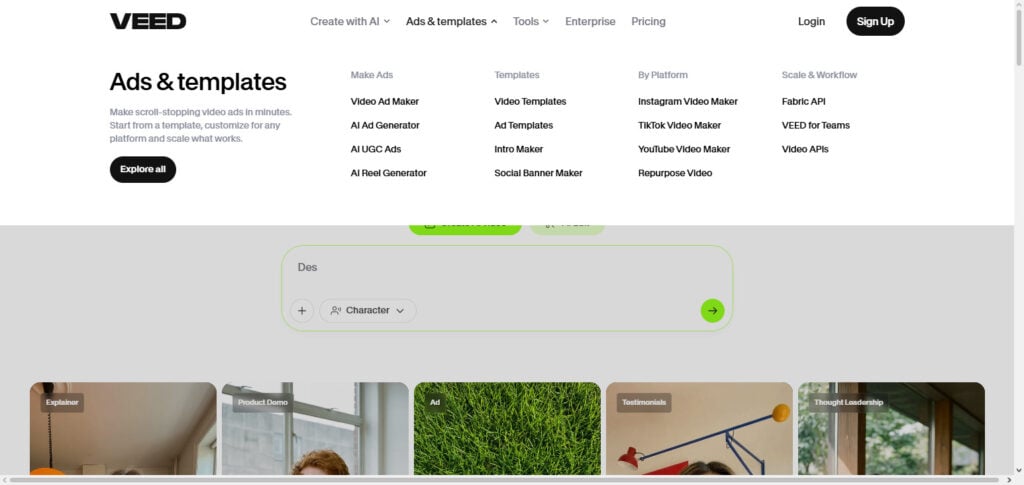
Veed.io is aimed at SMBs and creators for quick content with branding. It also has a free plan, but exports are watermarked. It has less cinematic generation, but is popular for its easy-to-use editor and pricing for most content creators.
VEED.io AI Features, Pros & Cons
Features
- Videos can be made from text with tools based on AI.
- Avatars and voice with AI.
- Automatic adding of subtitles.
- Editing videos with AI.
- Templates for videos that can be resized for different social media.
Pros
- Easy to edit videos using tools based on AI.
- Great for editing videos for social media with a combination of AI.
- Great tool for adding subtitles and editing videos for social media.
- Effective for brief marketing copy.
- Provides quick modifications for marketing pushes.
Cons
- Some premium features require payment.
- Generated UGC requires some quality adjustments.
- Avatars may be less effective depending on the scenario.
- Many features can make the product feel cluttered.
- Not as specialized as some other UGC advertising systems.
8. Kapwing AI
Kapwing AI has a strong **collaborative editor for social content and memes.**Pricing starts at $16/month (Pro) for $24/month (Pro). This editor has AI for resizing and subtitling, and for creating memes. Kapwing’s strong side is collaboration for quick edits.
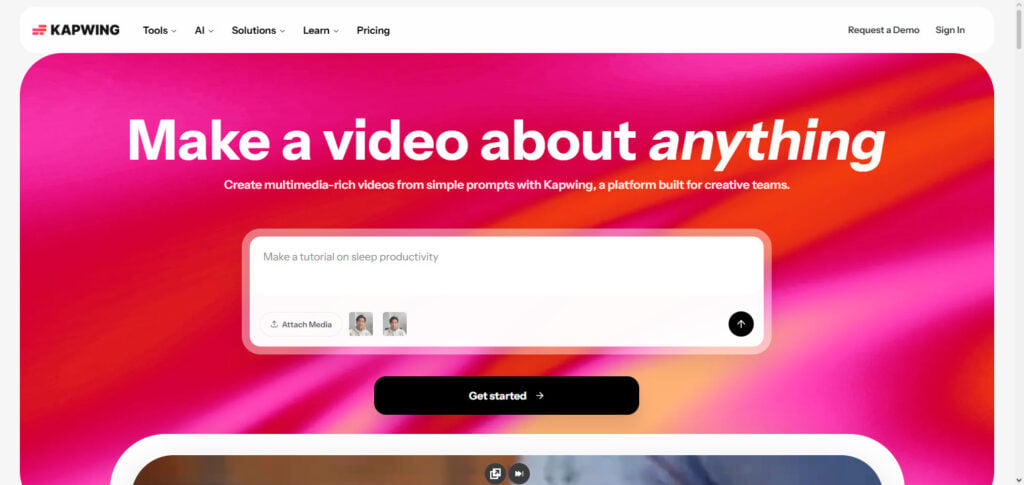
For cinematic or avatar based videos, Kapwing is less viable. However, Kapwing is favored for marketing teams for quick campaign related content.
Kapwing AI Features, Pros & Cons
Features
- AI video generation.
- Video generation from text.
- Subtitling and transcription.
- Intelligent editing and video reuse.
- Shared editing.
Pros
- Fast and easy collaborative editing.
- Ideal for quick video generation for marketing and content.
- Great editing for social media.
- Easily convert text and other assets into video.
- Great asset combo.
Cons
- Not fully UGC focused.
- Some content definitely requires editing.
- Advanced and AI-Ugc features are limited based on usage.
- Not as focused on UGC as some other content creation.
- Great for other content creation and not only UGC campaigns.
9. InVideo AI
InVideo AI is best for creating content for social media ads and quick promotion videos. To use InVideo, you have to pay at least $20/month for a plan, or pay $48/month for Max, or $96/month for Generative. You get 5000+ templates and auto captions, and stock footage.
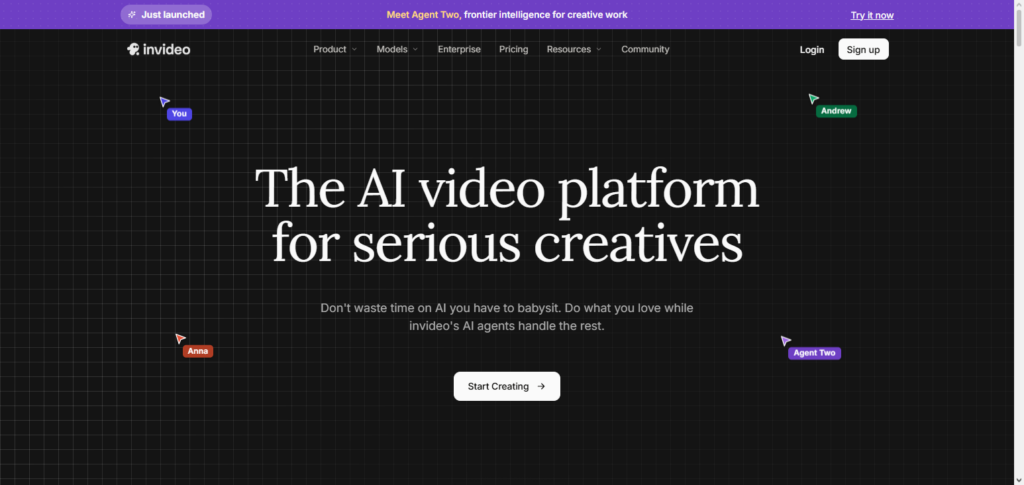
The templates are the most efficient tool library for marketers, and while there are limitations compared to Runway, there is still some creativity to be found.
InVideo AI Features, Pros & Cons
Features
- Video generation from prompts.
- AI script and story generation.
- Voice generation.
- Stock and media generation.
- Automated editing.
Pros
- Quick and easy generation of video from text.
- Great for marketers, even those without editing experience.
- Large selection and variety of assets.
- Great for marketing and social media videos.
Cons
- Generation can appear templated and less UGC.
- Creates less authentic UGC than using actual creators.
- AI generated scripts and UGC will require edits and fact checking.
- Heavy UGC usage can burn credits quickly.
- Less adept at creator UGC when compared to dedicated platforms.
10. Lumen5 AI
Lumen5 AI focuses on enterprise content marketing. Lumen5 offers monthly plans starting from $29 (Basic), $79 (Starter), and $199 (Professional). Lumen5 AI converts articles into stock video content by utilizing AI to create Video layouts and stock footage.

Lumen5 AI is geared towards large teams and agencies as it offers collaboration and brand customization. Lumen5 AI’s limitations for small creators is it’s relatively high price, but for large teams it is great for scaling content production across multiple marketing channels.
Lumen 5 AI Features, Pros & Cons
Features
- Text-to-video conversion.
- AI summarizes content.
- Media selected automatically.
- Generates videos for social media.
- Brand templates with customization options.
Pros
- Easy to use for text-to-video conversion.
- Effective article conversion tool for social media.
- User-friendly interface.
- Great content marketing tool.
- Reuses prior written content.
Cons
- More focus on content repurposing over UGC.
- Less real creator UGC.
- More of a presentation.
- Less ideal for influencer videos.
- Less specialized for control in video generation.
Conclusion
AI UGC Video Platforms help businesses produce various content types, including videos, product showcases, videos of customer endorsements and testimonials, commercials, and videos customized to customer segments.
The tools listed in the following order – CapCut, Runway, Synthesia, HeyGen, Pictory, Descript, VEED.io, Kapwing, InVideo AI, and Lumen5, among others – address different customer needs. Current AI UGC workflows place an emphasis on speed, personalization, multilingual content, and more creative variations, as opposed to the generation of a single content piece.
Brands looking for UGC-style advertising would find HeyGen useful. The platform provides creator-style AI presenters, the ability to customize videos, offers multilingual support, and options for creating multiple ad variations.
Authentic-looking UGC, social-media editing, AI avatars, product advertising, content repurposing, and variations, volume and frequency of creative tests are the crucial capabilities of AI UGC-based solutions.
Businesses also have to consider the level of output realism, the degree to which they are permitted to commercially use the output, the cost, the degree of customization, and the degree to which they are required to disclose that the UGC was generated by AI, before they intend to use AI generated UGC.
FAQ
What are AI UGC video platforms?
AI UGC video platforms use artificial intelligence to create videos that resemble user-generated content, including product reviews, testimonials, demonstrations, reaction videos, and social-media advertisements. They can combine AI avatars, voices, scripts, product visuals, and automated editing to reduce traditional production requirements.
What is the best AI UGC video platform?
The best platform depends on your campaign objective. HeyGen is particularly relevant for UGC-style advertising because it offers a dedicated UGC Video Creator, creator avatars, product-placement tools, and social-media-focused workflows.
Can AI UGC videos be used for TikTok and Instagram ads?
Yes. AI UGC platforms can create short-form, vertical videos designed for social platforms. For example, HeyGen specifically supports UGC-style content and product ads for platforms such as TikTok and Instagram.
Are AI UGC videos better than videos made by real creators?
Not necessarily. AI UGC offers speed, scalability, and creative variation, while real creators can provide genuine experiences and natural product interaction. For many brands, the best strategy is to use AI UGC for rapid creative testing while retaining authentic creator content where credibility is especially important.