



In this article, I will discuss some of the new features that include Apple’s AI tools for iPhone and Mac products and will demonstrate advances in productivity, communication, safety, and entertainment.
Apple looks to implement a more advanced Siri, AI text tools, improved photo editors, smarter health trackers, and custom suggestions for their apps. These advancements in Apple’s AI will deliver users optimized performance, enhanced security, and a connected and frictionless user experience across all of Apple’s products.
What Are Apple AI Features?
Apple AI Features leverage machine learning to provide smarter, personalized, and optimized services across Apple devices, including the iPhone, iPad, Mac, and Watch. Voice commands, predictive text, photo enhancements, health monitoring, security, and custom app suggestions are powered by Apple AI.
Apple AI is designed to implement the latest advancements in machine learning, while protecting user privacy by conducting a majority of artificial intelligence processing on end-user devices.
Creativity and intuition will be placed front and center as new Apple AI Features will streamline and improve daily tasks and workflows, communications, and overall productivity across all Apple devices and services.
Criteria Of Best Apple AI Features Coming to Future iPhone & Mac
Smart Automation – AI features must include automation of routine tasks that assists with productivity.
User-Friendly Experience – Tools need to be fast, simple, and convenient for all users.
Privacy Protection – AI must process data with privacy and using protective measures.
On-Device Processing – AI must run processing locally and not overly rely on the cloud.
Cross-Device Integration – AI must run consistently on iPhone, Mac, iPad, and Apple Watch devices.
Personalization – AI must discover individual habits and assist with tailored suggestions.
Fast Performance – AI features must minimize battery drainage and operate rapidly.
Accessibility Support – AI tools must assist and enable users with disabilities.
Security Enhancement – AI must protect users from scams, malware, and fraud.
Productivity Improvement – AI must help users work faster and finish tasks more efficiently.
Real-Time Intelligence – AI must be able to offer suggestions, help, and corrections instantly.
Advanced Machine Learning – It must improve accuracy by learning and evolving.
Reliable Voice Assistance – AI must include better understanding of verbal communication and conversational speech.
Seamless App Integration – AI must operate smoothly and efficiently within Apple applications and services.
Benefits Of Best Apple AI Features Coming to Future iPhone & Mac
Fast Tracking Day-To-Day Tasks – Automating daily tasks can help save time.
Improving Output – Smart tools enable users to write, search, edit, and better organize work.
Smoother User Experience – AI facilitates seamless and more personalized experiences across devices.
Privacy Protection – Apple AI focuses on safe on-device data processing.
Advanced Siri – Apple AI offers better and faster answers.
Better Predictive Typing – Apple AI keyboards speed up typing with better suggestions.
Photo Editing with a Simple Click – Apple AI tools help users edit photos at a professional level.
AI FaceTime – Better Audio and Video with Real Time Translation.
Personal Recommendations – Apple AI offers personalized recommendations for apps, content, and productivity.
Health AI – Apple AI offers insights about overall health and wellness and improves fitness level.
Safety Protection – Apple AI offers protection against scams, phishing, unsafe websites, and harmful malware.
AI Accessibility – Apple Ai offers better assistance to users with visual, hearing and mobility challenges.
Device Interoperability – Apple AI integrate iPhone, Mac, iPad, and Apple Watch smoothly.
Increased search speed – Apple AI provides instant results with Spotlight Search.
Improved App Store – Apple AI improves recommendations for users in App Store.
Key Point & Best Apple AI Features Coming to Future iPhone & Mac
- AI Siri 2.0 – Smarter voice assistant with natural conversations and app control.
- AI Writing Tools – Auto-generate, rewrite, summarize, and proofread text instantly.
- AI Image Editing in Photos – Remove objects, enhance images, and create AI edits automatically.
- AI FaceTime Enhancements – Real-time background blur, eye contact correction, and voice clarity.
- AI Spotlight Search – Faster search results with contextual app, file, and web suggestions.
- AI Predictive Keyboard & Autocorrect – More accurate typing predictions with personalized learning.
- AI Health Insights (Apple Health) – AI-driven wellness tracking, sleep analysis, and fitness recommendations.
- AI Accessibility Tools – Smart voice, vision, and hearing assistance for better accessibility.
- AI Security & Fraud Detection – Advanced AI protection against scams, malware, and phishing attacks.
- AI App Store Recommendations – Personalized app suggestions based on user behavior and interests.
10 Best Apple AI Features Coming to Future iPhone & Mac
1. AI Siri 2.0
AI Siri 2.0 may be thought of as the best of any upcoming AI features on future iPhones because compared to the current iteration of AI Siri, it would be able to have more fluid and human-like conversations.
Siri may be able to remember the context of a conversation for a longer duration of time and manage apps more intelligently. For example, Siri may be able to summarize the user’s notifications, handle everything in the user’s calendar, and send messages.
Also, Siri may be able to perform more advanced multitasking across multiple devices. It is likely that Apple may also work on improving AI processing, which may happen on the user’s device.
This may provide faster and more private responses to the user. Siri 2.0 will have the capability to integrate across devices seamlessly. This may provide a very efficient AI assistant to the user for work, fun, and managing a smart home.
AI Siri 2.0 Features
| Feature | Details |
|---|---|
| Natural Conversations | Understands human-like language and responds more accurately. |
| Context Memory | Remembers previous commands for smoother interactions. |
| Smart App Control | Opens and controls apps with voice instructions. |
| Cross-Device Integration | Works seamlessly across iPhone, Mac, iPad, and Apple Watch. |
| Personalized Suggestions | Learns user habits to provide smarter recommendations. |
| Faster Processing | Uses on-device AI for quick response times. |
| Multitasking Commands | Handles multiple actions in one command. |
| Smart Home Control | Manages HomeKit devices more efficiently. |
| Voice Recognition | Identifies users for personalized responses. |
| Privacy Protection | Processes many tasks securely on-device. |
2. AI Writing Tools
AI Writing Tools are likely to provide an excellent communication and productivity feature on Apple devices. These tools will be able to rephrase emails, summarize notes, draft messages and improve grammar in writing instantly.
These writing tools will also be able to provide a faster workflow to the user by integrating AI directly into apps such as Mail, Notes, Safari and Pages.

These tools will be beneficial to students, professionals, and content creators, as they will be able to save a lot of time due to the suggestions they will receive to help them with writing and the spelling and grammar checks that will be done automatically.
This will help the user communicate write a very efficient and constructive with the tools that may be implemented in Apple devices.
AI Writing Tools Features
| Feature | Details |
| Grammar Correction | Automatically fixes spelling and grammar mistakes. |
| Text Summarization | Creates short summaries from long content. |
| Email Drafting | Generates professional email replies instantly. |
| Smart Rewrite | Rewrites sentences for better clarity and tone. |
| Content Suggestions | Provides writing ideas and recommendations. |
| Multilingual Support | Supports multiple languages and translations. |
| Tone Adjustment | Changes writing style for formal or casual use. |
| Notes Enhancement | Organizes and improves note formatting. |
| Productivity Integration | Works inside Mail, Pages, Notes, and Safari. |
| Privacy-Focused AI | Uses secure on-device text processing. |
3. AI Image Editing in Photos
Applying AI Image Editing in Photos could be a groundbreaking addition for future Apple products. Users will be able to get rid of unwanted artifacts in images, adjust lighting, and even eliminate blurriness to an extent, and make all of these professional level edits to images right on their mobile devices.

Apple will begin to develop smart background editing in addition to advanced image filters and smart image editing and enhancements directly in the Photos app.
Users will be able to issue commands in plain English as opposed to trying to perform edits. The AI editing system will be designed to recognize faces, and a multitude of pets and objects in images to ensure Apple maintains good privacy practices and a secure photo processing system for users.
AI Image Editing in Photos Features
| Feature | Details |
| Object Removal | Removes unwanted objects from images automatically. |
| AI Background Editing | Changes or blurs photo backgrounds easily. |
| Smart Lighting Adjustment | Enhances brightness and contrast automatically. |
| Blur Fixing | Sharpens low-quality or blurry photos. |
| AI Filters | Applies intelligent photo filters instantly. |
| Facial Recognition | Detects faces for organized photo libraries. |
| Scene Detection | Identifies landscapes, pets, and objects accurately. |
| One-Tap Editing | Provides instant professional photo improvements. |
| AI Crop Suggestions | Suggests best crop positions automatically. |
| Secure Photo Processing | Keeps image editing private on-device. |
4. AI FaceTime Enhancements
AI FaceTime Enhancements will introduce a new age of video calling. Apple aims to make interpersonal and professional communication seamless with smart audio and video enhancements. Voice isolation, automatic eye contact, smart interiors framing and background artifacts will all be adjusted and eliminated in real-time.

This highly anticipated technology will likely improve video calls especially in a less than optimal lighting environments. This technology will also eliminate background noise and offer real time closed captioning. Apple intends to make virtual meetings withing their ecosystem seamless and highly interactive and to remove barriers for communication with users around the globe.
AI FaceTime Enhancements Features
| Feature | Details |
| Voice Isolation | Reduces background noise during calls. |
| Eye Contact Correction | Adjusts camera view for natural eye contact. |
| Live Translation | Translates conversations in real time. |
| Smart Camera Framing | Keeps users centered during video calls. |
| Real-Time Captions | Displays subtitles during conversations. |
| Low-Light Video Enhancement | Improves video quality in dark environments. |
| AI Background Blur | Blurs backgrounds automatically. |
| Facial Tracking | Tracks faces for smoother video focus. |
| Audio Enhancement | Improves voice clarity during calls. |
| Group Call Optimization | Enhances large FaceTime meetings. |
5. AI Spotlight Search
AI Spotlight Search is set to become faster, smarter, and more personalized on future Apple devices. As one of the Best Upcoming Apple AI Features on future iPhone & Mac systems, it will provide instant suggestions for files, apps, emails, contacts, and web searches based on the user’s patterns and preferences.

Apple may build more advanced AI capabilities to interpret users’ natural language commands, allowing for more conversational searches. Spotlight may even anticipate users’ needs and respond before a query is completed.
With extensive integration on iPhone and Mac, AI Spotlight Search will further enhance your focus and productivity by streamlining the everyday task of searching for information, apps, and documents.
AI Spotlight Search Features
| Feature | Details |
| Smart Search Results | Finds files, apps, and contacts instantly. |
| Natural Language Search | Understands conversational search queries. |
| Personalized Suggestions | Recommends content based on user habits. |
| Fast File Discovery | Locates documents quickly across devices. |
| Web Integration | Combines local and online search results. |
| Predictive Search | Suggests results before full typing. |
| App Recommendations | Suggests frequently used applications. |
| Intelligent Filtering | Organizes search results efficiently. |
| Voice Search Support | Allows voice-based Spotlight searches. |
| Productivity Improvement | Saves time locating important data. |
6. AI Predictive Keyboard & Autocorrect
AI Predictive Keyboard & Autocorrect will be a game changing feature for typing accuracy and efficiency on Apple’s future devices. This will, without a doubt, be one of the Best Apple AI Features Coming to Future iPhone & Mac systems, as it will learn the user’s writing styles, preferred phrases, and common modes of communication.

Apple’s AI keyboard will be able to provide smarter, context-aware, multilingual, grammar-ready, and suggestion-rich typing. Future versions will further enhance accuracy of typing and speech-to-text for messages and emails. With the advanced use of AI and on-device processing, Apple will be able to deliver the fastest, most personalized, and privacy-protecting typing experience to its users.
AI Predictive Keyboard & Autocorrect Features
| Feature | Details |
| Smarter Predictions | Suggests words based on typing habits. |
| Advanced Autocorrect | Corrects grammar and spelling automatically. |
| Personalized Learning | Learns frequently used phrases over time. |
| Multilingual Typing | Supports typing in multiple languages. |
| Emoji Suggestions | Recommends emojis based on text. |
| Voice-to-Text Accuracy | Improves speech typing recognition. |
| Context Awareness | Understands sentence meaning for better suggestions. |
| Fast Typing Support | Speeds up message and email writing. |
| Swipe Typing AI | Enhances gesture typing accuracy. |
| Privacy-Based Learning | Stores data securely on-device. |
7. AI Health Insights (Apple Health)
AI health insights could revolutionize how we monitor our personal health. It probably tops the list of Apple’s AI features that will likely debut in future iPhone and Mac devices. This feature may integrate Apple Watch health data, iPhone sensors, and fitness applications.
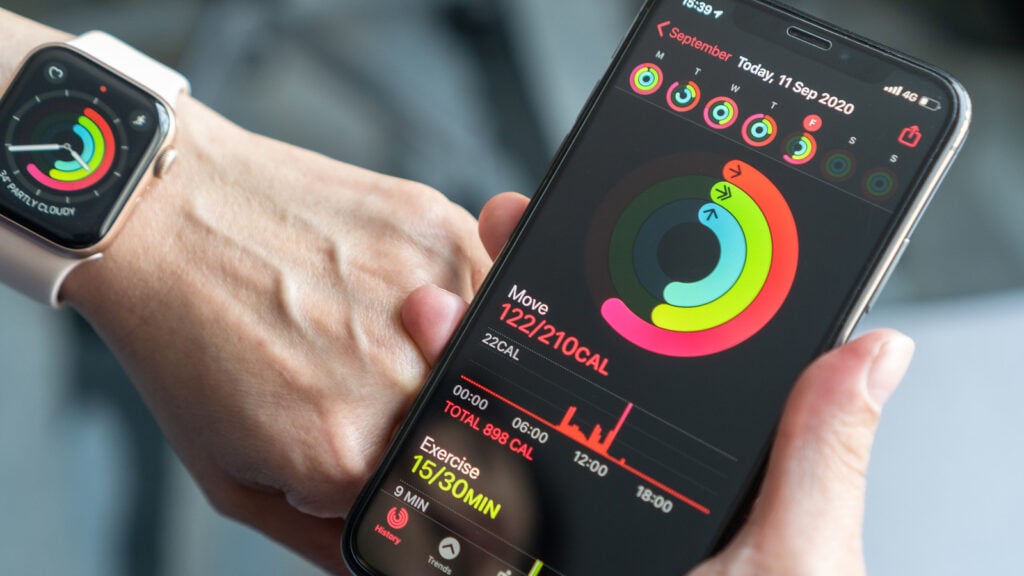
This may mean Apple will be able to identify and interpret atypical health behaviors, refine sleep studies, monitor your levels of stress, and offer personalized recommendations for your health and fitness.
Apple may also be able to identify health behaviors that may increase your risk and notify you early of irregularities in your heart rate. With Apple’s emphasis on privacy of your health data and its advanced machine learning, Apple Health may encourage its users to better manage their health in both a physical and mental capacity.
AI Health Insights (Apple Health) Features
| Feature | Details |
| Sleep Tracking | Analyzes sleep quality and patterns. |
| Heart Rate Monitoring | Detects unusual heart activity. |
| Stress Analysis | Measures stress levels using AI data. |
| Personalized Fitness Plans | Suggests workouts based on activity levels. |
| Wellness Recommendations | Provides healthy lifestyle suggestions. |
| Early Health Alerts | Detects potential health risks quickly. |
| Nutrition Tracking | Monitors food and calorie intake. |
| Mental Health Support | Tracks mood and emotional wellness. |
| Apple Watch Integration | Syncs data with wearable devices. |
| Secure Health Data | Protects personal health information privately. |
8. AI Accessibility Tools
AI Accessibility Tools will likely make Apple devices easier to use for those with some physical disabilities and for those with visual disabilities. These tools probably rank among the top Apple AI features that may be incorporated in future iPhone and Mac devices.
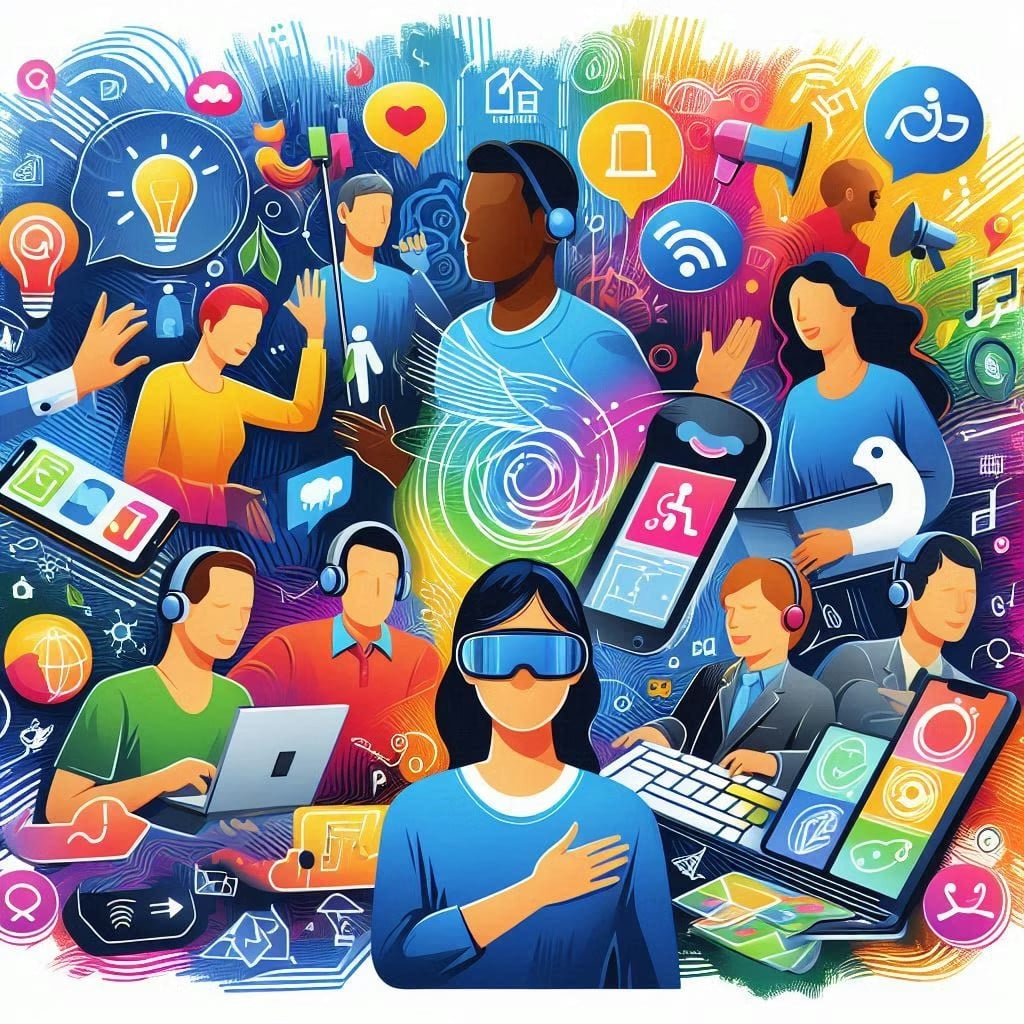
Such tools may be able to provide real-time voice assistance, enhanced screen reading tools, instant live captions, and smart controls for gestures. Apple may even be able to use AI to help individuals with visual disabilities recognize objects, read text, and better understand their environment through the camera.
These tools may even help the hearing impaired by focused enhancements of audio and the ability to rapidly read text. With their advanced technology, Apple will likely continue to develop devices to improve its ability to reach all of their customers and allow all users varied degrees of independence and comfort when interfacing with their technology.
AI Accessibility Tools Features
| Feature | Details |
| Live Captions | Displays real-time subtitles for audio. |
| Voice Assistance | Helps users navigate devices with voice commands. |
| Object Recognition | Identifies objects using device cameras. |
| Screen Reading | Reads text aloud for visually impaired users. |
| Hearing Assistance | Improves audio clarity for hearing support. |
| Gesture Control | Enables touch-free device navigation. |
| AI Magnifier | Enlarges text and images clearly. |
| Real-Time Translation | Assists multilingual communication. |
| Smart Navigation | Simplifies interface accessibility features. |
| Inclusive User Experience | Improves technology access for everyone. |
9. AI Security & Fraud Detection
As we look to the future, AI Security and Fraud Detection may be one of the biggest improvements for Apple customers. This technology may be one of the best new Apple AI features. This may be able to help users avoid phishing scams, fake sites, malware, and suspicious behavior by apps.

Apple may be able to use AI to evaluate strange behavior on accounts with the potential to identify unsafe links and provide warnings to users about security threats before they happen.
Future systems may help AI improve Face ID and other biometric systems. Apple has always placed a high value on privacy and has on-device processes. AI may create a safer digital space that may be used personally and professionally.
AI Security & Fraud Detection Features
| Feature | Details |
| Phishing Detection | Warns users about fake websites and emails. |
| Malware Protection | Identifies suspicious software activity. |
| Fraud Monitoring | Detects unusual account behavior instantly. |
| AI Face ID Security | Enhances facial authentication accuracy. |
| Secure Transactions | Protects Apple Pay and online payments. |
| Threat Alerts | Sends warnings about possible cyber threats. |
| Privacy Protection | Keeps sensitive information secure. |
| Biometric Verification | Uses fingerprints and face recognition securely. |
| Safe Browsing | Blocks harmful websites automatically. |
| On-Device AI Security | Processes security checks privately. |
10. AI App Store Recommendations
AI App Store Recommendations may dramatically improve the process of discovering new apps and games on Apple devices. This may be one of the best new Apple AI features.

AI App Store Recommendations may create new recommendations by evaluating user interests, history, and preferences for specific apps. This may allow Apple to suggest the use of a specific app to increase productivity, a new entertainment, a health/fitness related program, or some educational material.
AI may soon help users find apps that may be related to the user’s daily activities and even what they may be doing. AI may significantly enhance the App Store, making it faster, more useful, and tailored to each individual user.
AI App Store Recommendations Features
| Feature | Details |
| Personalized App Suggestions | Recommends apps based on user interests. |
| Smart Game Discovery | Suggests games users may enjoy. |
| Usage-Based Recommendations | Analyzes app usage habits for better suggestions. |
| Productivity App Matching | Finds useful work and study apps. |
| Entertainment Recommendations | Suggests music, streaming, and media apps. |
| AI Ranking System | Displays trending and relevant apps. |
| Category Personalization | Improves recommendations by interest category. |
| Hidden App Discovery | Helps users find lesser-known useful apps. |
| Family-Friendly Suggestions | Recommends safe apps for children and families. |
| Faster App Search | Improves App Store browsing experience. |
Comparison Table – Best Apple AI Features Coming to Future iPhone & Mac
| AI Feature | Main Purpose | Key Benefits | Best For | Expected Devices |
|---|---|---|---|---|
| AI Siri 2.0 | Smarter voice assistance | Natural conversations, multitasking, app control | Productivity & smart control | iPhone, Mac, iPad, Apple Watch |
| AI Writing Tools | Content generation & editing | Grammar correction, summarization, smart rewriting | Students & professionals | iPhone, Mac, iPad |
| AI Image Editing in Photos | Advanced photo enhancement | Object removal, AI filters, image improvement | Creators & photographers | iPhone, Mac, iPad |
| AI FaceTime Enhancements | Better video communication | Noise reduction, live captions, eye contact correction | Meetings & video calls | iPhone, Mac, iPad |
| AI Spotlight Search | Intelligent search system | Faster file finding and personalized results | Productivity users | iPhone, Mac |
| AI Predictive Keyboard & Autocorrect | Smarter typing assistance | Accurate predictions and grammar fixes | Messaging & writing | iPhone, iPad, Mac |
| AI Health Insights (Apple Health) | Wellness and fitness tracking | Health monitoring and personalized recommendations | Fitness & healthcare users | iPhone, Apple Watch |
| AI Accessibility Tools | Inclusive device support | Voice control, captions, object recognition | Accessibility support | iPhone, Mac, iPad |
| AI Security & Fraud Detection | Cybersecurity and privacy | Scam detection and secure authentication | Security-conscious users | All Apple devices |
| AI App Store Recommendations | Personalized app discovery | Better app suggestions and faster browsing | Entertainment & productivity | iPhone, Mac, iPad |
Conclusion
In conclusion, the Apple AI innovations anticipated for future iPhones and Macs will fundamentally change the way we work with technology. Enhancements to Siri, improved writing and editing tools, AI-driven health and other insights, and optimized security and applications, underscore the Apple commitment to an accelerated, safer, and more intuitive personal computing experience.
The future AI-related innovations Apple plans to roll out have the potential to transform the way we work, communicate, create, and access information and services throughout the Apple ecosystem.
Given its commitment to privacy protection, innovative AI technology, and seamless integration across a variety of devices, Apple looks poised to spearhead the next generation of artificial intelligence across personal and enterprise technology applications.
FAQ
What are the Best Apple AI Features Coming to Future iPhone & Mac devices?
The Best Apple AI Features Coming to Future iPhone & Mac devices may include AI Siri 2.0, AI Writing Tools, AI Health Insights, AI Image Editing, AI Security Protection, AI FaceTime Enhancements, and smarter App Store recommendations designed to improve productivity, privacy, and user experience.
How will AI Siri 2.0 improve Apple devices?
AI Siri 2.0 is expected to provide more natural conversations, smarter app control, contextual understanding, and better multitasking support across iPhone, Mac, iPad, and Apple Watch devices.
Will Apple AI features work offline?
Many future Apple AI features are expected to use on-device processing, allowing some tasks to work offline while improving speed, privacy, and security for users.
How can AI Writing Tools help users?
AI Writing Tools may help users rewrite emails, summarize notes, fix grammar mistakes, generate content ideas, and improve communication directly within Apple apps like Mail, Notes, and Pages.
What is AI Image Editing in Apple Photos?
AI Image Editing may allow users to remove unwanted objects, improve photo quality, adjust lighting, and apply smart edits automatically using artificial intelligence technology.