


I will examine the top AI Spreadsheet APIs for smarter data analysis in this article. These APIs for AI Spreadsheets are useful for business and software developers as they can automate spreadsheets, help analyze complex datasets, and help generate sophisticated insights.
These AI-powered APIs use forms of machine learning and natural language processes to optimize productivity, simplify data workflows, and amplify better and more informed decisions. I will address their limitations, features, and benefits.
What is AI Spreadsheet APIs?
AI Spreadsheet APIs are a type of API that add AI functionality to spreadsheets for automating tasks, streamlining processes, and analyzing data. These APIs can leverage many technologies, from machine learning to more advanced techniques like generative AI and natural language processing, in order to understand data that is contained in spreadsheets, develop and integrate formulas, analyze data to identify trends and make summaries, and provide recommendations.
With AI Spreadsheet APIs, developers and enterprises can create intelligent spreadsheet tools that can work with and analyze large amounts of data, automation the mundane and redundant processes, and even empower users to work with data using plain language instead of coding. AI Spreadsheet APIs modernize legacy spreadsheet tools to improve the speed and accuracy of business decision-making.
Why Choose AI Spreadsheet APIs for Smarter Data Analysis
Data Analysis Automation: Traditional methods of analysing data can be very time consuming and labour intensive. AI APIs can automate these tedious steps like data cleansing and compiling analyses into reports. Teams now have the ability to utilise their time and resources for more strategic tasks than creating raw data analyses.
Data-Driven Insights: AI APIs provide the ability to automate the tedious data analysis tasks of identifying trends and outliers and offers useful data analysis insights. The automation of data analysis provides businesses the power to utilise data in a more timely and efficient manner.
Natural Language Processing Support: With the novel AI APIs, professionals don’t need little to no training to take advantage of the computational power of spreadsheets. It is now possible to ask questions, generate spreadsheet computations, or even pull reports in plain english.
Productivity and Efficiency: With the automation of tedious and time consuming data analysis tasks, businesses now have the ability to create meaningful reports and analyses in a shorter time frame and more efficiently.
Predictive Analytics: AI APIs take the analysis of data one step further and provide the ability to create forward looking business strategies and calculate potential outcomes.
Data Integrity: There is no need to perform manual data validation or audits with the new AI powered tools. Anomalies in data and the corrections are suggested to help businesses stay abreast of their data and help ensure data integrity.
Existing Systems Integration: AI APIs possess the ability to connect with your current operating systems and applications. This gives the ability to enhance and automate the current systems and applications used without needing a complete overhaul of your business systems.
Criteria of AI Spreadsheet APIs for Smarter Data Analysis
AI Capabilities and Intelligence: The topmost benchmark is the capacity of the API to provide AI features such as embedded ML (Machine Learning) models, NLP (Natural Language Processing), predictive analytics, and automated insights. The most advanced AI Spreadsheet APIs can identify patterns within the data, provide recommendations, and automate the analysis process.
Data Processing Performance: An effective AI Spreadsheet API should have the capacity to handle both small and large datasets and process them swiftly. High-performance APIs assist companies in carrying out analyses of complicated data, producing reports in a timely manner, and processing data of an enterprise level.
Integration Support: APIs should integrate with popular spreadsheet applications, databases, cloud services, and other business applications. Having a robust set of integrations means that organizations can embed new AI capabilities into existing business processes.
Accuracy and Reliability: The accuracy of data analysis is critical when choosing an AI Spreadsheet API. The platform should provide dependable insights and suggestions for formulas, predictions, and consistent results to enable informed decisions.
Natural Language Understanding: Sophisticated AI Spreadsheet APIs should allow users to give commands in everyday language. Natural Language capabilities lessen the barrier that most users confront with spreadsheet analysis, in that users can pose questions, and even commands to generate reports and carry out other functions.
Security and Data Privacy: Maintaining the confidentiality and integrity of business data is paramount. Correctly implemented APIs should safeguard data from threats and ensure that automated controls are embedded.
Best AI Spreadsheet APIs for Smarter Data Analysis List
- Microsoft Excel Copilot API
- AWS Bedrock DataSheets API
- Hugging Face SpreadsheetEval
- Cohere Spreadsheet API
- LangChain Spreadsheet Agent
- LlamaIndex Spreadsheet API
- DataRobot Spreadsheet AI
- Scale AI SpreadsheetEval
- OctoAI Spreadsheet Optimization
- IBM Watson Spreadsheet API
10 Best AI Spreadsheet APIs for Smarter Data Analysis 2026
1. Microsoft Excel Copilot API
Microsoft Excel Copilot API makes smart data analysis easier and more accessible for organizations. For businesses that leverage Microsoft Office, this API can help streamline the analysis of trends and patterns, and make, clean, and export reports.
The API can be integrated with Microsoft Excel, Microsoft Power, and Microsoft Cloud Data, making it a significant productivity tool for organizations.
This API is also highly useful for Microsoft Copilot users, as it can be used to add financial models and automate user-defined forecasting and analyses. Microsoft Excel Copilot API uses large language models to enhance Microsoft Copilot. Microsoft Excel Copilot API can also summarize complex datasets for users.
Microsoft Excel Copilot API Characteristics, Benefits & Drawbacks
Characteristics
- AI-Driven Spreadsheet Help: Utilizes generative AI to craft formulas, analyze data, and make suggestions.
- Use of Natural Language: Users can run commands in a simple conversational format to explore the data in a spreadsheet.
- Integration of Microsoft 365: Functions in Excel and across the Microsoft business apps in the Power Platform.
- Data Trends and Insights: Identifies trends, patterns, and outliers in a spreadsheet data set.
- Ready for Enterprise Use: Contains secure and scalable AI features for use by professionals.
Benefits
- Increased Productivity: Less time is spent on manual work in spreadsheets.
- Easier Data Interpretation: Complex data sets can be explained to users with less technical expertise.
- Automated Reporting: Summaries, charts, and insights can be generated quickly.
- Enhanced Decision Making: Informed suggestions based on analyzed data are provided.
- AI-Driven Recommendations: Offers suggestions based on business data.
- Integrated Cloud Support: Supports teamwork via integration with Microsoft in the cloud.
Drawbacks
- Microsoft Dependency: Performance relies heavily on the Microsoft 365 services.
- Increased Costs for Enterprise Use: Accessing certain features requires a premium plan.
- Lack of Flexibility: Developers may have fewer capabilities in comparison to other, perhaps open-source, tools.
- Wary of Data Privacy: Companies must research and possibly scrutinize the AI to handle their data.
- Reliance on Connectivity: Features dependent on the cloud require a constant connection.
2. AWS Bedrock DataSheets API
AWS Bedrock DataSheets API also provides the ability to automate the analysis and reporting of large datasets. Additionally, it provides the ability to generate and customize data summaries. This API has a multi-model flexibility and makes the extensive use of Amazon Bedrock models.
AWS Bedrock DataSheets API for smarter data analysis makes it easier to enhance the data analysis and reporting workflows of a business by integrating generative AI technologies into cloud workflows. AWS Bedrock DataSheets API is highly useful for the rapid automation of analytics, document generation, and business decision-making processes.
AWS Bedrock DataSheets API Characteristics, Benefits & Drawbacks
Characteristics
- AI in the Cloud: Embeds intelligent processing of spreadsheets with the use of the Bedrock models from Amazon.
- Incorporation of Various AI Models: Allows integration of different foundational models.
- Data Processing in the Cloud: Handles large data sets with the AWS cloud.
- Customizability with Easy APIs: Offers a large set of developer tools.
- Security of AWS Data Protection and Authentication: Provides security features for the enterprise.
Benefits
- High Scalability: Accommodates large data operations.
- Flexible AI Model Selection: Different AI models can be chosen.
- Strong Security: Offers enterprise-grade cloud security.
- Automation Capabilities: Reporting and spreadsheet analysis can be automated.
- Easy Cloud Integration: Integrates well with other AWS services.
Drawbacks
- Difficult to Set Up: Requires knowledge of AWS.
- Costly: More costly with higher API utilization.
- Requires Developers: Additional programming knowledge required.
- Complicated: AWS tools can be complex for beginners.
- Cloud Dependent: Always requires internet access.
3. Hugging Face SpreadsheetEval
Hugging Face SpreadsheetEval is a snapshot of an AI-centric evaluation framework and focuses predominantly on the building blocks of spreadsheet processing and comprehension. With SpreadsheetEval, developers can test their AI systems on AI reasoning, formula generation, and data interpretation along with the processing of structured data and information.

Hugging Face SpreadsheetEval for smarter data analysis offers essential building blocks and foundational benchmarks for the development of advanced AI applications for spreadsheets. Using the open-source ecosystem of SpreadsheetEval, developers can test and build applications on different AI models and datasets of their choice.
The design and framework of SpreadsheetEval support the advancement and serve the growing demand of automated spreadsheet assistants and their augmented accuracy, particularly in the challenge of AI systems managing and processing large-scale business data for complex business analytics across industries.
Hugging Face SpreadsheetEval Characteristics, Benefits & Drawbacks
Characteristics
- AI Evaluation Framework: Tests AI of different spreadsheet models.
- Open Source: Developers can build on and modify existing models.
- Benchmarked Testing: Tests AI accuracy of spreadsheet tasks.
- Machine Learning: A the basis for AI research and experimentation.
- Community Focus: Develops in Hugging Face’s AI ecosystem.
Benefits
- Enhances AI Accuracy: Evaluates the correctness of spreadsheet models.
- Open Research: Invites a great deal of imagination and innovation regarding spreadsheet AI.
- Flexible Models: Developers have the freedom to modify models.
- Great for Testing: Offers AI benchmarks and testing.
- Facilitates AI Research: Gives more advanced spreadsheet assistants.
Drawbacks
- Not a Full Spreadsheet Solution: Evaluative by nature.
- Specialized Knowledge: Only useful to advanced developers.
- Lacks Business Functionality: Simple spreadsheet users find it less useful.
- Difficult to Set Up: Requires a large knowledge of AI and Machine Learning.
- Accuracy of Models is Data Dependent: Results will vary based on the dataset.
4. Cohere Spreadsheet API
Cohere Spreadsheet API employs generative AI and natural language processing in the automation of repetitive and mundane tasks associated with spreadsheets and business data analytics. With the API, applications can assist users in making data-driven decisions by providing and generating insights and summaries of spreadsheet content.
Cohere Spreadsheet API for smarter data analysis enables organizations to build intelligent spreadsheet assistants that can answer questions, perform data organization, and surface trends within the data. By focusing on language processing, the API provides the means to translate complicated datasets into digestible formats.
Enterprises can realize the potential of Cohere AI models within their ecosystems to boost productivity, automate time-consuming spreadsheet tasks, and foster business data collaboration across departments.
Cohere Spreadsheet API Characteristics, Benefits & Drawbacks
Characteristics:
- Natural Language AI Processing: Recognizes user commands and deciphers spreadsheet content.
- Generative AI Integration: Automatically generates summaries and insights.
- Text Understanding Capabilities: Understands intricate descriptions of spreadsheets.
- Developer API Access: Custom AI applications can be built.
- Enterprise AI Support: Tailored to facilitate automation of enterprise business workflows.
Benefits:
- Data Insights Simplification: Transforms convoluted data into straightforward insights.
- Spreadsheet Automation: Minimizes the need for repetitive manual tasks.
- Productivity Increase: Analyzation of data is conducted more quickly.
- Integration Versatility: Links with various applications.
- Decision Support Enhancement: Enables AI-assisted recommendations.
Drawbacks:
- Spreadsheet Management Options are Narrow: General purpose tools for automation.
- API Pricing Model: High use cases can incur substantial costs.
- Requires Development Work: Integrations require technical expertise.
- AI is Fallible: Human validation often necessary.
- Cloud Reliant: Needs continuous internet access.
5. LangChain Spreadsheet Agent
The LangChain Spreadsheet Agent enables the creation of AI spreadsheet assistants by integrating language models with spreadsheet data and external tools. It allows the AI agents to manipulate spreadsheets, make calculations, and analyze data.
LangChain Spreadsheet Agent for smarter data analysis offers advanced features for AI that can interpret the user query and conduct multiple spreadsheet operations in an integrated manner. The developer has the flexibility to create agents using a combination of language models, APIs, and data sources.
It can be beneficial for intelligent business applications, financial analysis frameworks, and automated reporting tools, where users can interact and retrieve useful insights from the spreadsheets without sifting through copious amounts of data.
LangChain Spreadsheet Agent Characteristics, Benefits & Drawbacks
Characteristics:
- AI Agent Framework: Facilitates the construction of automated intelligent agents for spreadsheets.
- Multi-Tool Integration: Links spreadsheets with the web, databases, and various APIs.
- Language Model Support: Integrates various AI models.
- Custom Workflow Creation: Developers can build workflows specific to their needs.
- Task Automation: Executes spreadsheet tasks automatically.
Benefits:
- Complete Customization: Exclusive AI workflows can be created.
- Task Automation for Complexity: Advanced spreadsheet task automation is available.
- Multiple Information Systems Automation: Integrates different data systems.
- Task Automation Benefits: Leads to less manual data analysis.
- Developer Framework: Flexible AI Construction Model.
Drawbacks:
- Constructing Automation Requires Coding: Not suitable for non-programmers.
- Complicated Initial Setup: Setup is lengthy.
- AI Error Looming: Outputs can be incorrect.
- Frequent Overhaul Needed: Custom agents need changes often.
- Heavy Resource Use: More advanced workflows can consume more resources.
6. LlamaIndex Spreadsheet API
The LlamaIndex Spreadsheet API attempts to establish a connection between large language models and structured spreadsheet data. It focuses on intelligent data retrieval and automated data analysis. It helps applications comprehend spreadsheet data, search through datasets, generate data summaries, and respond to queries in natural language.
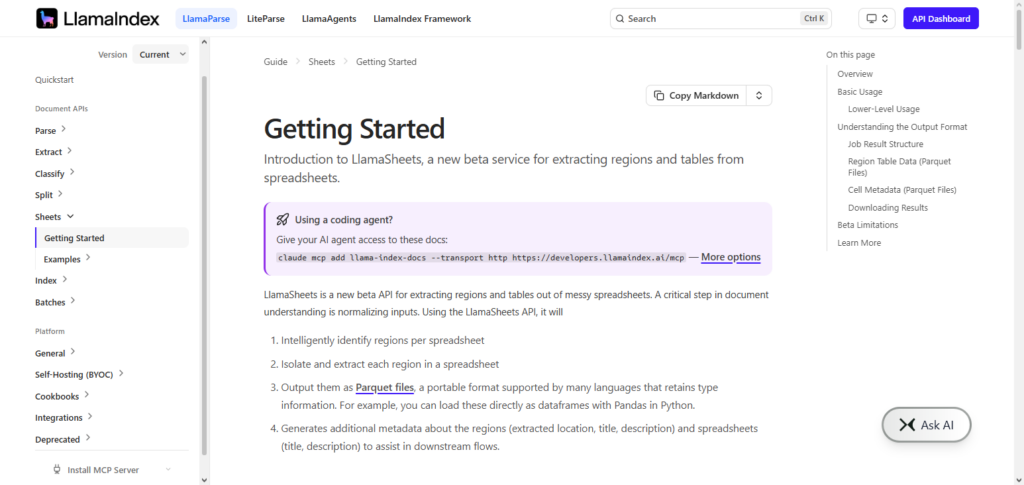
LlamaIndex Spreadsheet API for smarter data analysis allows the developer to build AI applications that convert spreadsheets to knowledge hubs. It provides capabilities for data indexing, retrieval-augmented generation (RAG), and an assortment of AI model integrations. Unlike the other offerings in this space, LlamaIndex enables tools for document analysis, reporting automation, and enterprise data management.
LlamaIndex Spreadsheet API Characteristics, Benefits & Drawbacks
Characteristics:
- Data Retrieval Technology: Structures data in spreadsheets so that AI can fetch them easily.
- RAG Architecture: Retrieval-augmented generation is utilized.
- Integrated AI Knowledge: Merges LLMs and spreadsheet data.
- Connected Data Flexibility: Multiple data formats can be used.
- Designed for Developers: Aimed at designing AI solutions.
Benefits :
- Rapid Data Discovery: Data in spreadsheets is easily retrievable.
- Enhanced Responses from AI: Answers are context-driven.
- Handles Large Data Sets: Supports enterprise data.
- Designed for Custom AI: Tailored frameworks are easily built.
- Accessibility of Data Enhanced: Spreadsheet data is more accessible.
Drawbacks:
- Development Skills Needed: Spans a development skill set.
- Challenging Initial Setup: Configuration can be tricky.
- Minimal User Interface: Developed primarily for back-end use.
- Dependent on AI: Relies on models for functionality.
- Data Ready Required: Data that is poorly structured can impact results.
7. DataRobot Spreadsheet AI
DataRobot Spreadsheet AI includes machine learning tools for organizations to work directly with data in spreadsheets and make predictions. Users can model, analyze trends, make predictions, and automate analytics workflows, all without advanced programming skills.
DataRobot Spreadsheet AI for smarter data analysis combines AI and business automation technologies to accelerate business decisions by automating data prep, ML workflows, and predictive analytics on structured datasets.
Finance, healthcare, marketing, and operational organizations can use DataRobot to identify previously unseen patterns in data, make better time-based predictions, and upgrade standard spreadsheets to analytical tools.
DataRobot Spreadsheet AI Characteristics, Benefits & Drawbacks
Characteristics:
- Automated ML: Predictive models based on data in spreadsheets are generated automatically.
- AI Based Predictions: Predictions for future occurrences can be provided.
- No Code Data Analysis: Allows data analysis without a coding requirement.
- Data Prep Utility: Aids in data cleaning and organizing.
- Enterprise Focused Analytics: Aimed at large organizations.
Benefits :
- Business Friendly AI: Design ofAI becomes less of a challenge for business users.
- Prediction Enhancement: Predicting outcomes becomes easier.
- Integrates with Business Operations: Connects workflows seamlessly.
- Cost-Effective: More affordable than using developers.
Drawbacks:
- Not User-Friendly: Target Market is developers.
- Limited Control: Needs customizability.
- Learning Curve for Analytics: More difficult to learn than Excel.
- Data Issues: Will analyze garbage data.
- Advanced Model Issues Will require constant oversight.
8. Scale AI SpreadsheetEval
Scale AI SpreadsheetEval is focused on assessing AI technologies to perform automation, reasoning, and data analysis in the context of spreadsheets. It includes test scenarios and benchmark datasets to evaluate AI’s capability to perform tasks related to spreadsheets.
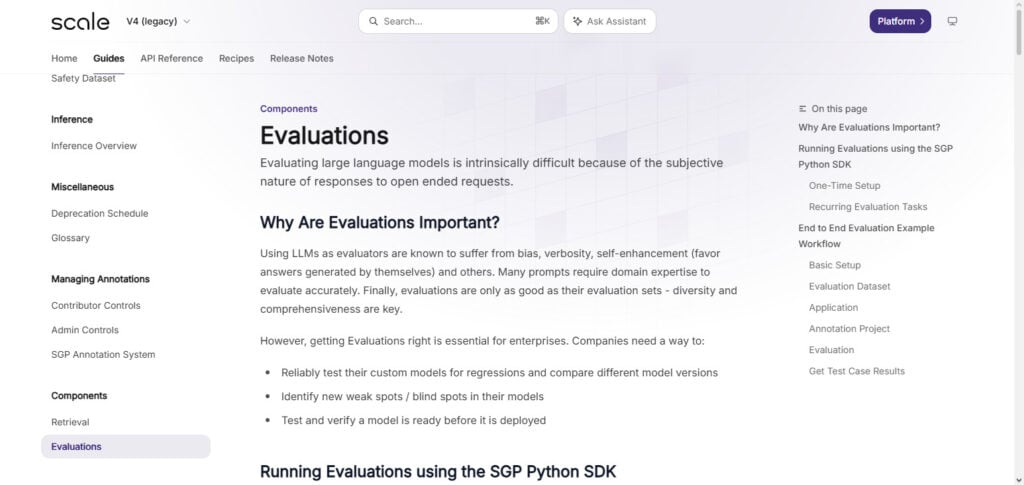
Scale AI SpreadsheetEval for smarter data analysis enables the assessment of AI assistants in the context of spreadsheets and is dedicated to improving the reliability and accuracy of AI assistants.
In particular, this solution offers the assessment of tasks like reasoning and analysis and the generation of spreadsheet formulas. This solution is especially useful in the context of improving the automation of spreadsheets and the development of enterprise AI solutions.
Scale AI SpreadsheetEval Characteristics, Benefits & Drawbacks
- AI Evaluation Platform: Places AI on a scale.
- Accuracy Testing: Measures the precision and quality of models.
- Structured Evaluation: Uses data to form a test.
- AI Improvement: Makes creating AI for spreadsheets easier.
- Developers as Users: Target audience are AI and ML researchers.
Benefits:
- Optimizes AI Systems: Refines and fine-tunes models.
- Reliable Testing: Model accuracy and presence tests.
- Constructs Solutions: Assists in the development of new frameworks or ideas.
- Tool Building: Supports newer applications.
Drawbacks:
- Model Testing: Is purely for testing.
- AI Knowledge Required: This is not for the average user.
- User Testing Focused: Features are very lackluster.
- High Technical Demand: Must possess high-level skills.
- Benchmarking Dependency: Results are based on the quality of data.
9. OctoAI Spreadsheet Optimization
AI-powered spreadsheet applications can be enhanced when OctoAI’s Spreadsheet Optimization incorporates improvement optimizations for ML models and computational workflows.
Developers can build sophisticated and efficient AI capabilities on top of spreadsheet data while using less infrastructure. OctoAI Spreadsheet Optimization for smarter data analytics provides organizations with the tools to develop flexible AI services for automated data reports and predictions and recommendations based on processed data.
Optimized model deployments and rapid inference with appropriate resource allocation and management are all part of the offering. For AI Analytics on the Spreadsheet, OctoAI accelerates and enhances the effectiveness of computing and incorporates flexibility for enterprises with large sets of data. The OctoAI solutions modernize the traditional practices and methods of spreadsheet analytics.
OctoAI Spreadsheet Optimization Characteristics, Benefits & Drawbacks
Characteristics:
- AI Model Optimization: Improves spreadsheet AI processing performance.
- Fast AI Deployment: Enables efficient model execution.
- Cloud-Based Infrastructure: Supports scalable AI applications.
- Performance Enhancement: Reduces processing time.
- Developer-Centered Platform: Built for AI application deployment.
Benefits:
- Faster Data Processing: Improves spreadsheet analysis speed.
- Reduces Computing Costs: Optimizes AI resource usage.
- Scalable Performance: Supports growing business needs.
- Better AI Efficiency: Improves application responsiveness.
- Supports Large Workloads: Handles complex analytics tasks.
Drawbacks:
- Technical Knowledge Required: Mainly for developers.
- Limited Spreadsheet Features: Focuses on optimization.
- Infrastructure Dependency: Requires cloud resources.
- Complex Integration: Needs development effort.
- Additional Costs: Advanced optimization may increase expenses.
10. IBM Watson Spreadsheet API
By integrating natural language processing, machine learning, and automation, the IBM Watson Spreadsheet API brings enterprise-level AI to the analysis of spreadsheets.
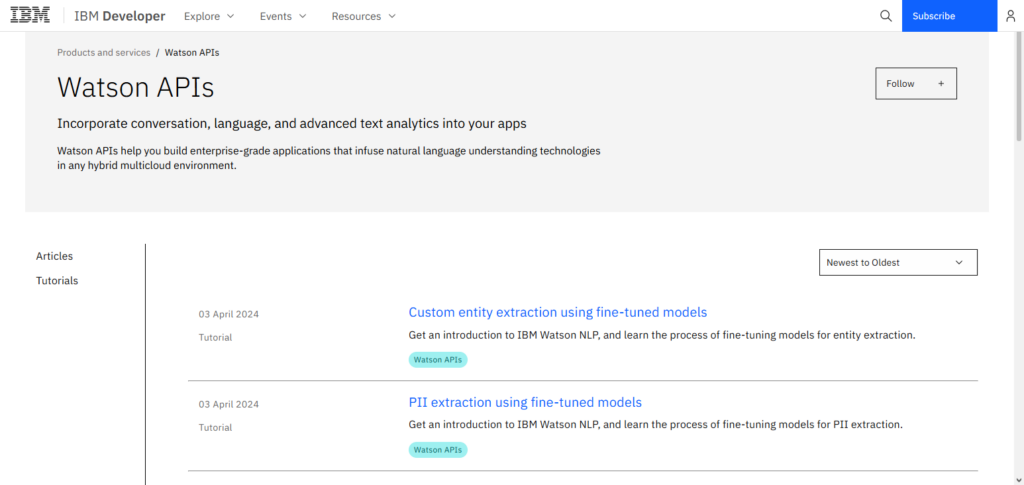
This enables the analysis of complex data sets, the detection of data patterns, the generation of reports, and the automation of complex tasks. IBM Watson Spreadsheet API for smarter data analysis brings the security of AI systems to organizations that seek robust data analytics.
It seamlessly connects to enterprise systems and supports advanced analytics, automated forecasting, and decision support. The integration of IBM Watson in corporate environments increases the productivity of employees, enables the retrieval of valuable information from data, and fortifies the security and governance of corporate data.
IBM Watson Spreadsheet API Characteristics, Benefits & Drawbacks
Characteristics:
- Enterprise AI Platform: Provides advanced analytics and automation.
- Natural Language Processing: Understands spreadsheet queries.
- Machine Learning Capabilities: Identifies patterns and trends.
- Secure Business Integration: Supports enterprise applications.
- Advanced Data Analytics: Provides intelligent insights.
Benefits:
- Enterprise-Level Security: Suitable for large organizations.
- Automated Insights: Quickly analyzes business data.
- Improves Productivity: Reduces manual spreadsheet tasks.
- Supports Predictive Analytics: Helps forecast future trends.
- Reliable AI Performance: Provides professional-grade solutions.
Drawbacks:
- Higher Pricing: May be costly for small companies.
- Complex Implementation: Requires technical expertise.
- Longer Setup Time: Enterprise deployment can take time.
- Limited Beginner Accessibility: Not ideal for casual users.
- Requires AI Knowledge: Advanced features need skilled teams.
Conclusion
AI Spreadsheet APIs fully integrate with standard spreadsheet real-time data and fully automate connections. Microsoft Excel Copilot API, AWS Bedrock DataSheets API, LangChain Spreadsheet Agent, and LlamaIndex Spreadsheet API offer easy, rapid data modification and automated repetitive task completion and business solution generation.
If your company requires tools for predictive data analytics, natural language queries, or AI-assisted reporting, these APIs offer the construct flexibility for developers and business use cases. The ongoing advances in applicable AI technologies beyond 2026 mean the business case for adopting the AI Spreadsheet API of your choice now will enhance productivity, accuracy, and the level of data-informed decision-making for your organization.
FAQ
What are AI Spreadsheet APIs?
AI Spreadsheet APIs are advanced tools that integrate artificial intelligence capabilities into spreadsheet applications to automate data analysis, generate insights, create formulas, and improve decision-making. They allow developers and businesses to build intelligent spreadsheet solutions using machine learning and natural language processing.
Why use AI Spreadsheet APIs for data analysis?
AI Spreadsheet APIs help organizations analyze large datasets faster, automate repetitive tasks, identify hidden patterns, generate reports, and make accurate predictions. They reduce manual work and allow users to interact with spreadsheet data using simple natural language commands.
Which is the best AI Spreadsheet API for businesses?
Microsoft Excel Copilot API, IBM Watson Spreadsheet API, and DataRobot Spreadsheet AI are among the best options for businesses because they provide enterprise-grade analytics, automation features, security, and integration with existing business systems.
Can AI Spreadsheet APIs generate formulas automatically?
Yes, many AI Spreadsheet APIs can automatically create, explain, and optimize spreadsheet formulas based on user instructions. Tools like Excel Copilot API and LangChain Spreadsheet Agent can understand natural language queries and generate appropriate calculations.