
Let me be honest with you.
When I first heard about an AI tool that could turn a typed script into a fully produced video — complete with a talking avatar, professional delivery, and multilingual dubbing — I was skeptical. Not mildly skeptical. I was the kind of skeptical that comes from years of watching “revolutionary” tech tools turn out to be glorified slideshow makers dressed up in Silicon Valley buzzwords.
Then I actually used AI Studios. And now, three months later, I’m writing this because I genuinely think it’s one of the most practically useful things to land in the content creation and corporate training space in a long time.
This isn’t hype. Let me show you what I found.
What Is AI Studios, and Who Actually Built It?
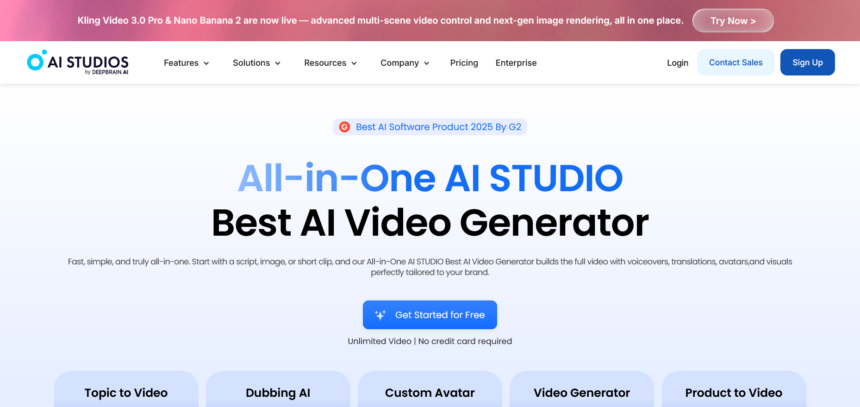
AI Studios is a B2B SaaS video production platform built by DeepBrain AI. The core idea is deceptively simple: you type your script, and the platform generates a professional-quality video — with a lifelike AI avatar presenting it, in whatever language you need, styled however your brand requires.
But calling it “simple” undersells what’s actually going on under the hood. The platform handles avatar creation, voice synthesis, multilingual dubbing, interactive video authoring, SCORM export for learning management systems, and generative AI video production — all from a single dashboard. It supports over 150 languages, which puts it among the broadest multilingual tools I’ve tested.
The customer base tells you a lot about where this fits: enterprise clients across finance, education, retail, media, and the public sector are already using it. This isn’t a consumer toy. It’s a production tool built for teams who need volume, consistency, and scale.
The Feature That Changed My Mind: Custom Avatar
I’ll be upfront — this was the feature I was most skeptical of, and the one that ended up impressing me the most.
Custom Avatar lets you upload a photo or a short video clip of a real person, and AI Studios generates a high-fidelity AI avatar of that individual. Once the avatar exists, it can produce unlimited video content without any additional filming. No studio, no camera crew, no scheduling the CEO for another talking-head recording session.
The facial expression reproduction, gesture rendering, and lip-sync quality are noticeably better than what I expected. I ran a side-by-side comparison — real footage of a person reading a script versus the AI avatar reading the same script — and while there are subtle differences if you’re looking for them, the average viewer watching a training video or a corporate explainer would not be able to tell.
For enterprises, this is genuinely transformative. Imagine a global bank that wants consistent, on-brand video communications from their regional managers — people who are good at their jobs but have no interest in sitting in front of a camera every week. Custom Avatar solves that problem cleanly.
The output isn’t limited to pre-recorded video either. You can push the avatar into live stream formats and interactive experiences, which leads directly to the next feature.
Interactive Avatar: When the Video Talks Back
Here’s where it gets interesting for anyone thinking about customer service, HR automation, or educational applications.
Interactive Avatar lets users have real-time conversations with an AI avatar. We’re not talking about a chatbot with a face slapped on it. The responses are LLM-quality — natural, contextually aware, and delivered by a lifelike avatar that maintains eye contact, facial expressions, and a convincing sense of presence.
The deployment options are practical: kiosk integration, website embedding, app integration. You can connect the avatar to custom knowledge bases — product FAQs, internal policy documents, compliance information — so it answers questions specific to your organisation rather than giving generic responses.
The use cases practically write themselves. A retail kiosk that answers product questions and guides purchase decisions. An HR avatar that handles onboarding questions from new employees at any hour. A financial services company running 24/7 customer support without scaling a headcount.
Combine Interactive Avatar with a Custom Avatar based on a real brand spokesperson, and you have something genuinely novel: a branded AI employee who looks like someone your customers already recognise, available at scale, around the clock.
AI Dubbing: The Feature Your Global Ambitions Actually Need
If you create video content and have any interest in reaching audiences beyond your native language, AI Dubbing deserves your full attention.
Upload any existing video. AI Studios automatically dubs it into 150+ languages, with automatic lip-sync matching, voice cloning that preserves the original speaker’s tone and delivery style, and auto-generated subtitles and translations in a single workflow.
I tested this by dubbing one of my own review videos — English source into Korean and then Spanish. The lip-sync quality was the thing I kept coming back to. Traditional dubbing often produces that slightly off-putting mismatch where the mouth movements don’t quite align with the audio. AI Studios’ automatic lip-sync matching handles this far better than I expected for a one-click process.
The voice cloning is also worth highlighting. Rather than swapping in a generic TTS voice, the platform attempts to preserve the cadence, energy, and character of the original speaker. The result is dubbed content that still feels like you, just in another language.
For YouTube creators specifically, the angle here is obvious: one video, published simultaneously in a dozen languages, reaching audiences you currently can’t access. The production overhead is essentially zero once the original video exists.
Training Video: The Enterprise Use Case Nobody’s Talking About Enough
This is the feature I think gets underappreciated in the broader conversation about AI video tools, probably because it’s less flashy than avatar cloning or AI-generated footage. But for anyone working in L&D, HR, or corporate communications, it might be the most immediately valuable thing on the platform.
AI Studios can take an uploaded PowerPoint or document and automatically convert it into a training video. Not a screen recording. An actual produced video with an AI avatar presenting the content, interactive branching scenarios, quiz checkpoints, and SCORM export for direct integration with learning management systems like Moodle, Cornerstone, and SAP SuccessFactors.
Think about what that means practically. An onboarding deck that someone spent hours building in PowerPoint gets transformed into an interactive training module — without a video editor, a voice actor, a recording studio, or a lengthy production cycle. When the compliance guidelines change, you edit the text and republish. No re-recording. No scheduling. No budget conversation.
The SCORM export is key for enterprise buyers because it means AI Studios-produced content plugs directly into existing infrastructure. You don’t have to migrate your LMS or convince IT to adopt a new platform. The videos just work wherever SCORM works.
I ran a full workflow test: took a real onboarding document, converted it into an interactive training video with branching scenarios and quiz checkpoints, exported the SCORM file, and uploaded it to a test LMS environment. The entire process took under an hour. The same content built through a traditional production workflow — hiring a video producer, recording voiceover, editing, building interactivity — would take days and cost considerably more.
AI Video Generation: Where It Gets Genuinely Exciting
The final feature is AI video generation from text prompts, and this is where AI Studios positions itself at the intersection of the platform economy and the generative AI arms race.
Rather than building a proprietary generative model and hoping it’s good enough, DeepBrain AI has taken the smarter approach: integrate the best models available and let users compare outputs in one place. The current lineup includes Kling (high-quality cinematic video with natural motion), Veo (Google DeepMind’s video generation model), and Nano Banana (fast generation optimised for cost-efficiency), with more being added as the generative video landscape continues to evolve.
For tech reviewers and content creators, this is a genuinely useful setup. Running the same prompt through Kling, Veo, and Nano Banana side by side — in one platform, without any API setup — gives you a practical comparison that would otherwise require multiple accounts, different interfaces, and a fair amount of technical overhead.
The non-technical accessibility matters more than it might seem. Plenty of marketers, educators, and communications professionals want to use generative video but aren’t going to configure API keys or manage development environments. AI Studios removes that barrier entirely.
The interesting production possibility here is combining AI-generated footage with an AI avatar presenter — using the generated video as b-roll or background content while the avatar delivers the main narrative. It’s a hybrid format that I think we’re going to see a lot more of as the tooling matures.
Who Should Actually Use This?
After spending significant time with the platform, I’d break the audience into a few clear groups.
Corporate communications and marketing teams who produce high volumes of video content and are currently constrained by production costs, turnaround time, or the logistical challenge of getting on-camera talent. AI Studios collapses the production cycle dramatically.
L&D and HR professionals who need to produce training content at scale, update it regularly, and distribute it through existing LMS infrastructure. The Training Video feature with SCORM export is built precisely for this.
Global content creators — YouTubers, course creators, media companies — who want to reach multilingual audiences without the cost of traditional localisation workflows. The AI Dubbing feature, particularly with voice cloning and lip-sync matching, is the most accessible path to genuine language-level reach I’ve seen.
Enterprise teams building customer-facing AI experiences — kiosks, embedded website agents, 24/7 support systems — where Interactive Avatar and Custom Avatar combine to create branded, scalable conversational experiences.
What I’d Like to See Improve
No review worth reading is entirely positive, so here’s my honest take on where there’s room to grow.
The custom avatar creation process, while impressive, works best with clean, well-lit source footage. Results with lower-quality input material are noticeably more variable. For enterprise clients with resources to capture proper source footage this is a minor issue; for smaller teams working with whatever’s available, it’s worth noting.
The platform’s depth also means there’s a learning curve. First-time users will want to spend time in the help documentation before diving into the more advanced features like SCORM export workflows or Interactive Avatar knowledge base integration.
Neither of these are dealbreakers. They’re the kind of rough edges you’d expect from a platform that’s genuinely trying to do a lot.
The Bottom Line
The positioning statement DeepBrain AI uses — “Just type your script. AI does the rest.” — is one of those rare cases where the marketing copy actually holds up under scrutiny.
AI Studios isn’t perfect. No tool at this stage of the generative AI curve is. But it’s genuinely useful, it’s built for the kind of scale that enterprises need, and it makes professional video production accessible to people and teams who’ve previously been locked out of it by cost, complexity, or lack of technical resources.
If you produce video content at any volume, train employees, or are trying to reach global audiences, it’s worth getting hands-on with it. You can create an account and activate a Pro plan at aistudios.com — I’d suggest starting with the AI Dubbing feature if you have any existing video content, or jumping straight to Custom Avatar if you want to see what the platform is genuinely capable of.
The production workflow you’ve been running for the past decade has a credible challenger. Whether that’s exciting or unsettling probably depends on which side of the camera you’ve been standing on.