

I’ll go over the top software for enterprise change impact analysis in this post. Understanding how organizational changes affect teams, systems, and processes is essential to managing them successfully.
Businesses can monitor dependencies, evaluate risks, and guarantee seamless implementation with the correct software. Here, we examine the best options that offer collaboration tools, real-time reporting, and predictive insights to make change management dependable and effective.
Why Enterprise Change Impact Analysis Is Important
Enterprise Change Impact Analysis is crucial because, prior to implementation, it assists businesses in understanding how changes will impact people, systems, processes, and overall business performance.
By early detection of dependencies, possible breakdowns, and compliance gaps, it lowers the risk of operational disruptions. Businesses may make well-informed decisions, efficiently allocate resources, and enhance stakeholder alignment by offering clear visibility into change implications.
By eliminating opposition and preparing teams for transitions, change impact analysis also improves adoption. In the end, it guarantees that modifications are carried out efficiently, securely, and strategically, safeguarding business continuity while promoting long-term expansion and development.
Key Features to Look for in Change Impact Analysis Software
Impact Mapping & Dependency Analysis
- Helps visualize the far-reaching consequences of changes on various systems, teams, and processes.
- Aids in the discovery of risks that are either upstream or downstream.
Risk Assessment & Scoring
- Ranks changes in order of their threat level.
- Enables data-driven decisions by measuring the risks.
Workflow Automation
- Automation of the entire workflow from approvals to notifications, and the assignment of tasks.
- Decrease manual work and the chances of human error.
Real-Time Dashboards & Reporting
- Offers the most recent information on the status of the changes.
- Stakeholders can be provided with custom reports as needed.
Collaboration & Communication Tools
- Facilitates updates and discussions in and across teams.
- Stakeholders’ involvement and comments are monitored.
Integration with Enterprise Systems
- Integration with systems such as ITSM, HR, project management, and GRC.
- Keeps the data in the organization harmonized.
Scenario Planning & Simulation
- Conducts tests on different “what if scenarios” before the implementation of changes.
- Helps to know possible consequences in advance.
Audit Trails & Compliance Tracking
- Documents all activities related to changes for accountability.
- Aids in adherence to regulations and policies.
User-Friendly Interface
- Complex information is simplified for the use of people who are not technically knowledgeable.
- Enhances use across different divisions.
Key Point & Best Software for Enterprise Change Impact Analysis List
| Platform | Key Point |
|---|---|
| BMC Helix ITSM | Comprehensive IT service management with AI-driven automation and predictive analytics for incident and change management. |
| OCM Solution (OCMS Portal) | Streamlines organizational change processes with centralized tracking, collaboration, and reporting tools. |
| Prosci Change Management Suite | Provides structured methodology and tools for change adoption, stakeholder engagement, and impact assessment. |
| IBM OpenPages GRC | Enterprise-grade governance, risk, and compliance platform enabling risk tracking, reporting, and regulatory compliance management. |
| Microsoft Dynamics 365 Change Tracker | Monitors and manages changes across business processes and applications with integrated analytics. |
| Planview Change Management | Helps plan, prioritize, and implement organizational changes with portfolio management and impact visualization. |
| Workday Change Management | Supports HR and business process changes with workflow automation, approval tracking, and employee impact analysis. |
| Jira Service Management (Atlassian) | ITSM tool for tracking incidents, changes, and service requests with robust workflow customization and automation. |
| Smartsheet Change Impact Analysis | Enables visual mapping of change impacts, collaboration, and real-time reporting for projects and processes. |
| LogicGate Risk Cloud | Configurable risk management platform for tracking, assessing, and mitigating change-related risks across the organization. |
1. BMC Helix ITSM
Because of its clever, AI-driven approach to handling complicated IT and business changes, BMC Helix ITSM stands out as the finest software for Enterprise Change Impact Analysis. Its distinctive predictive analytics reduce downtime and operational disruptions by identifying possible dangers prior to modifications being applied.
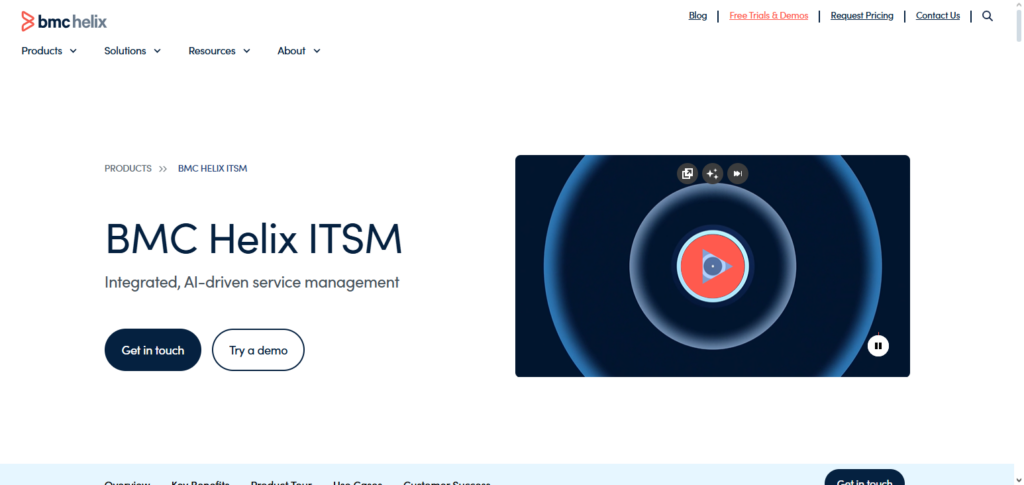
By providing a single view of all IT assets and their interdependencies, the platform enables enterprises to precisely evaluate the ripple impacts of changes.
BMC Helix ITSM is an essential tool for big businesses looking for accurate and proactive change management since it guarantees that every change is assessed for impact, compliance, and efficiency through automated processes, real-time reporting, and smooth team collaboration.
BMC Helix ITSM Features, Pros & Cons
Features
- Predictive analytics for change-related risks using AI
- Mapping of dependencies for IT-related assets
- Workflows for changes that are automated
- Dashboards for impacts that are updated in real-time
- Changes managed in accordance with ITIL
Pros
- Predictive analytics are very efficient
- Great for big companies
- Automation decreases the amount of work to be done manually
- Asset and service visibility is excellent
- Compliance support is consistent and reliable
Cons
- Significant time is needed for initial setup
- Expensive licensing
- Administrators with experience are necessary
- UI can be bulky
- Too much for small businesses
2. OCM Solution (OCMS Portal)
Because it centralizes all organizational change data and gives a clear picture of how changes impact teams, processes, and stakeholders, OCM Solution (OCMS Portal) is regarded as one of the best programs for enterprise change impact analysis.
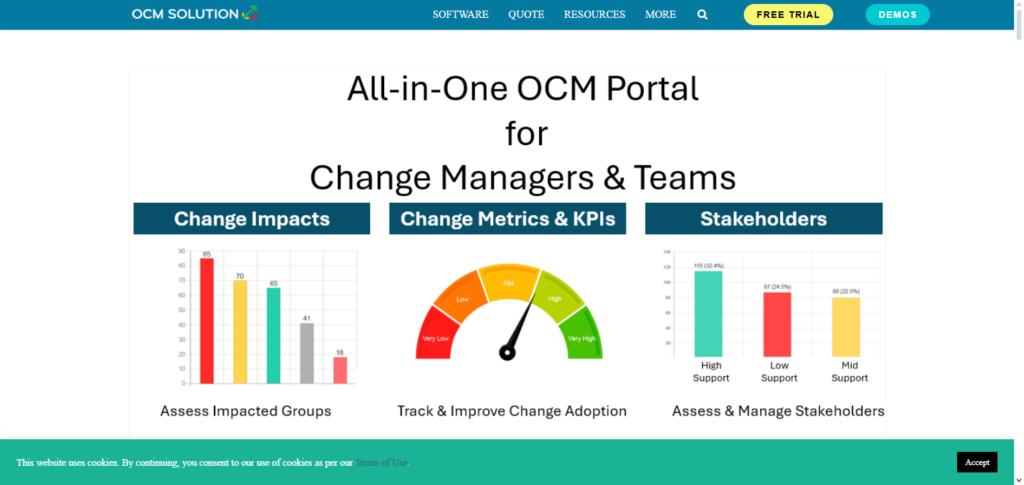
Its distinctive feature is its easy-to-use impact visualization and change tracking, which let leaders determine risks, dependencies, and resource needs prior to making changes.
The software guarantees adherence to internal policies, facilitates departmental collaboration, and automates reporting. OCMS Portal enables enterprises to effectively manage complex change initiatives while reducing disruption and maximizing acceptance throughout the enterprise by fusing transparency, thorough impact analysis, and actionable insights.
OCM Solution (OCMS Portal) Features, Pros & Cons
Features
- Change tracking that is centralized
- Visualization for stakeholder impact
- Tool collaboration
- Assessments of readiness for change
- Dashboards and reporting
Pros
- Simplicity of user interface
- Impact on people is strong
- Change adoption is improved
- Reporting that is uncomplicated
- Collaboration from many teams is beneficial
Cons
- Analytics that are advanced are sufficiently lacking
- Features that are IT centric fewer
- Limits of customization
- Ecosystem smaller
- IT changes complex for less suitability
3. Prosci Change Management Suite
Unlike the rest, the Prosci Change Management Suite has fared exceptional in the Enterprise Change Impact Analysis arena for the reason that the methodology has got organization and process understanding, scientifically constructed, and impact driven on people.
What makes this methodology special and unrivaled is impact assessment interlinked with stakeholder and adoption strategies, wherein organizations can capture the full scope of changes that will occur, along with alterations to their people and processes.
They offer various tools to help users understand change impact, action prioritization, and progress tracking, to name a few. Prosci fuses within their products, actionable step guides, educational materials, and even calculable metrics to guarantee that change is welcomed with little to no risk, and an abundance of acceptance, to make it a necessity for the enterprise change management arena.
Prosci Change Management Suite Features, Pros & Cons
Features
- Structured methodology of change
- Assessments of impact and readiness
- Tools for engagement of stakeholders
- Metrics for tracking adoption
- Resources for guidance and training
Pros
- Extensive research approach
- Center focus on people strong
- Success of adoption improved
- Framework easy to follow
- Globally recognized and trusted
Cons
- Tracking of technical change is limited
- Limited automation
- Not ITSM-centric
- Requires training investment
- Increased cost for complete suite
4. IBM OpenPages GRC
Because it combines governance, risk, and compliance into a single platform, IBM OpenPages GRC is a top option for enterprise change impact analysis, providing businesses with a comprehensive understanding of how changes impact operations, policies, and legal requirements.
Its capacity to map change implications across risk domains, spot any compliance gaps, and offer real-time analytics for well-informed decision-making are its distinctive strengths. OpenPages enables businesses to foresee problems before changes are made because to automated workflows, centralized reporting, and sophisticated risk modeling.
This proactive method is a unique solution for complicated corporate change management since it guarantees operational resilience, regulatory compliance, and efficient risk minimization.
IBM OpenPages GRC Features, Pros & Cons
Features
- Enterprise risk mapping
- Compliance impact analysis
- Automated workflows
- Advanced analytics
- Centralized GRC reporting
Pros
- Strong risk-based insights
- Excellent regulatory coverage
- Scalable for large enterprises
- Powerful analytics
- Integrates well with IBM ecosystem
Cons
- Complex implementation
- Expensive licensing
- Steep learning curve
- Heavy configuration needs
- Less intuitive UI
5. Microsoft Dynamics 365 Change Tracker
Microsoft Dynamics 365 Change Tracker is a great solution to use for Enterprise Change Impact Analysis because of it’s real time ability to track changes. They have a uniquely built software that is capable of keeping records of changes made in an organization and then predicting potential risks that can hamper the organization.
Because it can easily track changes in processes, applications, and workflows, it can adapt to any organizational structure. Because it is easily customizable, organizations can set it to analyze impacts of changes made to data, customer, and internal team interactions.
The software is built in a flexible way that other Dynamics 365 modules can use it to improve their services. Change Tracker fosters The ability to make flexible and intelligent changes with apparent reasoning is one of the things that makes Change Tracker one of the best internal tracking services.
Microsoft Dynamics 365 Change Tracker Features, Pros & Cons
Features
- Real-time change tracking
- Dependency monitoring
- Integrated analytics
- Audit logs
- Seamless Dynamics 365 integration
Pros
- Microsoft ecosystem support
- Real-time visibility
- Advanced reporting
- Simple integration
- Familiar UI
Cons
- Limited standalone capability
- Basic risk modeling
- Complexity in customization
- Best for Microsoft-centric orgs
- Dynamics licenses needed
6. Planview Change Management
Because it integrates strategic planning with operational execution, Planview Change Management is acknowledged as the best software for Enterprise Change Impact Analysis, providing organizations with a clear picture of how changes impact projects, portfolios, and resources.

Its capacity to visualize change implications across several initiatives, identify dependencies, and prioritize activities based on business value and risk is what makes it distinctive.
With the platform’s collaboration capabilities, real-time data, and scenario modeling, executives may foresee problems before making changes. Planview guarantees more seamless transitions, reduces disturbance, and increases the success of enterprise-wide change programs by coordinating resources, procedures, and stakeholders.
Planview Change Management Features, Pros & Cons
Features
- Portfolio level impact analysis
- Dependency visualization
- Scenario modeling
- Resource alignment
- Real-time dashboards
Pros
- Strong strategic planning
- Excellent visibility across initiatives
- Good risk prioritization
- Scales well
- Supports enterprise transformation
Cons
- Learning curve
- Higher cost
- Complicated to use Gi
- UI can be a bit much
- Needs disciplined data entry
7. Workday Change Management
Because it incorporates change assessment directly into HR and business processes, Workday Change Management is a top option for Enterprise Change Impact Analysis. It provides a thorough understanding of how organizational changes impact workers, workflows, and operations.
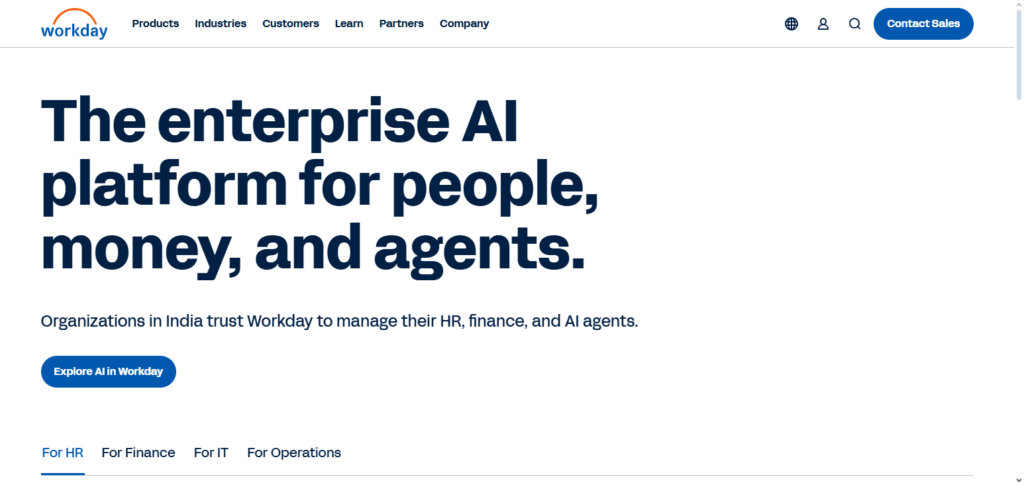
Its capacity to quantify employee impact, manage changes in real time, and automate team conversations and approvals gives it a distinct advantage.
Leaders can identify risks, organize actions, and guarantee that changes are adopted smoothly with the aid of the platform’s user-friendly dashboards and analytics. Workday helps businesses implement changes effectively, minimize interruption, and optimize overall organizational performance by fusing process visibility with people-focused insights
Change Management in Workday Features, Pros & Cons
Features
- Analyses effects on employees
- Automated workflows
- Tracking of approvals
- Tools for communication about changes
- Dashboards in analytics
Pros
- Excellent integration within HR
- Insights are focused on people
- Tracking in real time
- Data precision
- Security for enterprise
Cons
- Shallow changes in IT
- Workday ecosystem is required
- Expense burden on small teams
- Limits on customization
- Modeling of impacts lacking on technical aspects
8. Jira Service Management (Atlassian)
Because it offers a fully flexible platform for monitoring, managing, and assessing IT and business changes, Jira Service Management (Atlassian) is a great option for Enterprise Change Impact Analysis.
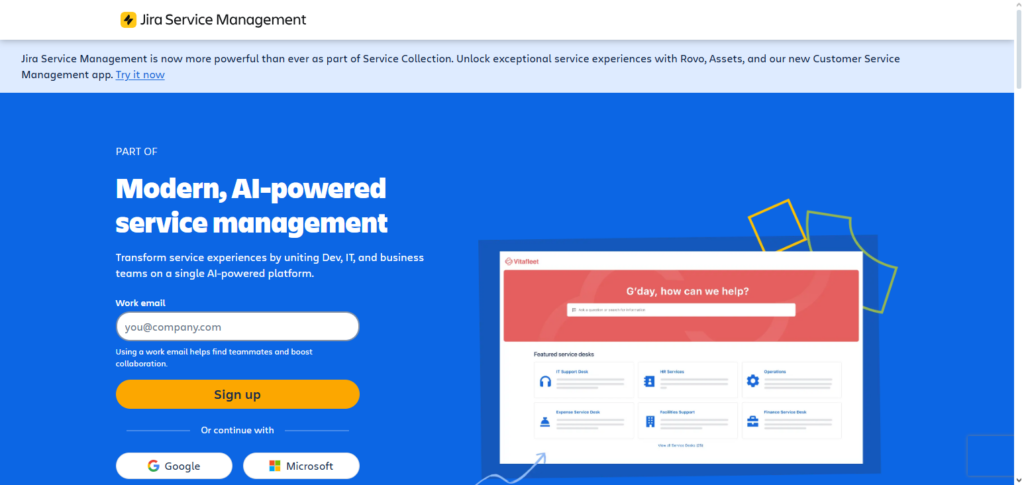
Its ability to relate change requests directly to assets, workflows, and team roles, providing clear visibility into potential implications prior to implementation, is its distinctive strength.
Teams can promptly evaluate risks, prioritize changes, and avoid service interruptions with real-time collaboration, automated notifications, and thorough reporting. Jira Service Management is perfect for large business contexts because it guarantees that changes are managed effectively, transparently, and safely by combining ITSM techniques with agile project management.
Jira Service Management (Atlassian) Features, Pros & Cons
Features
- Workflows of changes that are custom
- Tracking of assets and dependencies
- Rules of automation
- Collaboration in real time
- Reporting and audit trails
Pros
- Highly adjustable
- Excellent ITSM functions
- Aficionado of agility
- Ecosystem of integrations is vast
- Scales in size from small to large
Cons
- Complicated configuration
- Admin experience is mandatory
- UI becomes cluttered
- Custom limits on reporting
- Additional costs for advanced add-ons
9. Smartsheet Change Impact Analysis
Smartsheet Change Impact Analysis is one of the best tools for Enterprise Change Impact Analysis, as it combines the adaptability of spreadsheet-based planning with analysis, visualization, and collaboration tools.

The primary differentiator of this software is its ability to map out changes across processes, projects, and people, displaying dependencies and possible problem areas. Dashboards, change initiatives progress tracking, real-time change initiatives status tracking, and the ability to create custom automation are all available to users.
Smartsheet fosters cross-functional collaboration and thorough impact assessment, which ensures that changes are seamless, resources are fully utilized, and interruptions are kept to a minimum. These are after all the highest goals for managing change initiatives at the enterprise level.
Smartsheet Change Impact Analysis Features, Pros & Cons
Features
- Mapping of impacts that are visual
- Dashboards in real time
- Alerts that are automated
- Collaboration across teams
- Templates that are flexible
Pros
- Simple
- Flexible
- Strong collaboration
- Rapid deployment
- Excellent visibility
Cons
- Advances are limited in modeling
- Not focused on ITSM3. Manual configuration for intricate breakdowns.
- Reporting depth varies
- Less appropriate for regulated environments
10. LogicGate Risk Cloud
LogicGate Risk Cloud is the top-rated solution for Enterprise Change Impact Analysis because it seamlessly integrates risk management with change assessment, helping businesses understand the ramifications of changes on their operations, processes, and compliance.
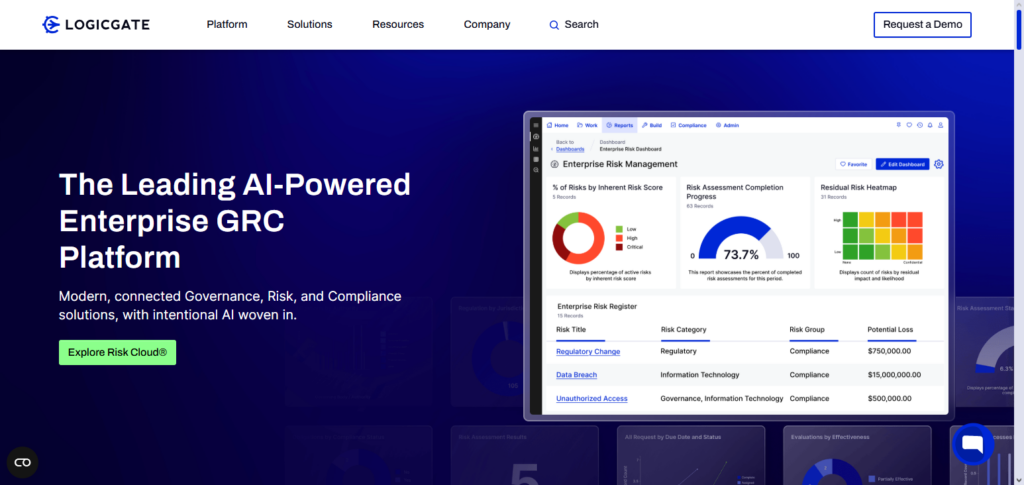
What sets it apart is the adaptability of its workflows and risk-mapping features, which help teams identify, mitigate, and prioritize impacts before risks occur. The platform offers real-time dashboards, collaborative features, and automated reporting to provide all stakeholders with visibility into change-related risks.
LogicGate integrates insight on risk with process management to empower businesses to make enterprise changes at a pace that is safe, optimal, and minimally disruptive, thus providing utmost value to proactive change management.
LogicGate Risk Cloud Features, Pros & Cons
Features
- Risk workflows configuration
- Mapping risks related to changes
- Assessments automation
- Dashboards in real-time
- Reporting on compliance
Pros
- Excellent risk-centric approach
- Great configurability
- Good abstraction
- Meets compliance requirements
- Enterprise-level scaling
Cons
- Somewhat lengthy configuration
- Must be learned by end-users
- More expensive tiers
- Out-of-the-box templates are quite limited
- Best with teams that are focused on risks
Conclusion
To sum up, the Best Software for Enterprise Change Impact Analysis gives businesses the ability to predict, assess, and control the impacts of changes on teams, systems, and processes.
From predictive analytics and risk mapping to stakeholder engagement and real-time dashboards, platforms such as BMC Helix ITSM, OCMS Portal, Prosci Change Management Suite, IBM OpenPages GRC, Microsoft Dynamics 365 Change Tracker, Planview Change Management, Workday Change Management, Jira Service Management, Smartsheet Change Impact Analysis, and LogicGate Risk Cloud offer distinct advantages.
Businesses can lessen operational disturbance, increase adoption, guarantee compliance, and promote effective, strategic change projects throughout the company by utilizing these solutions.
FAQ
What is Enterprise Change Impact Analysis software?
Enterprise Change Impact Analysis software helps organizations assess how changes in processes, systems, or business operations will affect teams, workflows, and stakeholders. It identifies risks, dependencies, and potential disruptions before changes are implemented.
Why is Enterprise Change Impact Analysis important?
It ensures that changes are implemented smoothly, reduces downtime, prevents operational risks, improves stakeholder adoption, and maintains compliance with organizational policies or regulatory requirements.
Which features are essential in this software?
Key features include impact mapping, risk assessment, predictive analytics, workflow automation, real-time dashboards, stakeholder tracking, reporting, and integration with existing enterprise systems.
Who can benefit from using this software?
Large enterprises, IT teams, project managers, HR departments, and risk management teams benefit the most, as it provides a clear understanding of change effects across the organization.