

The Best No-Code Tools to Build Apps & Websites will be covered in this post, enabling anyone to develop polished websites and mobile apps without knowing any code.
With their drag-and-drop interfaces, automation, and integrations, these platforms—which include Bubble, Webflow, Adalo, and Glide—help companies, entrepreneurs, and creators develop digital goods fast, effectively, and affordably.
What Are No-Code Tools?
Software systems known as “no-code tools” enable users to construct websites, web apps, and mobile applications without having to write any code.
To make development easier, they make use of drag-and-drop editors, visual interfaces, pre-made templates, and automation tools. No-code technologies, in contrast to traditional coding, enable organizations, designers, and entrepreneurs to swiftly and affordably create useful digital products.
These platforms frequently feature database management, workflow automation, and interfaces with third-party services, enabling the construction of professional-caliber apps and websites without the need for technical know-how.
Key Factors to Consider When Choosing a No-Code Tool
Ease of Use: Look for a platform with an easy to use, draggable user interface so that users can create and customize their apps and websites without any technical knowledge.
Integration Capabilities: Determine if the no-code tool can connect with other software, APIs, and third party services, including payment processors, CRMs, and analytics tools.
Scalability and Performance: Consider if the tool can handle growth without sacrificing performance when it comes to users, data quantities, or traffic.
Customization Options: Look into the design and functionality options. Also check the availability of advanced options such as templates, components, workflows and logic.
Pricing and Plans: Assess whether there are free tiers, subscription, and advanced functionality costs that accommodate to the no-code tool you require, and fits your budget.
Support and Community: Look for active communities, video guides, and responsive customer support, especially helpful for beginners.
Security and Compliance: For apps that handle sensitive data, check the platform for data encryption and compliance to GDPR or HIPAA.
Support for More than One Platform: If building web and mobile apps is your goal, select a tool that offers cross-platform support and responsive design capabilities.
How Fast Tools Deploy: Some tools are more efficient than others in prototyping and launching. This is vital when you want to evaluate certain ideas or rapidly introduce a product to the market.
App and Website Updates: Analyze how simple it is to modify and improve the functionality, design, or content of your a to your app or website without risking the loss of functionality or data.
Key Point & Best No-Code Tools to Build Apps & Websites List
| No-Code Tool | Key Points / Unique Features |
|---|---|
| Bubble | Full-stack web app builder, database-driven, workflow automation, highly customizable |
| Webflow | Visual website design, CMS integration, responsive layouts, SEO-friendly |
| Softr | Turns Airtable or Notion data into apps, fast setup, client portals, membership sites |
| Glide | Converts spreadsheets into mobile/web apps, real-time updates, easy sharing |
| Adalo | Drag-and-drop mobile app builder, supports iOS/Android, in-app purchases |
| Thunkable | Build complex logic apps, drag-and-drop components, native iOS & Android deployment |
| OutSystems | Low-code/no-code hybrid, scalable, integrates with existing systems, fast enterprise apps |
| Zoho Creator | Workflow automation, database apps, multi-platform support, integration with Zoho ecosystem |
| Squarespace | Beautiful templates, blogging, e-commerce, simple drag-and-drop interface |
| Bravo Studio | Converts Figma/Adobe XD designs into native mobile apps, real data integration, fast prototyping |
1. Bubble
Bubble is one of the most powerful Best No-Code Tools to Build Apps & Websites, best for developing fully functional, backend web applications from scratch. Users can build responsive designs using drag and drop elements and can be able to control intricate workflows and databases in the background.
With Bubble’s customized logic, API integration, and user authentication features, it is great for startups, SaaS, products, and marketplace solutions. Users can build any solution from e-commerce to social networking. Although it comes with a slight learning curve, it is one of the best options for developing sophisticated web apps easily.
Bubble Features, Advantages & Disadvantages
Features:
- Web application editor that utilizes a drag and drop feature
- Management of backend and databases
- Connects with external services via API
- Automation of workflows that dictate application logic
- Custom designs to fit different screens
Advantages:
- Complex web apps can be built.
- Total control over the database and logic.
- There are databases, logic, and numerous other features that can be used.
- There are numerous community generated tutorials.
- Apps can be designed without any knowledge of programming.
Disadvantages:
- There may be an initial difficulty for some users.
- Larger apps may function poorly.
- Greater app flexibility may need to be paid for.
- Extra effort may be needed to design some values.
- Some advanced features are only available in the higher payment tiers.
2. Webflow
Webflow is one of the best platforms on the list of Best No-Code Tools to Build Apps & Websites It’s specifically focused on creating beautiful and interactive websites. Webflow combines a more advanced professional web design interface with the simplicity of a drag-and-drop editor, plus the functionality of css, html, and JavaScript.
It also offers Webflow CMS, which offers dynamic content, making it more suited for blogs, portfolios, and for corporate sites. Plus, its SEO and hosting services keeps sites optimized and fast. Designers and other agencies love Webflow for the creative freedom and the ability to develop complete functioning websites without having to code.
Webflow Features, Advantages & Disadvantages
Features:
- Visual web builder (HTML and CSS control available).
- Building tools for responsive web design.
- Dynamic content management via CMS.
- A platform that is optimized for SEO.
- Support for e-commerce.
Advantages
- Professional custom websites without coding.
- CSS-level control and full design flexibility.
- Built-in CMS for content-driven sites.
- Great for designers wanting no-code solutions.
- Strong community and learning resources.
Disadvantages
- Beginners face a learning curve.
- Compared to Bubble, there are fewer backend/database capabilities.
- In order to utilize full features, paid plans are required.
- The amount of complex logic workflows is restricted.
- Creating mobile apps is not ideal.
3. Softr
Softr’s inclusion in the Best No-Code Tools to Build Apps & Websites is well-deserved, as it helps you make functional web applications from Airtable or Notion databases. It is ideal for customer portals, membership sites, marketplaces, and internal business applications.
Automating your business processes and accepting payments online are two examples of how Softr and its vendors improve functionality. You can also use Softr’s features to and other external data sources to design dynamic apps from your spreadsheets without writing any code.
Softr is ideal for business looking to launch apps quickly and efficiently, as its is fast and simple. It also allow non-technical people to convert spreadsheets into interactive applications.
Softr Features, Advantages & Disadvantages
Features:
- Web apps and client portals can be built from Airtable.
- Templates and blocks that are already made.
- Client portals and user authentication.
- Uses Zapier and other common tools.
- Customization is easy with a drag-and-drop editor.
Advantages:
- There is little to learn.
- Perfect for client portals and internal tools.
- Small business pricing is flexible.
- Airtable integration is seamless.
- Knowledge of code is not required.
Disadvantages:
- Less customization of the design compared to Webflow.
- There are limits to complex logic workflows.
- Apps that require a high level of scalability are not ideal.
- Paid plans are required for advanced integrations.
- Data storage is dependent on Airtable.
4. Glide
Glide is one of the most unique tools on our Best No-Code Tools to Build Apps & Websites list because it can convert spreadsheets into apps. Users can connect Google Sheets and Excel files to Glide and automatically generate apps that adapt to user data.
Glide is very easy to use, featuring drag and drop design tools, adjustable layouts, and built-in components such as forms, charts, and maps. Because of that, it is a great fit for internal tools for businesses, event apps, or small project management tools.
Even though it is very simple, Glide has several advanced functions such as user authentication and automated workflows. All of these features combined to offer users a hassle-free experience, and that is a big factor on why it is so popular with users when they need an app built.
Glide Features, Advantages & Disadvantages
Features:
- Mobile apps can be developed using Google Sheets.
- Editor for drag-and-drop apps.
- Deployment for iOS and Android is supported.
- User authentication that is built-in.
- There are components for charts, and forms, as well as buttons.
Advantages:
- Creation of apps is extremely fast.
- Great for simple apps and MVPs.
- Learning required is little.
- Small apps have a free plan.
- Spreadsheets can be integrated easily.
Disadvantages:
- Back-end support and logic are lacking.
- Apps with greater complexity can’t be built.
- Basic options for customization.
- Relies on Google Sheets for data.
- Large sets of data can cause performance problems.
5. Adalo
Adalo is among the best app builders that require no coding, along with making websites and other applications. This tool is very useful for mobile app builders for both iOS and Android. It has an easy to use interface that allows users to move elements around and create workflows, and manage the database.
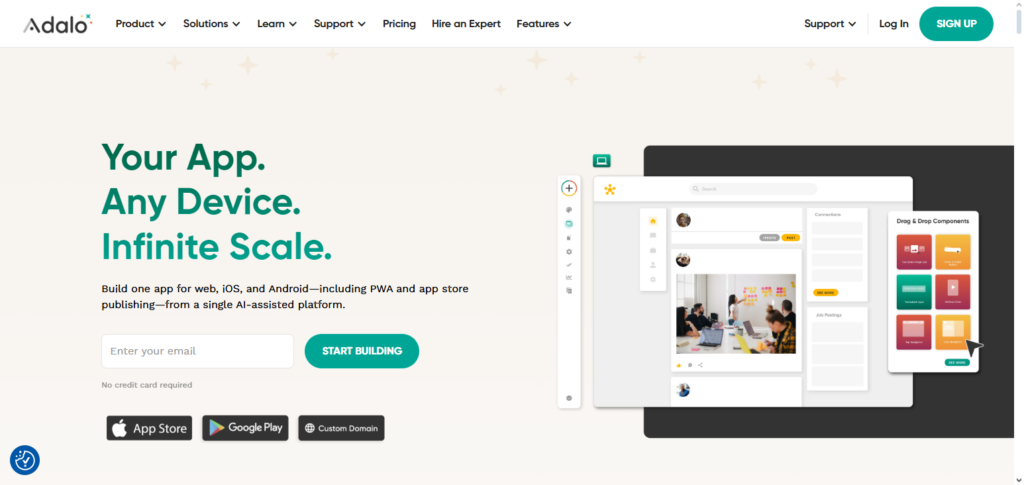
Adalo works well with purchases within the app, sends notifications, and can use third party API’s. This tool is useful for both companies and start-ups to help them release mobile products.
This platform is very flexible and allows the users to make prototypes and deploy them without coding. Adalo has some limitations as far as advanced customization goes, but because of how simple it is, it works great for entrepreneurs to test app ideas, and to engage app users.
Adalo Features, Advantages & Disadvantages
Features
- Mobile app builder with drag-and-drop functionality.
- Database management.
- Integration of APIs.
- Publishing for iOS and Android.
- UI Elements marketplace.
Advantages
- Mobile Apps can be built for full functionality.
- No coding is required.
- Great for beginner users and easy to learn.
- Custom actions and workflows can be created.
- API use for integration with other services.
Disadvantages
- Performance issues for more complex apps.
- Less advanced logic when compared to Bubble.
- Publishing requires paid subscription.
- More general options for design flexibility.
- Difficulties around scaling may be present.
6. Thunkable
Thunkable facilitates the development of cross-platform mobile applications and is a strong member of the Best No-Code Tools to Build Apps & Websites. Users can create complicated applications with intricate logic and real-time data handling thanks to its drag-and-drop interface.
Native iOS and Android deployment, API integration, and multimedia capabilities like camera, GPS, and sensors are all supported by Thunkable. Because of this, it may be used to create consumer-focused mobile solutions, productivity applications, and educational apps.
Thunkable bridges the gap between basic builders and expert app development by enabling users with little coding experience to easily construct highly functional apps, even if it is more sophisticated than some no-code solutions.
Thunkable Features, Advantages & Disadvantages
Features
- Builder for mobile apps with drag and drop functionality.
- Apps that cross multiple platforms can be created.
- Ability to test apps live in real time.
- Components and blocks that are already built.
- External databases and APIs can be integrated.
Advantages
- Apps can be created for both iOS and Android at the same time.
- Creation of a Minimum Viable product (MVP) and rapid prototyping.
- No coding is necessary.
- Great visual interface.
- The free learning plan is available.
Disadvantages
- Paid subscription is available.
- Performance constraints for large apps.
- UI customization options are restricted.
- It takes a while to learn advanced logic blocks.
- Not suited for enterprise-grade apps.
7. OutSystems
OutSystems is one of the best example of enterprise app builders among the Best No-Code Tools to Build Apps & Websites, as Enterprise solution App builders simply require you to have an low-code/no-code mixed platform.
With its workflows, scalable apps and complex integrations, OutSystems rapidly develop apps while also adhering to enterprise security and compliance standards.
Businesses manage successful process automation, and deployment, while building mobile and web apps. OutSystems is well-known for its digital transformation acceleration through the use of additional coding resources.
OutSystems Features, Advantages & Disadvantages
Features:
- Low-code platform for enterprises.
- Front and back-end design using drag and drop.
- Integration to current systems and databases.
- Web and mobile applications.
- Security and compliance automation.
Advantages:
- Great for enterprise applications.
- Accelerated development without extensive coding.
- Secure and scalable.
- Supports complex business logic.
- Excellent vendor support.
Disadvantages:
- High cost for small enterprises.
- High entry barrier.
- Unnecessary for simple applications.
- Requires a level of expertise.
- Very little free or trial options.
8. Zoho Creator
For companies looking for unique, workflow-driven solutions, Zoho Creator is among the best no-code tools for building websites and apps. With its straightforward drag-and-drop interface, users can construct forms, dashboards, data-driven apps, and automate processes.
Both the Zoho ecosystem and external services like Google Workspace or Slack are easily integrated with Zoho Creator. By utilizing automation and AI capabilities, users can create multi-platform desktop and mobile applications.
Zoho Creator, which is perfect for companies of all sizes, enables non-technical experts to create useful apps quickly and effectively, lowering dependency on IT personnel while guaranteeing dependable performance and security.
Zoho Creator Features, Advantages & Disadvantages
Features:
- Application builder with drag and drop.
- Integrated database management.
- Automation of processes and management of logic.
- Publishing for mobile apps.
- Integration with the Zoho suite and other third-party apps.
Advantages:
- Excellent for business applications and internal systems.
- Low-code platform for beginners.
- Cost-effective.
- Automation and reporting functionalities.
- Agility as the company expands.
Disadvantages:
- Low design customization.
- Poor fit for complex end-user applications.
- Paid plans may be needed to access integrations.
- Advanced logic is difficult to set up.5. Learning curve for non-Zoho users.
9. Squarespace
For customers who are interested in creating aesthetically pleasing websites and online storefronts, Squarespace is one of the Best No-Code Tools to Build Apps & Websites. With its user-friendly drag-and-drop editor and expertly designed themes, users can easily establish blogs, portfolios, and e-commerce sites.
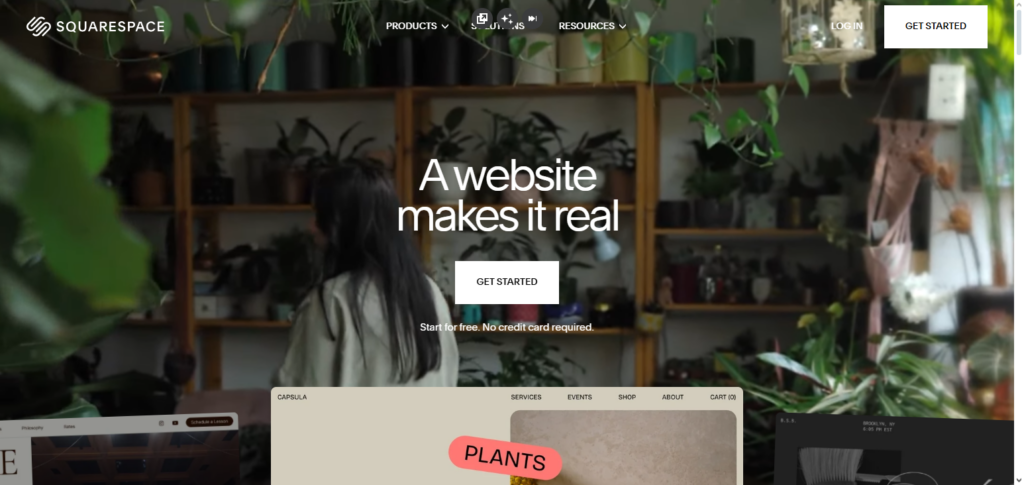
Additionally, Squarespace provides integrated payment processing, analytics, and SEO capabilities. Its simplicity and design focus make it perfect for small enterprises, creatives, and entrepreneurs, even though customization choices are restricted when compared to platforms like Webflow. Anyone can effectively construct professional, responsive websites with Squarespace without the requirement for technical know-how or coding proficiency.
Squarespace Features, Advantages & Disadvantages
Features:
- Website builder using drag and drop.
- Web design using ready-made templates.
- Support for e-commerce.
- Blogging and SEO tools.
- Subscription includes hosting.
Advantages:
- Others have reported that it is very easy to use.
- Website templates are professionally made.
- Hosting and managing domains is included.
- Suitable for portfolios, blogs and for small businesses.
- Everything is included and managed.
Disadvantages:
- You don’t have much freedom in making adjustments.
- Having complex web apps is not ideal.
- Adding more features can get expensive.
- You can’t manage advanced back-end or databases.
- You can’t use many third-party services.
10. Bravo Studio
Bravo Studio is a surprising listing on the Best No-Code Tools to Build Apps & Websites, as its focus is a little different from others on this list.
Unlike most platforms, Bravo enables users to convert a design from Figma or Adobe XD into a separate mobile app for each platform. Bravo includes iOS and Android deployment, API integrations, and real-time data updates.
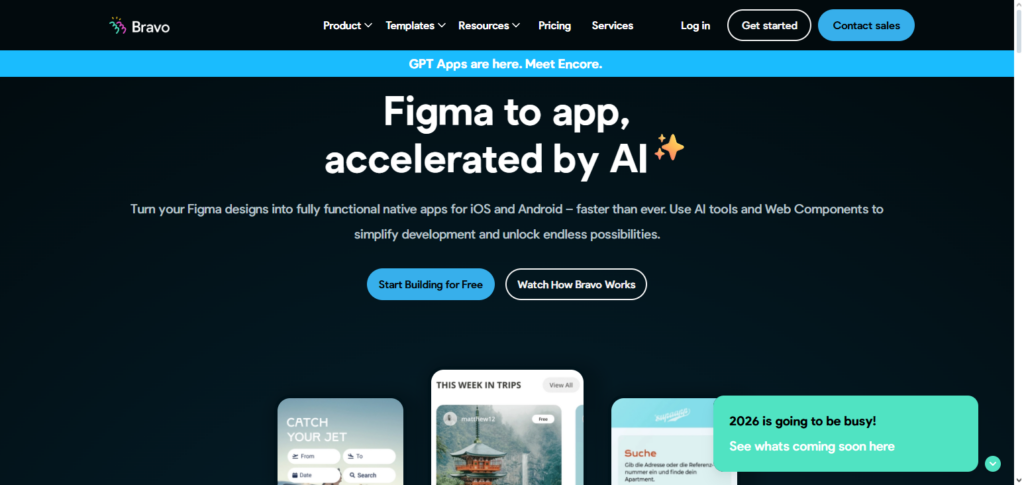
Because of Bravo, designers can easily turn static prototypes into all the interactive app features using their pixel-perfect designs.
Since the platform supports mobile app creation, it is a great option for non-technical users who want to quickly build an app with real design tools, making it a perfect option for freelance designers, startups, and design agencies.
Bravo Studio Features, Advantages & Disadvantages
Features:
- Turns mobile app designs made in Figma into native apps.
- Has a drag-and-drop interface.
- Works with APIs and Airtable.
- Preview and testing are in real-time.
- Can publish to both Android and iOS.
Advantages:
- Ideal for designers who don’t want to make apps with code.
- Makes it easy to create prototypes using existing designs.
- Allows external integrations.
- Everything can be done without code.
- Provides a solution for moving design to app.
Disadvantages:
- Can’t do much with logic or workflows.
- Great results require Figma expertise.
- A paid version is necessary to publish.
- Performance can be a problem due to integrations.
- It is not very suited for apps in big companies.
Challenges & Limitations of No-Code Tools
Limited Customization: No-code platforms generally come with pre-built templates and components. While pre-built components can help with the speed of the initial design and allow faster development, it will be difficult or impossible to design a solution for a particular business need if it is very complex or unique.
Scaling Issues: When a demand spike occurs, some no-code tools may crash and usually will be unable to presevere. Such unanticipated losses will be detrimental and will hinder the development of ‘Enterprise-grade’ projects.
Performance Constraints: No-code tools can be very useful for the initial design of the application. However, usually, applications constructed using no-code tools will face a slower load time and will not be as efficient. Custom-built applications, in comparison, will be faster, and will run more efficiently and with greater precision, especially for data-intensive applications.
Platform Dependence: Users of no-code platforms will be struck by major platform changes and constraints. Such changes can impede the functioning of tools intended to design applications, websites, and tools.
Integration Limitations: Not all no-code tools will allow integration with other more advanced tools that a business may utilize. This can limit the no-code tools functionality and may ultimately hinder complex business requirements.
Costs for Advanced Features: No-code tools offer some design features for free. However, as usage increases, no-code tools usually require the ‘unlocking’ of advanced features. This can become very expensive and is a considerable cost.
Security Risks: Most no-code tools have implemented some form of security, However, not all of the tools are equal in quality, and some tools can be a higher risk if dealing with sensitive data or requirements for compliance.
The Learning Curve with More Advanced Logic: Advanced no-code platforms can be difficult for beginners, even without code, because they have to learn workflows, automations, and how to work with databases.
Conclusion
No-code technologies have revolutionized the development of websites and applications, enabling everyone—entrepreneurs, designers, small businesses, and even enterprises—to create digital content.
Without writing a single line of code, users may create polished, completely working apps and websites using platforms like Bubble, Webflow, Softr, Glide, Adalo, Thunkable, OutSystems, Zoho Creator, Squarespace, and Bravo Studio.
These tools offer scalability, automation, and integrations while cutting expenses, speeding up innovation, and saving time. Anyone may rapidly and effectively transform ideas into genuine, high-quality digital goods by selecting the appropriate no-code platform based on project goals and technological requirements.
FAQ
What are no-code tools?
No-code tools are platforms that allow users to build websites, mobile apps, and software applications without writing code. They use visual interfaces, drag-and-drop editors, and pre-built components to create functional digital products quickly and easily.
Who should use no-code tools?
No-code tools are ideal for entrepreneurs, small business owners, designers, marketers, and anyone without technical coding knowledge who wants to build websites or apps efficiently. They are also useful for enterprises looking to accelerate internal processes.
Are no-code tools suitable for complex apps?
Yes, many no-code tools like Bubble, OutSystems, and Thunkable can handle complex web and mobile applications. However, for extremely large-scale or highly custom projects, combining no-code with traditional coding may be necessary.
Can I create both websites and mobile apps using no-code platforms?
Absolutely. Tools like Webflow, Squarespace, and Softr are excellent for websites, while Adalo, Thunkable, and Bravo Studio are designed for mobile apps. Some platforms like Bubble and OutSystems support both.
Are no-code tools secure for business use?
Most reputable no-code platforms provide SSL, encryption, secure hosting, and compliance features. However, businesses dealing with sensitive data should carefully review security policies and consider additional measures if necessary.