



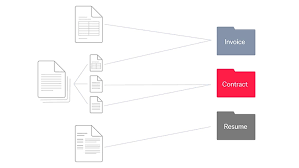
In this article, I will discuss the Best AI Tools for Smart Document Classification, which are transforming how businesses handle and organize documents.
These AI-powered solutions automate data extraction, categorize diverse document types, and reduce manual effort while improving accuracy.
From invoices and contracts to forms and emails, the right AI tool can streamline workflows, save time, and enhance operational efficiency for any organization.
Why Use AI for Document Classification
Saves Time and Increases Efficiency
- AI can handle thousands of documents in a matter of minutes, aliviating workload from manual sorting and entering data.
Reduces Human Error
- Automated classification can be consistently accurate, and not fall victim to the mistakes manual work tends to have.
Handles Large Volumes of Documents
- AI can easily scale to different levels of document volume, and can work with many document types, including but not limited to PDFs, images, and emails.
Supports Multi-format and Complex Documents
- AI can process all levels of document complexity including structured, semi-structured, and unstructured documents with the use of NLP, and ML.
Improves Compliance and Security
- AI can be used to appropriately classify and handle documents in a way that meets industry standards for paperwork of an especially sensitive nature.
Enables Smarter Decision-Making
- Organized and clear data that will be easily analyzable can be produced from documents, leading to more informed decisions.
Integrates Seamlessly with Existing Systems
- Many providers of AI document classification services have options for APIs and document exported formats which can assist with workflow automation.
Cost Savings
- Less manual labor will be needed, and document processing will be much faster, leading to reduced operational costs.
How to Choose the Right AI Document Classification Tool
Know the Types of Documents You Will Have
- Know the types of document formats (PDFs, emails, scanned documents, invoices) that need classification, and make sure the software is able to classify them.
Determine the Level of Accuracy and Learning the System Has
- Seek out systems that have the most advanced NLP/ML systems and that have the highest capability to enhance accuracy over time using feedback.
Confirm the Tool’s Integration and API Accessibility
- Look for a system that seamlessly integrates with the systems in use like DMS, CRM, ERP.
Think Through the Level of Customization for the Tool
- Check that the system allows for the creation of custom rules for classification, and that it institutes industry-specific models to suit to your workflow.
Determine the Level of Scalability the Tool Has
- Ensure that the software is able to support the current capacity that you have, as well as offer expansion for the increasing volume of documents that need processing.
Review the Security and Compliance Level with Document Classification
- Ensure that the solution fits the requirements your field dictates in regard to data protection (e.g. encryption, GDPR, HIPAA).
Assess the Flexibility of Deployment
- Determine needs for the system to be cloud-based, or for it to be situated and controlled on-site (on-premises), or a combination of both depending on your security and infrastructure requirements.
Key Point & Best AI Tools for Smart Document Classification List
| AI Tool | Key Points / Features |
|---|---|
| Microsoft Azure Form Recognizer | Extracts text, key-value pairs, and tables from forms and documents; integrates with Azure ecosystem; supports custom models for specialized documents. |
| Google Document AI | Uses machine learning to parse documents, extract structured data, and classify content; supports invoices, receipts, and contracts; scalable cloud solution. |
| IBM Watson Discovery | Advanced NLP and AI-powered document search and classification; identifies insights, trends, and patterns; supports structured and unstructured data. |
| Amazon Textract + Comprehend | Textract extracts text and data from scanned documents; Comprehend provides NLP-based classification and entity recognition; ideal for automation workflows. |
| ABBYY FlexiCapture AI | Intelligent data capture and document classification; processes structured and unstructured documents; customizable for enterprise workflows. |
| Kofax TotalAgility AI | End-to-end document processing automation; uses AI to classify, extract, and route documents; integrates with workflow management systems. |
| UiPath Document Understanding AI | Combines OCR, AI, and ML for document classification; supports structured, semi-structured, and unstructured content; integrates with RPA workflows. |
| Hyperscience AI | Automates data extraction and classification from documents; focuses on accuracy with minimal human intervention; learns from corrections over time. |
| Rossum AI | Cloud-based AI for invoice and document data capture; uses deep learning for classification and extraction; integrates with accounting and ERP systems. |
| Indico Data AI | No-code platform for document classification and unstructured data extraction; supports custom workflows and industry-specific models; cloud and on-premise options. |
1. Microsoft Azure Form Recognizer
Because of its sophisticated integration of machine learning and optical character recognition (OCR) technologies, Microsoft Azure Form Recognizer stands out as one of the greatest AI tools for smart document classification.
It greatly reduces manual labor by automatically extracting text, tables, and key-value pairs from a wide range of documents, such as forms, invoices, and receipts. Its capacity to train custom models suited to particular business requirements, guaranteeing high accuracy even for specialized documents, is its distinctive strength.
It is perfect for businesses looking for effective, safe, and intelligent document processing solutions because of its scalable cloud infrastructure and seamless connection with the Azure ecosystem.
Microsoft Azure Form Recognizer Features
- Advanced OCR & ML – Can automatically extract the text, tables, and key-value pairs from documents without being programmed to do so.
- Custom Model Training – Builds and fine tunes a custom model to more accurately classify documents.
- Multi-format Support – Able to accept and process documents in different formats, including; PDF documents, scanned images, and various forms.
- Azure Integration – Can easily be integrated to work with the other products in the Microsoft Azure Platform.
- High Accuracy & Scalability – Can process and classify a large amount of documents in a short amount of time with great precision.
Microsoft Azure Form Recognizer Pros & Cons
| Pros | Cons |
|---|---|
| Pre-trained models for invoices, receipts, IDs | Accuracy drops on highly unstructured layouts |
| Strong integration with Azure ecosystem | Requires Azure subscription; costs scale quickly |
| Supports both printed and handwritten OCR | Custom model training needs representative samples |
| Automates repetitive workflows | Limited flexibility outside supported document types |
2. Google Document AI
Because of its strong machine learning and natural language processing capabilities, Google Document AI is a top AI tool for intelligent document classification.
It is excellent at automatically extracting structured data from unstructured documents, such as contracts, invoices, and receipts, allowing companies to minimize manual labor and optimize operations.
Pre-trained parsers for various document formats, which may be tailored to fit particular business requirements and guarantee high accuracy and efficiency, are its special strength.
Additionally, Google Document AI offers scalable, secure, and automated document processing through seamless integration with Google Cloud services, making it the perfect choice for businesses managing substantial amounts of complicated documents.
Google Document AI Features
- Pre-trained Parsers – Was trained in advance and optimized to process various document types, such as; invoices, receipts, contracts, etc.
- Natural Language Understanding – Can pull out the context and key points of a text document.
- Customizable Models – Can include training documents to be specific to a particular business.
- Cloud-native & Scalable – Capable of processing and classifying a large amount of documents without the use of any local storage.
- Structured Data Output – Able to re-arrange and simplify unstructured documents into formats that can be utilized.
Google Document AI Pros & Cons
| Pros | Cons |
|---|---|
| High OCR accuracy across diverse formats | Pricing can be high for large-scale use |
| Easy-to-use interface, quick setup | Limited customization compared to some rivals |
| Strong Google Cloud integration | Advanced workflows may need technical expertise |
| Scalable for enterprise workloads | Occasional latency in processing |
3. IBM Watson Discovery
A premier artificial intelligence (AI) tool for intelligent document classification, IBM Watson Discovery is well-known for its sophisticated natural language processing (NLP) and cognitive search features.
It can comprehend context, draw conclusions, and classify both structured and unstructured data from a variety of sources, including reports, emails, and online material, in contrast to traditional document processors. Its distinctive feature is its ability to combine deep analytics with AI-driven classification, which enables businesses to find patterns, links, and trends concealed inside documents.
Furthermore, Watson Discovery is highly adaptable for companies looking for precise, intelligent, and scalable document classification solutions because it allows custom model training and interacts with enterprise systems with ease.
IBM Watson Discovery Features
- Contextual NLP – Understands the content and context of the documents with the use of Natural Language Processing.
- Insight Extraction – Capable of figuring out trends, patterns, and relations that can be formed with the data.
- Multi-source Support – Able to process structured and unstructured data from many different silos.
- Custom Model Training – Can be customized to meet the specific classification and processing needs of various industries.
- 5. Enterprise Integration – Merges with other organizational systems and applications.
IBM Watson Discovery Pros & Cons
| Pros | Cons |
|---|---|
| Advanced NLP: sentiment, entity detection | Steeper learning curve for non-technical users |
| Integrates with Watson Suite | Pricing can be complex and high |
| Useful for analyzing unstructured data | Fewer pre-built connectors than competitors |
| Supports multiple languages | Requires tuning for optimal accuracy |
4. Amazon Textract + Comprehend
Amazon Textract + Comprehend combines deep natural language understanding with sophisticated data extraction to provide a potent combination for intelligent document classification.
While Comprehend examines the material to categorize, identify entities, and comprehend context, Textract mechanically reads and extracts text, tables, and forms from scanned documents.
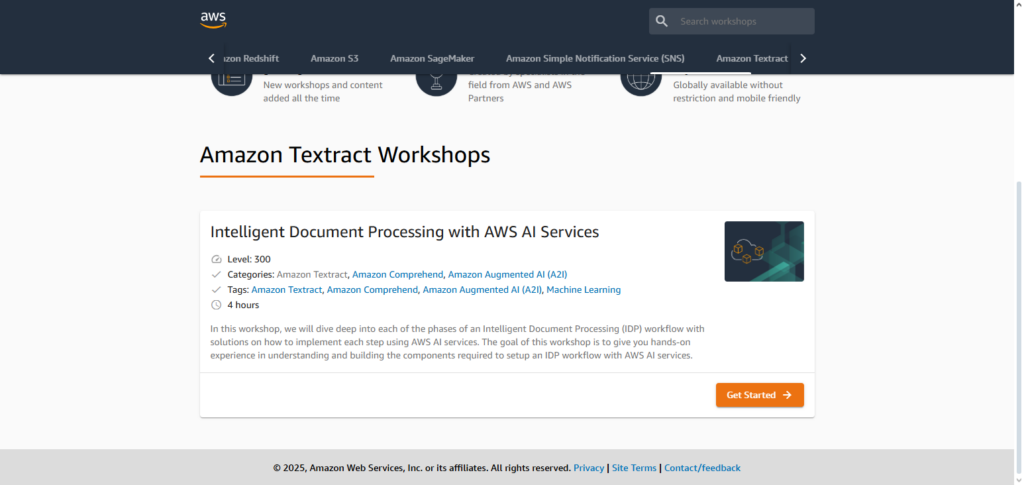
Its distinctive benefit is the smooth integration of extraction and comprehension, which enables companies to swiftly convert unstructured information into organized, useful data.
Real-time processing, multi-format documents, and intricate workflows are all supported by this highly scalable and cloud-native combo. For businesses looking for a comprehensive, intelligent solution for effective, precise, and automatic document classification, it is perfect.
Amazon Textract + Comprehend Features
- Extraction of Text and Automation – Textract can read text as well as scan documents for tables and forms.
- Classification and Recognition of Entities – Applies text classification and entity recognition Comprehend.
- Work Flow Integration – Automated AWS Services and Work Flow Integrated.
- Cloud Solution in Scale – Processes in large volumes and in documents in bulk.
- Compatible in Many Formats – Compatible in various forms of documents like constituting scanned images and PDFs.
Amazon Textract + Comprehend Pros & Cons
| Pros | Cons |
|---|---|
| Textract extracts text, handwriting, tables | Accuracy varies with complex layouts |
| Comprehend adds NLP (sentiment, entities) | Requires AWS expertise for integration |
| Scales easily with AWS infrastructure | Pricing complexity; costs rise with volume |
| Goes beyond OCR to structured data | Fewer out-of-box templates than Azure/Google |
5. ABBYY FlexiCapture AI
ABBYY FlexiCapture AI views smart document classification as the core of the automation cycle of document processing and data retrieval.
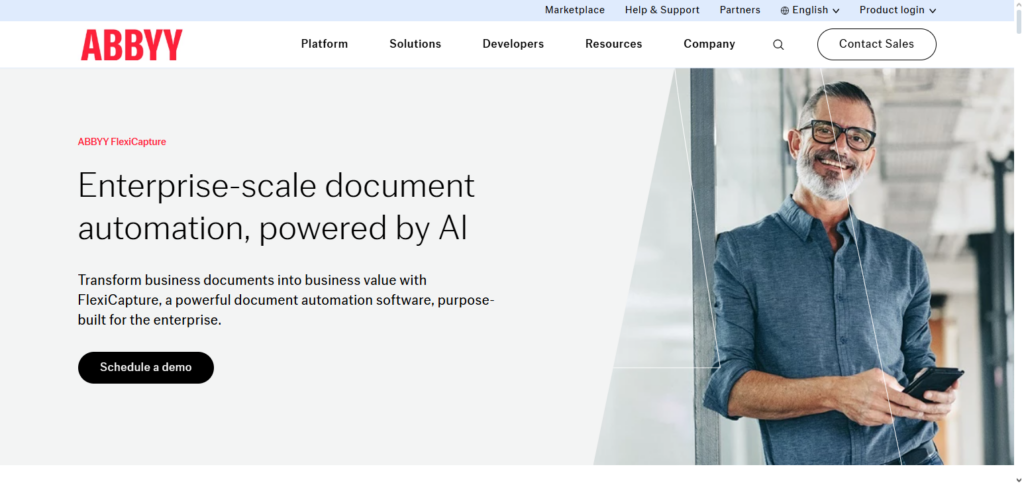
The product of smart document classification AI is the intelligent processing of structured and unstructured documents (invoices, contracts, and forms) —- with accuracy. The AI exhibits autonomous machine learning. The FlexiCapture AI adjusts and adapts to complexities of document classification and formats by improving accuracy over and over.
The customization of processing workflow rules to fit an organization’s business processes is one of the most added to the product. Linked to document classification is state-of-the-art enterprise security. Document classification is a business necessity. It’s also a necessity to have an integration of an enterprise AI document classification system.
ABBYY FlexiCapture AI Features
- Processing of Intelligent Documents – Extracts and collects data in both structured and unstructured documents.
- Workflows of Customizable Nature – Partitions specific document classification along with extraction.
- Learning that is Adaptive – Accuracy propelled by gradual improvement of machine learning.
- Support for Many Formats – Documents of various nature like invoices, contracts, and forms are supported.
- Security of Enterprise Grade – Data processing is through compliant and secure means.
ABBYY FlexiCapture AI Pros & Cons
| Pros | Cons |
|---|---|
| Enterprise-grade IDP with NLP + ML | Setup/configuration can be complex |
| Handles structured & unstructured docs | Licensing costs are relatively high |
| Strong invoice automation | Needs skilled admins for optimization |
| Good accuracy and functionality | UI feels dated compared to newer SaaS tools |
6. Kofax TotalAgility AI
Kofax TotalAgility AI is a leading option for intelligent document classification, providing a complete platform that integrates workflow automation, machine learning, and artificial intelligence.
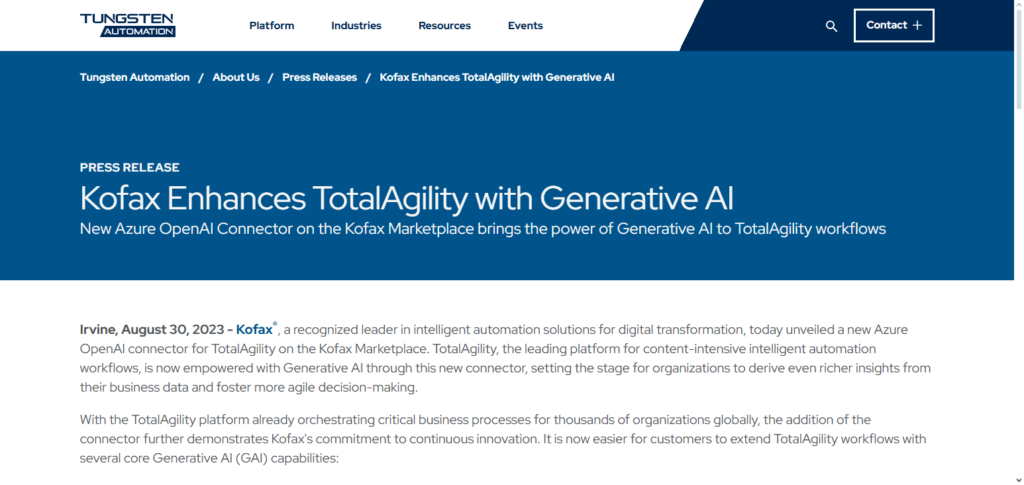
End-to-end automation is its special strength; in addition to effectively classifying documents, it also collects important data and smoothly moves it through business processes. Even with complicated and diverse document types like bills, contracts, and forms, the AI continuously learns from human changes, increasing accuracy over time.
Kofax TotalAgility AI enables businesses to decrease human labor, speed up processing, and improve operational efficiency across all document-centric operations thanks to its robust integration capabilities, scalability, and configurable workflows.
Kofax TotalAgility AI Features
- End-to-End Automation – Encompasses classification, extraction, and workflow routing.
- Learning Capabilities – Gains and improves accuracy over time from human feedback.
- Multi-format Support – Works with documents in various formats including PDF files, images, and forms.
- Integration with Business Systems – Connects to various business workflow systems, including ERP and CRM.
- Scalable & Secure – Provides reliable processing of huge volumes of documents.
Kofax TotalAgility AI Pros & Cons
| Pros | Cons |
|---|---|
| Cognitive capture for financial docs, contracts | Resource-heavy deployment |
| Workflow automation + document management | Pricing/licensing complexity |
| Designed for business analysts, not just IT | Customization needed for niche cases |
| Strong automation features | Integration challenges with non-Kofax systems |
7. UiPath Document Understanding AI
UiPath Document Understanding AI is a sophisticated smart document classification solution that combines robotic process automation (RPA), machine learning, and artificial intelligence (AI) to optimize document processing.
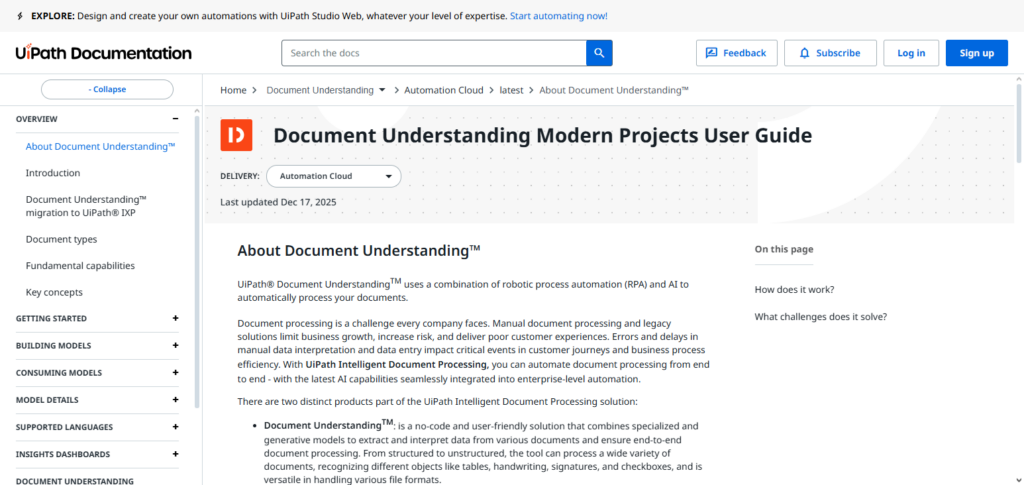
Businesses can effectively handle structured, semi-structured, and unstructured documents because to its special strength, which is the integration of classification, data extraction, and validation inside automated workflows. The platform supports a variety of forms, including PDFs, photos, and emails, and it continuously learns from user comments to improve accuracy over time.
It enables end-to-end automation, lowers manual labor, speeds up processing, and guarantees scalable, dependable, and intelligent document classification for businesses with its smooth integration into UiPath’s RPA ecosystem.
UiPath Document Understanding AI Features
- RPA Integration: Document processing automation for entire workflows.
- Structured & Unstructured Data Support: Document types include forms, emails, and invoices.
- Machine Learning Models: Classifications become more accurate with time and new data.
- Multi-format Compatibility: Finds document text in scanned images and other document types, including PDFs.
- User-Friendly Interface: Non-technical users have a simple and easy to use dashboard.
UiPath Document Understanding AI Pros & Cons
| Pros | Cons |
|---|---|
| Seamless integration with UiPath RPA | Requires RPA expertise for full benefit |
| Pre-built activities for invoices, receipts | Training custom models takes time |
| Combines ML, OCR, human validation | Costs rise with scale and AI Center usage |
| GenAI extractors reduce training needs | Complex taxonomy setup for advanced workflows |
8. Hyperscience AI
DocClass Hyperscience AI provides the most accurate smart document classification. It is able to automate the extraction and organization of complex documents such as forms and invoices. It learns on the go and constantly adapts to new documents and contracts.
It embeds a human in the loop to review the classification to instill best practices from the classification to further improve the process. There are few others as capable as Hyperscience on the processing of semi-structured and unstructured data.
Its synchronous and unsynchronous processing drastically reduces the manual effort required and processing time. Also, the built in integrations and security allow for scalable intelligent document classification, especially for those companies who need a high degree of reliability.
Hyperscience AI Features
- Human-in-the-Loop Learning: AI can learn a new skill from a human to improve an activity.
- High Accuracy Classification: AI can perform accurate and efficient document processing for very complex tasks.
- Multi-format Support: Works with forms, invoices, and contract documents.
- Workflow Automation: Complements and integrates with the existing processes in a business.
- Scalable & Secure: Designed for enterprise level document processing.
Hyperscience AI Pros & Cons
| Pros | Cons |
|---|---|
| Excels at handwritten document extraction | Limited language support |
| Human-AI collaboration ensures verified accuracy | Pricing concerns for some users |
| FedRAMP High certified (government-ready) | Struggles with multiple tables/unstructured data |
| User-friendly interface | Smaller ecosystem than AWS/Google |
9. Rossum AI
Rossum AI is an exceptional AI solution for intelligent automated document classification, precisely built to make data capture easier and faster from business-critical documents like invoices, purchase orders, and contracts.
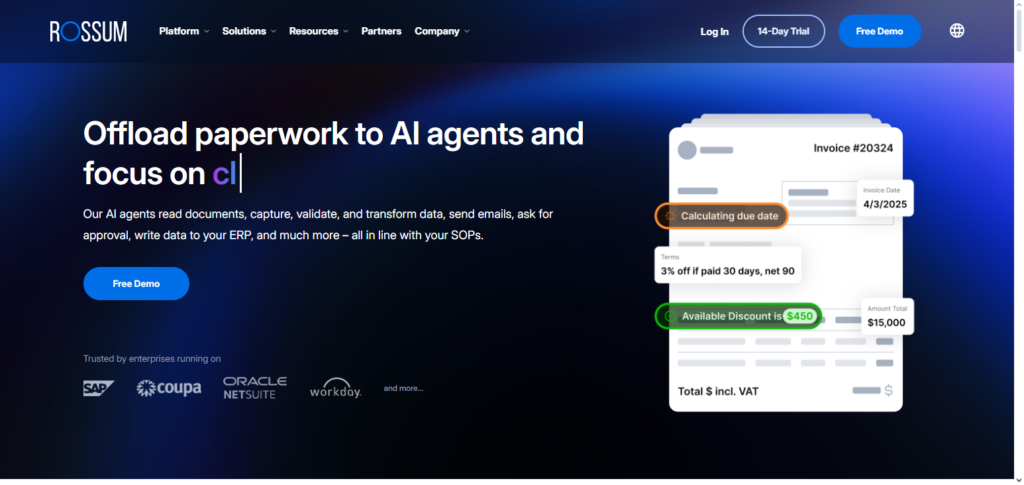
What sets this application apart is its cutting-edge deep learning algorithm that comprehends the structure and context of documents and classifies and automates highly accurate data capture with little human intervention. Adaptation to new document formats is faster due to less initial configuration requirement and continues to build upon that to achieve higher accuracy.
It is highly deployed, easy to integrate to ERP and accounting systems, and easy to use. It is highly intelligent, scalable and efficient, and automated solution for intelligent engineered document classification and processing system. All of this now delivers documents classification with the highest level of accuracy.
Rossum AI Features
- Deep Learning Technology: Cutting-edge document processing technology.
- Adaptive Learning: Document becomes more accurate with less effort over time and through use.
- Cloud-Based Deployment: No document processing location restrictions and processing is scalable.
- ERP & Accounting Integration: Integrates well with department systems.
- Minimal Human Intervention: Document processing has little human effort and retains high accuracy.
Rossum AI Pros & Cons
| Pros | Cons |
|---|---|
| User-friendly interface, easy navigation | Arabic OCR and some languages weaker |
| Strong customer support | Limited advanced customization |
| AI-driven accuracy for invoices/forms | May not scale smoothly for very large enterprises |
| Quick onboarding | Narrower feature set than ABBYY/Kofax |
10. Indico Data AI
Designed to make processing unstructured data at scale easier, Indico Data AI is a potent AI solution for intelligent document classification.
Its no-code platform, which lets companies quickly create, train, and implement unique categorization models without requiring a lot of technical know-how, is its special strength. Indico’s AI uses machine learning to comprehend context, extract pertinent data, and precisely classify documents in a variety of forms, including emails, PDFs, and scanned photos.
Through input, the platform is continuously improved, increasing accuracy over time. Indico Data AI offers businesses an effective, smart, and flexible way to automate document classification and boost workflow productivity because to its strong integration capabilities and scalability.
Indico Data AI Features
- No-Code Platform: Classification models can be built, trained, and deployed freely without code.
- Custom Model Training – Most helpful in making AI fit a certain business or industry.
- Multi-format & Unstructured Data Support – Can handle a variety of sources including data in PDFs, emails, and scanned papers.
- Continuous Learning – Gains added accuracy on what to classify as time goes on due to added information in feedback.
- Integration & Scalability – Fits into other tools in the user’s workflows, integrates with various cloud services, and scales with the amount of documents.
Indico Data AI Pros & Cons
| Pros | Cons |
|---|---|
| Specializes in unstructured data (insurance, claims) | Smaller ecosystem than IBM/AWS |
| GenAI + AgenticAI for decision automation | Integration complexity outside insurance |
| High ease of use, strong support | Limited templates beyond insurance vertical |
| Improves risk assessment efficiency | May need custom dev for broader adoption |
Benefits of Using AI Tools for Document Classification
More Efficient Document Processing
- AI systems sort and extract information from documents without human intervention.
More Accurate and Consistent Results
- Uniform error-free classification.
Less Expense
- Task automation and workflow optimization lead to reduced manual labor costs.
More Flexible
- Efficient processing of large volumes of documents to meet increasing business demands.
Greater Compliance and Safety
- Classifies documents of a sensitive nature and aids compliance with documents of a sensitive nature and aids compliance with rules and regulations (i.e., GDPR, HIPAA).
Compatible with Various Formats
- Handles documents in a wide variety of formats, including PDFs, images, emails, invoices, contracts, and other complex documents.
Improved Insight from Data
- AI classification provides structured data for analytics and decision-making.
Integrates Easily into Existing Workflows
- Provides workflow automation with existing software Document Management Systems (DMS), Enterprise Resource Planning systems (ERP), and Customer Relationship Management systems (CRM).
Self-Improving over Time
- AI with Machine Learning becomes more accurate with the passage of time and through the introduction of feedback.
Key Features to Look for in AI Document Classification Tools
Advanced Machine Learning & NLP
- Necessary for having an understanding of the context, semantics, and meaning of the text.
Multi‑Format Support
- Supports many document types including PDF, scanned images, Word documents, emails, etc.
Configurable Classification Rules
- Lets you customize models that fit the requirements of your industry and business.
High Accuracy & Self Learning
- Gets better with correcting and giving feedback with time.
Optical Character Recognition (OCR)
- Processes text from images or scans to make them machine readable.
Integration & API Support
- Works with current tools such as CRM, ERP, DMS, and workflow automation systems.
Scalability
- Can handle multiple documents as your business expands.
Data Privacy & Protection
- Has encryption, access control and follows industry standards, e.g. GDPR, HIPAA, etc.
Real Time Classification & Processing
- Supports time sensitive workflows by finishing document processing in a timely manner.
Conclusion
AI-driven document classification is revolutionizing information management and processing in enterprises. Intelligent, automated solutions that save time, lower errors, and increase operational efficiency are provided by programs like Microsoft Azure Form Recognizer, Google Document AI, IBM Watson Discovery, Amazon Textract + Comprehend, ABBYY FlexiCapture AI, Kofax TotalAgility AI, UiPath Document Understanding AI, Hyperscience AI, Rossum AI, and Indico Data AI.
From sophisticated machine learning and natural language processing to smooth workflow integration and self-learning features, each tool offers distinct advantages. Organizations may effectively manage massive document volumes, obtain relevant insights, and accomplish scalable, accurate, and secure document management by implementing the appropriate AI technology.
FAQ
What is AI document classification?
AI document classification uses artificial intelligence and machine learning to automatically categorize, organize, and extract information from documents, reducing manual effort and errors.
Why should businesses use AI for document classification?
AI improves speed, accuracy, scalability, and compliance while reducing operational costs and freeing employees to focus on higher-value tasks.
Which types of documents can AI classify?
AI can classify structured, semi-structured, and unstructured documents, including invoices, contracts, forms, emails, and scanned images.
Can AI learn custom classification rules?
Yes, most AI tools allow training custom models or setting rules to meet specific business needs, improving accuracy over time.
Are AI document classification tools secure?
Yes, leading tools provide enterprise-grade security, including encryption, access controls, and compliance with regulations like GDPR and HIPAA.