
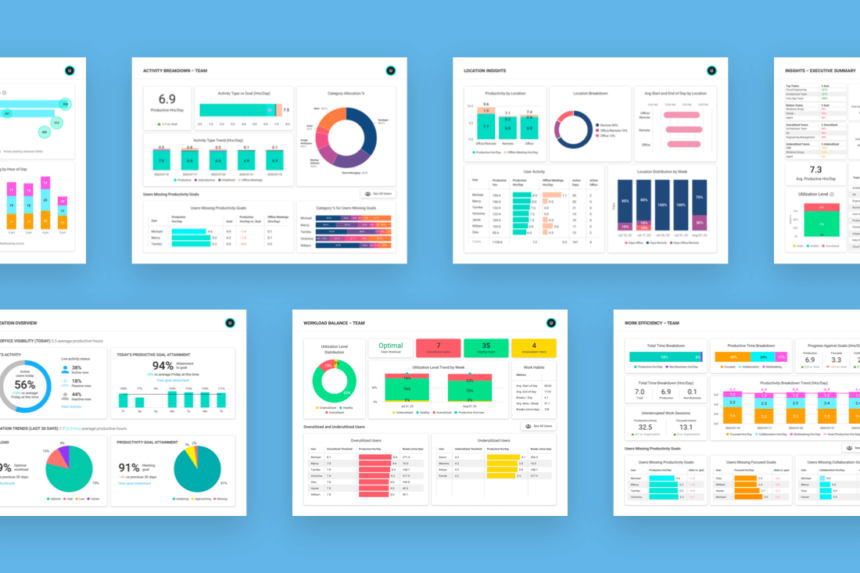
This article shares insights on the best AI software analytics for workforce productivity. These analytics enable business entities to assess employee performance, streamline decisions, and optimize workflow.
With the aid of insights on AI, enterprises get to know the trends on productivity, employee engagement, and operational efficiencies. This article discusses the most suitable platforms to enhance employee productivity.
What is Workforce Productivity Analytics?
The process of measuring, tracking, and optimizing employee performance and efficiency inside a company using data-driven tools and AI technology is known as workforce productivity analytics.
To find productivity bottlenecks and areas for development, it entails examining important data including work completion rates, collaboration patterns, resource use, and time management. staff productivity analytics helps companies make well-informed decisions, improve operational efficiency, and cultivate a more engaged and productive staff by offering actionable information.
Benefits of Using AI for Workforce Productivity Analytics
Better Decision Making: Managers are equipped with better in the moment insights from AI’s ability to mine actionable insights from a trove of workforce data.
Increased Efficiency: Overall productivity of a team is increased by the identification of workflow bottlenecks.
Insights on Employee Performance: AI tracks individual and team performance metrics in order to pick out the areas that require strengthening.
Predictive Analytics: AI makes it more manageable to prepare for the allocation of resources and to make a plan more tailored to the predicted productivity levels.
Reduction of Human Bias: Employees’ performance evaluations are free from the common biases that come with human intervention.
Saving of Time: Managers are able to spend more time on important activities since AI automates the processes of data collection and reporting.
Better Teamwork: In the analysis of productivity data to determine the cross departmental workflows, AI identifies the areas that are improvement in inter departmental communications.
Key Point & Best AI Software for Workforce Productivity Analytics List
| Platform | Key Points |
|---|---|
| Workday People Analytics + AI | Provides real-time insights on workforce trends, employee engagement, and predictive modeling for talent management. |
| Microsoft Viva Insights (with Copilot AI) | Delivers personalized productivity recommendations, collaboration analysis, and wellbeing metrics using AI-driven insights. |
| Oracle Fusion HCM Analytics | Offers comprehensive workforce analytics, predictive HR insights, and dashboards for workforce planning and performance. |
| ADP Workforce Now + AI Insights | Combines payroll, HR, and analytics data to identify productivity trends and optimize workforce management. |
| Visier People Analytics | Provides deep analytics on employee turnover, retention, and performance with AI-driven predictive capabilities. |
| Sisense Fusion AI | Integrates workforce data from multiple sources and delivers actionable AI insights to enhance productivity and decision-making. |
| Zoho People + Zia AI | Uses AI to monitor employee performance, automate reporting, and provide predictive HR insights. |
| Time Doctor + AI Insights | Tracks employee time and productivity, offering AI-based analysis for efficiency improvements. |
| Teramind Workforce Analytics | Monitors employee behavior, engagement, and productivity, with AI-driven alerts and risk analysis. |
| ActivTrak Workforce Analytics | Provides visibility into team activities, productivity patterns, and workflow optimization using AI insights. |
1. Workday People Analytics + AI
Workday People Analytics + AI integrates analytics and AI with employee engagement of workforce, payroll and HR data to provide dashboards of employee performance analytics. Workday of AI analytics to identify patterns in engagement, disengagement, turnover and skills gaps.
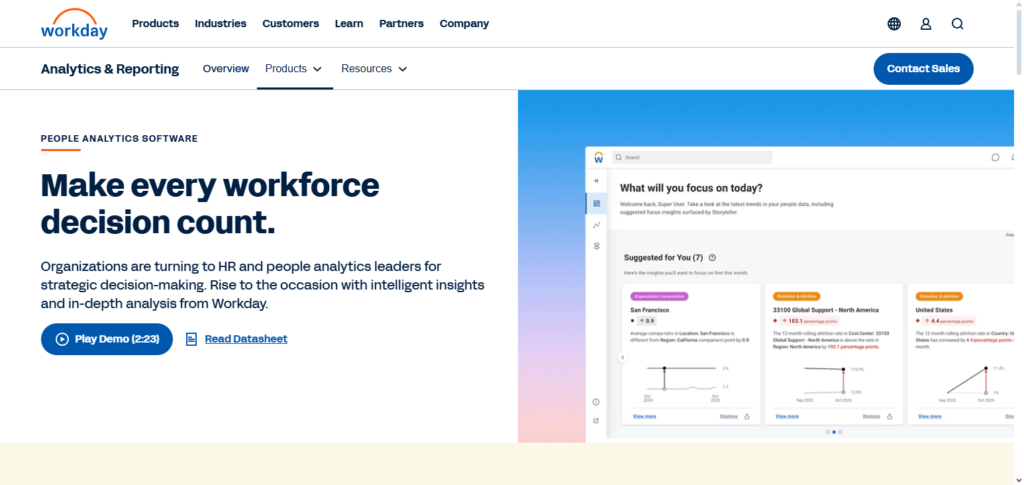
AI turnover predicts and enables the organization to build effective retention and disengagement development in the organization. Analytics repeat and use HR to assess productivity changes to assess and respond to the changes in the organization. Workday is and is integrated with primary HR and systems is aimed at organizations with intelligent workforce performance planning.
Workday People Analytics + AI Features
| Feature | Description |
|---|---|
| Unified HR & Payroll Insights | Integrates employee, payroll, and HR data into a single platform for comprehensive workforce analysis. |
| Predictive Analytics | Uses AI to forecast trends, turnover risk, and workforce planning scenarios. |
| Real-Time Dashboards | Provides managers with instant, visual insights on productivity and employee engagement. |
| Automated Alerts | Identifies anomalies and highlights important metrics automatically for proactive decision-making. |
| Strategic Planning Tools | Supports long-term workforce planning with scenario modeling and AI-driven recommendations. |
Pros & Cons Workday People Analytics + AI
Pros
- Unified Workforce Visibility: Offers integration of HR, payroll, and talent information, providing organizational clarity.
- Advanced Predictive Analytics: AI analytics address issues of workforce attrition, skills gaps, and productivity forecasting.
- Interactive Dashboards: Displays data in real time, allowing leadership to visualize issues and opportunities.
- Enterprise-Grade Scalability: Effective for multinational enterprises having complex structures and large data requirements.
Cons
- High Cost: Smaller organizations may find the e-licensing and implementation prohibitive.
- Complex Implementation: An investment in time and effort for the organization in configuring and deploying is required.
- Steep Learning Curve: Users may need to train on the system to maximize the full AI potential.
- Best with Full Workday Suite: Performance is sub-optimal in isolation to other Workday offerings.
2. Microsoft Viva Insights (with Copilot AI)
The Microsoft software Viva Insights Copilot AI is for analyzing and predicting productivity and experience for employees. Microsoft 365 behavioral data is used and refined and provides suggestions to adapt work patterns to counter burnout, adjust relational shifts to improve collab, and enhance productive work-time changes to reduce work stream congestion.
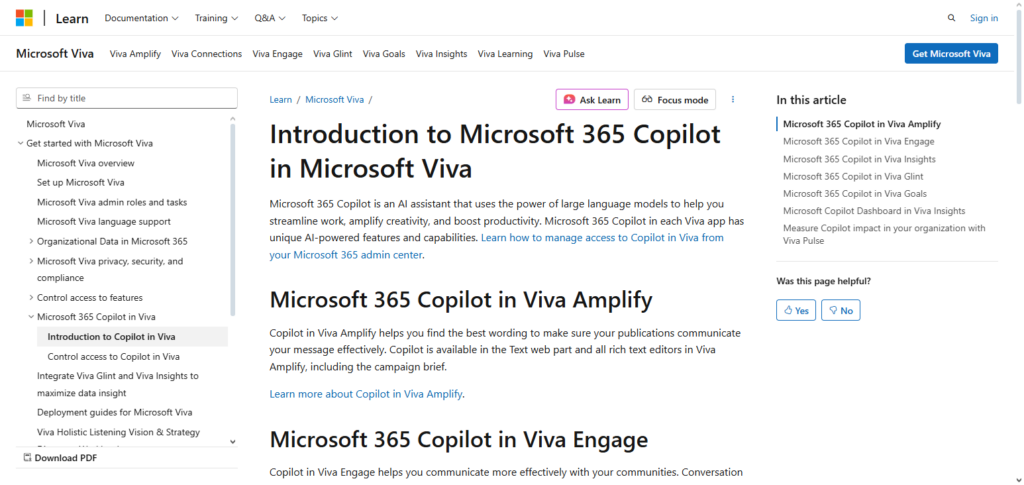
The AI focuses on communication flow, meeting attendance, and block-time for each user. Managers are provided data to gauge the offices productivity levels, focus, privacy, and overall team wellbeing. Copilot adding a natural AI language summary transforms data to patterns from low to high. For such organizations generative AI and analytics software help improve inmoods and engagement.
Microsoft Viva Insights (with Copilot AI) Features
| Feature | Description |
|---|---|
| Personal Productivity Insights | AI provides employees with personalized insights to manage focus, time, and wellbeing. |
| Team & Manager Analytics | Offers aggregated team-level analytics to help managers improve collaboration and workload balance. |
| AI Recommendations | Suggests actions to improve productivity, reduce burnout, and enhance engagement. |
| Integration with Microsoft 365 | Seamlessly connects with Outlook, Teams, and SharePoint for a full view of work patterns. |
| Privacy-Protected Analytics | Uses de-identified data to ensure employee privacy while providing actionable insights. |
Pros & Cons Microsoft Viva Insights (with Copilot AI)
Pros:
- Dig in Microsoft 365: Can mine data from Outlook, Teams, and other apps to gain rich understanding.
- Focus of Productivity Improvements Suggestions:\e AI can provide personalized recommendations for the overall betterment of focus and wellbeing of an individual and their collaborators.
- Privacy‐First Analytics: All insights are aggregated and de‐identified so individuals cannot be singled out.
- Actionable AI Recommendations: Copilot AI helps turn data into actionable outcomes for increased productivity.
Cons:
- Requires Microsoft 365 Licenses: To access full features, users must have M365 subscriptions.
- Limited HR Analytics: More so, the focus is on the collaboration and work behaviors than on the overall workforce data.
- Insight Overload: Recommendations issued may be too many for some users.
- Dependent on Usage Data: The system performs best when a high volume of employees are using Microsoft tools.
3. Oracle Fusion HCM Analytics
Oracle Fusion HCM Analytics provides a robust set of AI tools for analytic workforce planning that combine the employee’s HR, talent, and payroll data housed in a cloud environment.
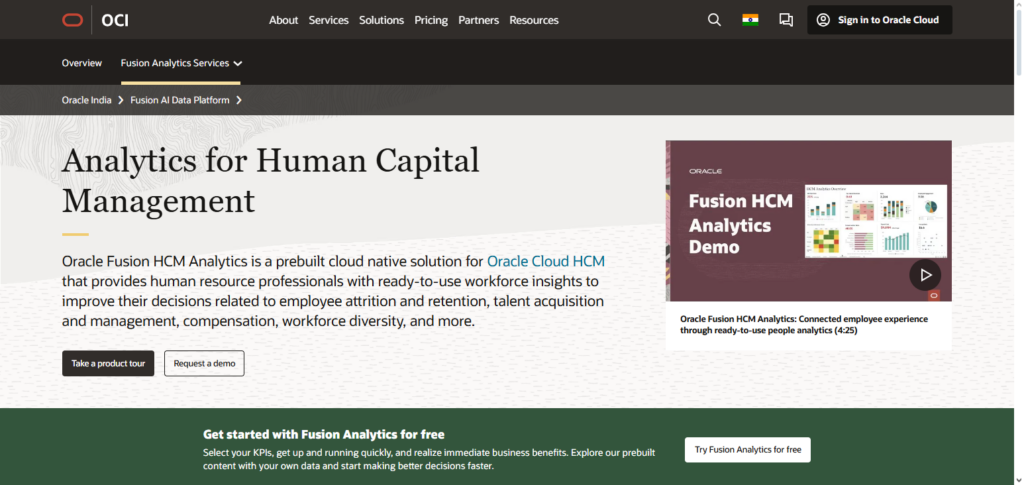
The machine learning tools detect and analyze patterns that provide insights into performance, staffing needs, and the overall organizational health, resulting in predictive workforce planning. Leaders can estimate productivity shifts by modeling different scenarios of staffing and skills development.
Oracle provides dashboards that allow HR professionals to monitor key metrics, including attrition risk, and other data, such as the diversity of the workforce. Organizations understand and see the constant AI insights of workforce data, and derive business value from analytics that were once constituent HR data.
Oracle Fusion HCM Analytics Features
| Feature | Description |
|---|---|
| Pre-Built HR Dashboards | Provides ready-made dashboards for performance, retention, and workforce trends. |
| Predictive Insights | Uses AI to forecast attrition, hiring needs, and skill gaps. |
| Cloud Integration | Works with Oracle Cloud ecosystem for seamless HR, payroll, and finance data integration. |
| Custom Reporting | Enables users to build custom reports to address unique HR questions. |
| Employee Lifecycle Analytics | Tracks engagement, performance, and development from hire to exit for informed decision-making. |
Pros & Cons Oracle Fusion HCM Analytics
Pros:
- Comprehensive HR Analytics: Analytics offered are in-depth across hiring, performance, and retention.
- Strong Predictive Capabilities: AI models forecast and assist in strategic workforce planning.
- Cloud-Native Integration: Integrates with other data and Oracle Cloud applications easily.
- Custom Reporting: Users are able to create customized reports for specific needs.
Cons:
- Complex Setup: Technical skill may be needed for initial configuration and tuning.
- Higher Investment: Larger enterprises with bigger budgets would benefit the most.
- Learning Curve: Time may be needed for HR teams to learn to use advanced features.
- • Best with Full HCM Adoption: Best value is received with other Oracle products when deployed.
4. ADP Workforce Now + AI Insights
ADP Workforce Now with AI Insights converts human resources and payroll inputs into actionable productivity knowledge. The platform’s analytics engine evaluates time tracking, absenteeism, labor costs, and performance data to detect inefficiencies and potential areas for improvement.
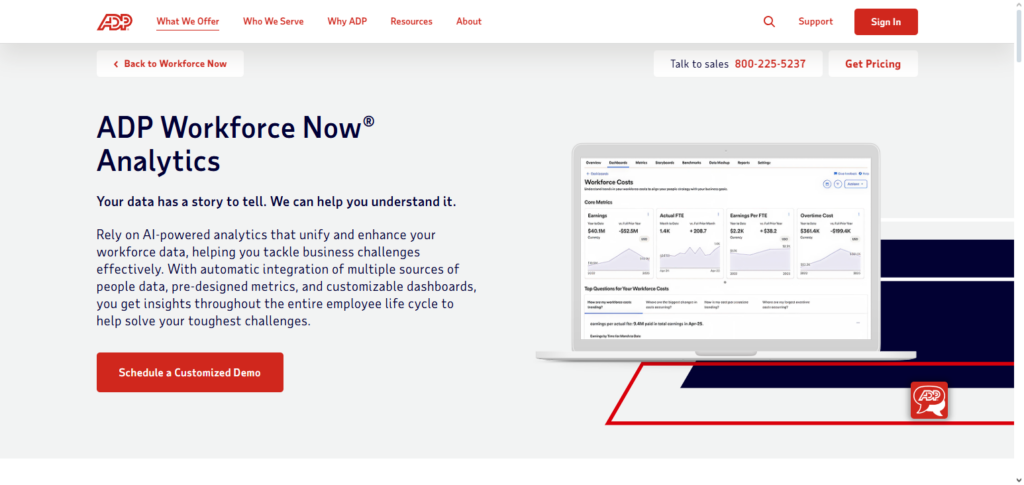
AI models forecast staffing needs, optimal schedules, and overtime cost savings for more efficient operations. Customizable dashboards easily tailored by HR and organizational leaders to their reporting needs are facilitated by ADP.
Organizations understand productivity drivers and are able to employ more focused measures to increase engagement, lower turnover, and better align workforce resources to organizational goals by centralizing workforce data and pattern recognition with AI.
ADP Workforce Now + AI Insights Features
| Feature | Description |
|---|---|
| Payroll & HR Analytics | Combines payroll and HR data to provide insights on costs, productivity, and compliance. |
| Predictive Modeling | AI forecasts workforce trends such as turnover and staffing needs. |
| Intuitive Dashboards | Visualizes KPIs and workforce metrics for managers and HR teams. |
| Automated Reporting | Generates reports automatically, reducing manual effort and errors. |
| Mobile Access | Allows managers and HR teams to access insights on the go. |
Pros & Cons ADP Workforce Now + AI Insights
Pros:
- Payroll + HR Integration: Merges workforce analytics with payroll data for deeper analysis.
Predictive Trend Analysis: AI recognition of future risks pertaining to turnover and understaffing.
User-Friendly Dashboards: Data dashboards enable HR and managers to interpret information.
Mobile Access: Enables leaders to monitor and manage reports remotely.
Cons:
- Additional Cost for Premium Features: Advanced analytics models require a more expensive pricing tier.
Customization Limits: Compared to some analytic tools, there can be less flexibility when it comes to reporting.
Data Delay Potential: Data sync schedules can affect real-time accuracy.
Support Variability: Part of the region can affect the user experience of customer support.
5. Visier People Analytics
Visier People Analytics takes employee data from multiple disconnected systems, and integrates them into one analytics solution, helping organizations understand the drivers of productivity, employee turnover, and costs. The solution uses AI to bring attention to predictors of turnover and productivity issues from overworking employees, and is able to self visualize.
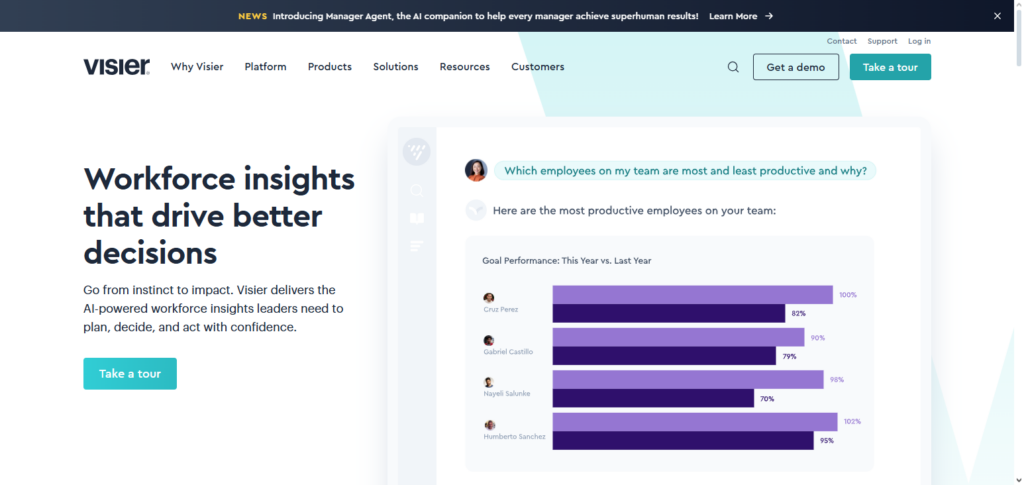
Analytic capabilities to visualize data to the most granular level allows HR professionals to solve the most intricate questions pertaining to the workforce. Predictive capabilities enable Visier to forecast gaps in the workforce and the skills required, allowing organizations to plan better for the future.
The software also provides equity and inclusion analytics supporting organizations in addressing a critical facet of workplace analytics and organizational health. The data helps organizations improve productivity and balance the workforce, as well as employee engagement.
Visier People Analytics Features
| Feature | Description |
|---|---|
| Centralized Workforce Data | Aggregates data from multiple HR and operational systems into one platform. |
| Predictive Workforce Analytics | AI predicts turnover, performance trends, and workforce gaps. |
| Strategic Insights | Provides actionable insights for talent management and business planning. |
| Pre-Built Metrics & Dashboards | Offers ready-to-use HR metrics and visual dashboards for faster decision-making. |
| Scenario Planning | Allows HR teams to simulate “what-if” scenarios for workforce planning. |
Pros & Cons Visier People Analytics
Pros:
- Unified Data Model: Combines data from several systems into one unified model for analytics.
- Predictive Workforce Insights: AI can be used to anticipate turnover, performance, and gaps in succession.
- Strategic Decision Support: Dashboards focus on strategy in HR as opposed to only metrics.
- Pre-Built Metrics: Analytics that are out-of-the-box can greatly improve time to insight and save on setup costs.
Cons:
- Higher Cost for SMBs: Pricing for smaller companies can be an issue as it is more advantageous for mid-large companies.
- Steep Learning Curve: Users at advanced levels might take a while to fully master most advanced features.
- Less Operational Focus: There is less focus on specific day-to-day operational productivity metrics.
- Mobile Experience Limitations: Desktop may offer more features than the mobile app.
6. Sisense Fusion AI
Best AI Software for Workforce Productivity Analytics Sisense Fusion AI. Sisense Fusion AI’s workforce analytics capabilities are enhanced by the data integration of HR systems, performance management, and operational tools.
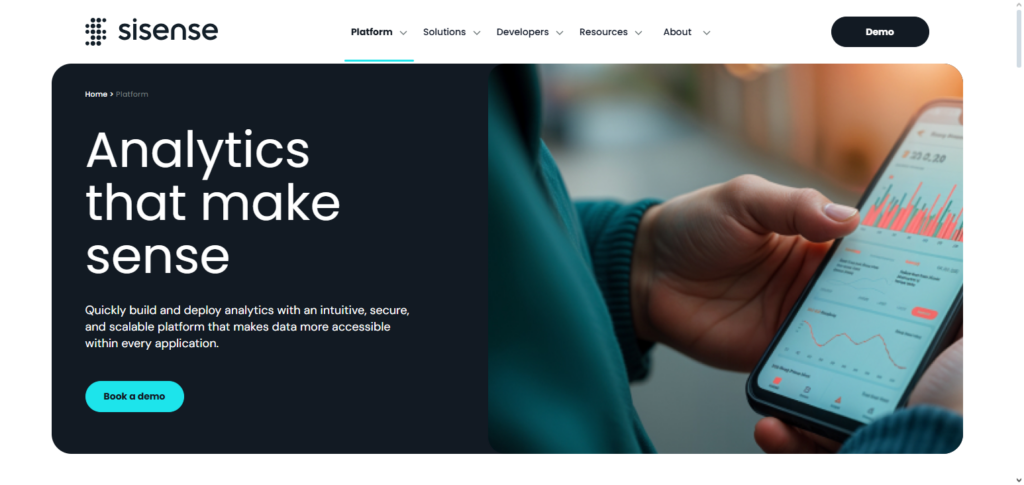
Only with the sophistication of AI and natural language querying can users gain the ability to see and synthesize complex trends over time, without advanced querying capabilities. Sisense analytic engine draws connections between what the workforce is doing and what they are accomplishing, enabling leadership to diagnose critical productivity issues.
Decision-makers receive realtime goal congruent business intelligence from customizable dashboards with embedded notifications. For organizations looking to democratize workforce analytics and improve operational effectiveness, the ability to integrate multiple sources of data and apply advanced pattern recognition is a game changer.
Sisense Fusion AI Features
| Feature | Description |
|---|---|
| Data Integration | Connects multiple systems to consolidate employee and productivity data. |
| Natural Language Query | Users can ask questions in plain language and receive AI-driven insights. |
| Real-Time Dashboards | Updates analytics in real time for immediate decision support. |
| Alerts & Notifications | AI notifies managers of significant trends or anomalies. |
| Scalable Platform | Supports small to enterprise-level organizations with flexible deployment. |
Pros & Cons Sisense Fusion AI
Pros:
- Strong Data Integration: Users can efficiently combine and analyze data from different HR, performance, and project software.
- Natural Language Query: Users can type questions to the software and get instant AI answers.
- Real-Time Insights: Data dashboards are updated in real time to be useful for decision support.
- Custom Alerts: Users are AI notified of metric changes.
Cons:
- Requires BI Expertise: Data and analytics experts may be necessary for advanced setups.
- Cost Scales with Use: Pricing is based on data volume and feature usage.
- Not HR-Specific: Overall it’s a broader analytics platform with less built-in nuance for the workforce.
- Setup Time: Time may be necessary for model building and data preparation.
7. Zoho People + Zia AI
Zia AI & Zoho People uses automation for digital workforce productivity analytics in human resources management and provides actionable insights from employee datasets. Zia AI analyzes performance and absence trends and employee engagement metrics to make predictive optimization recommendations, improving workforce planning.
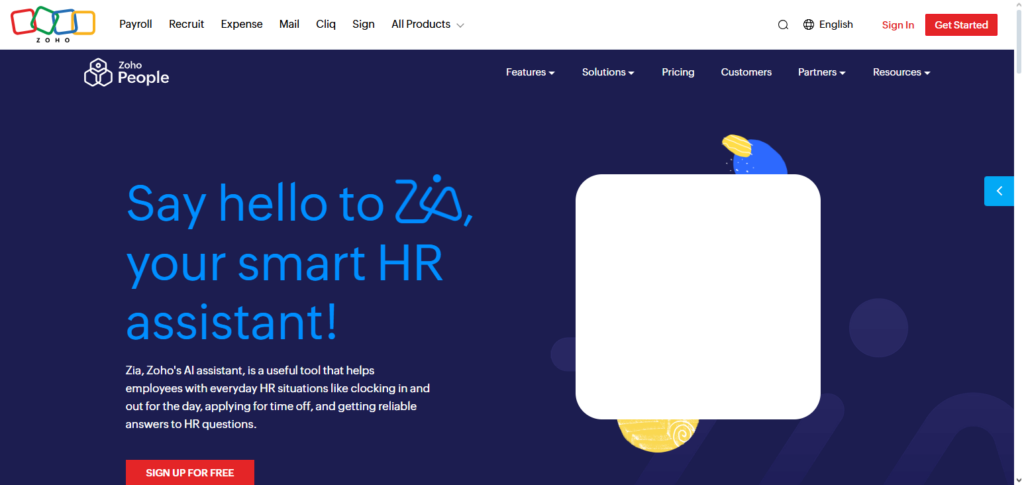
It also automates reporting and reporting anomaly detection for sudden absenteeism and disproportionate workloads. Zoho People is also popular for its easy-to-consume analytics, which assist non-specialist HR employees.
The platform retains a cohesive data model across the various HR modules, which enhances the quality and consistency of insights for improved analytics and reporting. With automation for alerts and prediction, businesses can optimize workforce utilization and improve productivity, and Ajax foster more effectiveness and responsiveness in the HR area.
Zoho People + Zia AI Features
| Feature | Description |
|---|---|
| Automated HR Processes | AI assists in automating attendance, leave management, and performance tracking. |
| AI-Powered Insights | Zia AI identifies trends in productivity, engagement, and employee behavior. |
| Custom Reports & Dashboards | Enables creation of personalized dashboards for different teams or managers. |
| Employee Self-Service | Allows employees to track productivity, attendance, and performance insights. |
| Affordable & Scalable | Suitable for SMBs with options to scale as the organization grows. |
Pros & Cons Zoho People + Zia AI
Pros:
- Affordable for SMBs: Organizations of smaller sizes can benefit from a low cost software solution.
- AI Automation: Zia automates report generation, trend identification, and alert setting with little configuration.
- Integrated HR Functions: Time, attendance, and performance data are unified.
- User-Friendly Interface: Managers and HRs will be happy to onboard to the system.
Cons:
- Shallower Prediction: AI forecasting lacks the sophistication of enterprise forecasting tools.
- Scalability Limits: Does not cater to very large firms and advanced complex use cases.
- Additional Fees: Some functionalities are only available on premium plans.
- Basic Workforce Prediction: Limited for long-term strategic forecasting.
8. Time Doctor + AI Insights
Time Doctor + AI Insights was the best for tracking the productivity of remote, hybrid, and on location teams and analyzing time. It’s AI works out the differences on when people are being productive in comparison to when they are just distracted by analyzing patterns in work behavior, app used, and time spent on tasks.
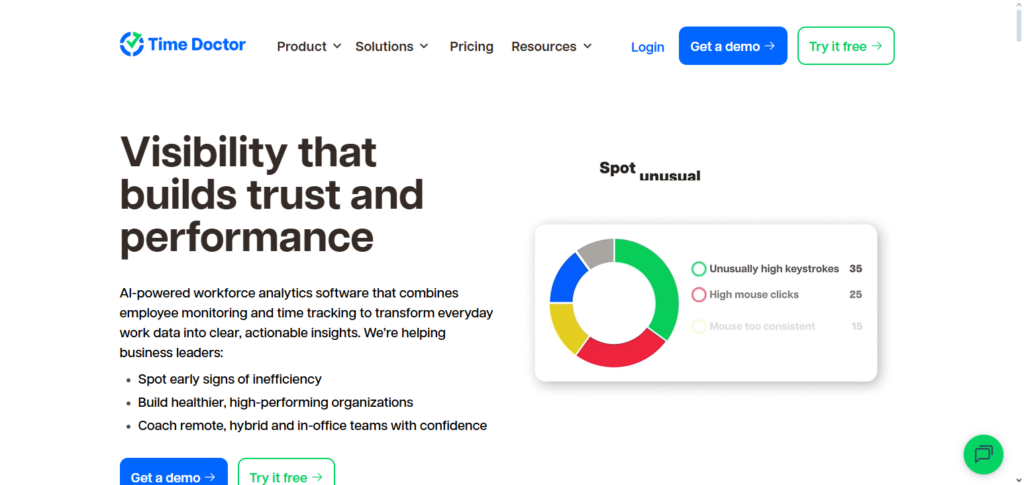
Managers see how each team spends their time on various tasks and get suggestions on how to distribute their efforts. AI recommendations to managers help reduce inefficiencies, help staff work on the right tasks in the right time, and help keep time better.
AI Time Analytics are productive and systemic, but also keep staff privacy. Time Doctor helps organizations to create more positive work habits, improve the performance of individuals and teams, and to make efforts more in line to achieve the strategic goals.
Time Doctor + AI Insights Features
| Feature | Description |
|---|---|
| Time Tracking | Monitors employee time spent on tasks and applications. |
| Productivity Analysis | AI evaluates efficiency patterns and highlights areas for improvement. |
| Remote Team Monitoring | Helps managers oversee remote or hybrid teams effectively. |
| Integrations | Connects with project management and collaboration tools for holistic tracking. |
| Alerts & Reports | Provides real-time alerts and detailed productivity reports automatically. |
Pros & Cons Time Doctor + AI Insights
Pros:
- Thorough Time Tracking: Records how time is allocated and the tasks and apps used.
- AI Insights on Productivity: Recognizes significant patterns of focus and distraction.
- Remote Work Friendly: Particularly important for hybrid and distributed teams.
- Integration of Tools: Links with project and communication tools for contextual information.
Cons:
- Focus on Time: Less comprehensive for other HR analytics or planning.
- Monitoring Issue: Some employees may feel tracking is an invasion of their privacy.
- Excess Data: Must be filtered to focus on primary essentials.
- Insufficient Strategic Analysis: Has not been intended for complete workforce planning.
9. Teramind Workforce Analytics
With Teramind Workforce Analytics, managers gain access to comprehensive tracking and AI-generated assessments of employee productivity and behavior trends. Kutermind analyzes application usage and employee communications and workflows to identify patterns of productivity and compliance risks.
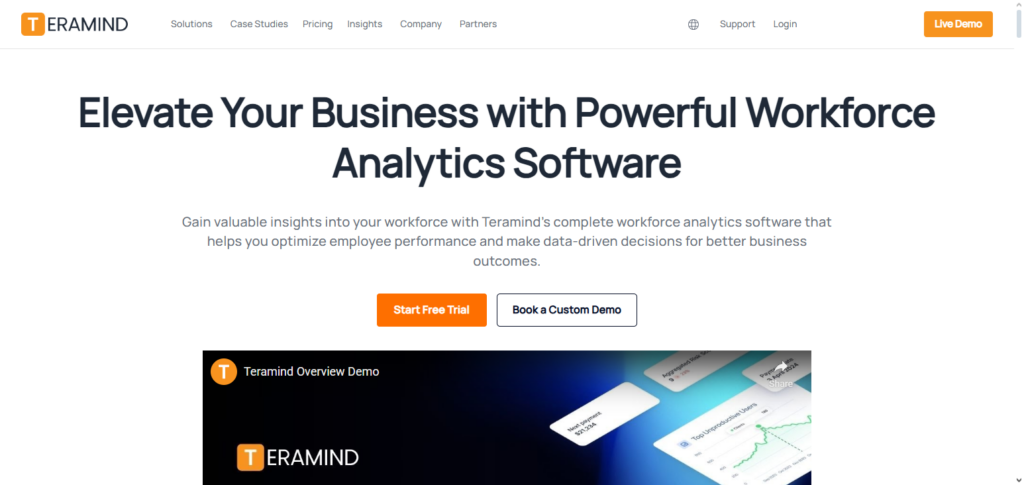
Managers can see system usage across teams and discover productivity losses due to repetitive, inefficient tools. The system allows customized dashboards and creates automated notifications to managers when employees exhibit unusual behavior and productivity drops. Teramind balances behavioral risk assessment and compliance with organizational efficiencies, making it suitable for productivity and compliance sensitive environments.
Teramind Workforce Analytics Features
| Feature | Description |
|---|---|
| Behavioral Analytics | Tracks employee activity to identify productivity and compliance risks. |
| Real-Time Monitoring | Provides live visibility into employee workflows and software usage. |
| AI-Driven Alerts | Detects anomalies and potential threats automatically. |
| Detailed Reporting | Generates comprehensive productivity and behavior reports. |
| Security & Compliance | Ensures adherence to corporate policies and regulatory standards. |
Pros & Cons Teramind Workforce Analytics
Pros:
- Excellent Behavioral Analytics: Understands how employees interact with software and their workflow.
- Real-time Tracking: Instant visibility is provided to assess productivity and risks.
- AI Alerts: Automated notifications to managers for unusual patterns and potential issues.
- Compliance Tools: Assists with policy enforcement and policy misuse detection.Cons:
Cons
- Potential Impact on Staff Morale: Deep monitoring has the potential to impact staff morale in a negative way.
- Higher Overall Costs: Costs can add up with premium features and analytics.
- Setup Can Be Tedious: Configuration must be precise to ensure false positives are reduced.
- Use Case: Not an ideal solution for strategic HR insights.
10. ActivTrak Workforce Analytics
ActivTrak Workforce Analytics offers insights into workforce productivity to track workers’ activities using AI-powered behavioral analytics and productivity metrics. Its analytics engine categorizes different areas of work into productive vs neutral vs unproductive, allowing teams to understand how time is spent across different apps and different tasks.
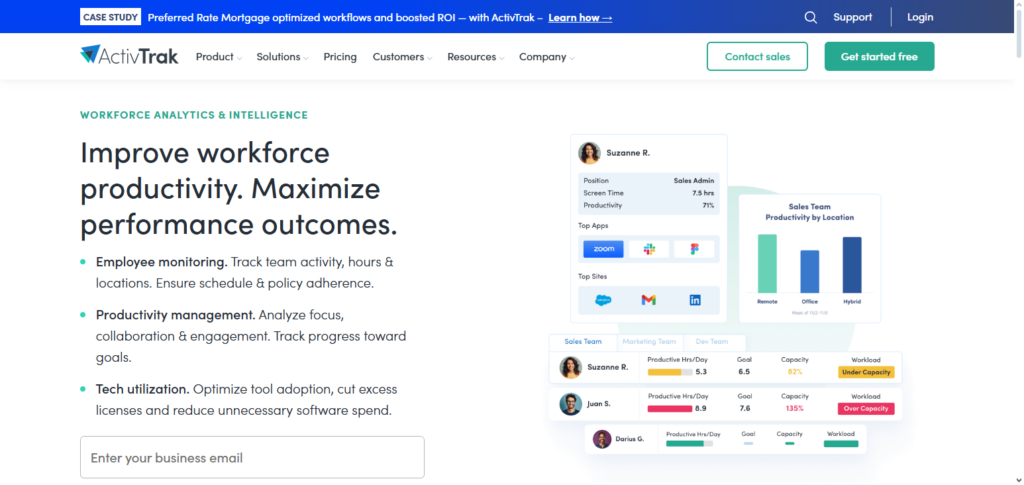
AI identifies a range of patterns such as gaps in workflows, and that inefficiencies in collaboration, driving evidence-based optimizations. Managers have access to interactive dashboards and reports that show engagement levels, productivity peaks, and where support is needed.
Being a privacy-first ActivTrak’s design, ActivTrak protects workforce insights with employee trust. The data that is actionable allows organizations to streamline processes, strengthen positive work patterns, and assist teams across virtual work settings that have peak productivity.
ActivTrak Workforce Analytics Features
| Feature | Description |
|---|---|
| Employee Productivity Dashboards | Visualizes team and individual productivity trends in real time. |
| Non-Intrusive Monitoring | Monitors workflows without invading employee privacy. |
| Activity Categorization | AI automatically categorizes productive and non-productive activities. |
| Alerts & Recommendations | Notifies managers of trends and provides actionable insights. |
| Remote & Hybrid Team Support | Helps optimize workflows and engagement for distributed teams. |
Pros & Cons ActivTrak Workforce Analytics
Pros:
- Productivity Information: Provides information through easy-to-read dashboards regarding user productivity and work patterns.
- User Friendly: Platform focuses on user productivity instead of on user monitoring.
- AI Classifies Activity: Productivity and non-productive activities are auto-sorted.
- Staffing Flexibility: Effectively enables productivity for hybrid environments.
Cons:
- Limited HR Integration/Planning: Not as strong with strategic HR succession, turnover, or forecasting.
- Paid Version Required for Full Features: Free version is limited in ability.
- Limited HR Integration: Lacks out-of-the-box native integrations with other tools.
- HQ Required: Platform is most effective in conjunction with other HR systems.
Key Features to Look for in AI Workforce Productivity Software
Real-Time Analytics: Instant data on employee activities, productivity, and process performance are provided.
Predictive Insights: Potential productivity challenges, employee turnover, and the need for staff are predicted using AI.
Integration Capabilities: Can be linked with HRIS systems, payroll, and tools for project tracking and team collaboration.
Customizable Dashboards: Managers are able to filter the data and focus on the metrics and KPIs that are important to them or their organizations.
Automated Reporting: Reports are generated, and notifications are sent automatically; no one has to spend time on this, and it is done more accurately.
Employee Engagement Metrics: Tracks employee satisfaction, workload distribution, and collaborative activity.
Privacy and Compliance: Employee data is protected, access to their data is restricted by the system, and legal requirements are adhered to.
AI-Powered Recommendations: Recommendations to guide users to streamline and accelerate their workflows, make optimal decisions, and enhance their performance are provided.
Conclusion
Utilizing AI-driven workforce productivity analytics has become crucial for maximizing performance and making data-driven decisions in today’s hectic business climate.
Organizations can monitor employee performance, forecast productivity trends, and optimize workflows with the help of the Best AI Software for Workforce Productivity Analytics, which includes platforms like Workday People Analytics + AI, Microsoft Viva Insights with Copilot AI, Oracle Fusion HCM Analytics, ADP Workforce Now + AI Insights, and others.
These solutions help firms increase productivity, boost employee engagement, and match workforce activities with strategic objectives by converting unprocessed HR and operational data into actionable insights that ultimately propel organizational growth and success.
FAQ
Why should companies use AI for workforce productivity analytics?
AI enhances accuracy, identifies hidden patterns, predicts future productivity trends, automates reporting, and eliminates biases in decision‑making. It enables proactive workforce planning, improves operational efficiency, and helps enhance employee wellbeing and engagement.
What are the key features of the best AI workforce analytics tools?
Top features include predictive analytics, real‑time dashboards, automated insights, data integration from multiple systems, personalized recommendations, privacy protection, and natural language interpretation of data.
Which platforms are considered among the best in this category?
Leading solutions include Workday People Analytics + AI, Microsoft Viva Insights with Copilot AI, Oracle Fusion HCM Analytics, ADP Workforce Now + AI Insights, Visier People Analytics, Sisense Fusion AI, Zoho People + Zia AI, Time Doctor + AI Insights, Teramind Workforce Analytics, and ActivTrak Workforce Analytics.
How do these tools help HR teams specifically?
They help HR teams measure employee engagement, forecast turnover risk, identify skill gaps, improve talent planning, analyze workforce trends, and automate routine reporting tasks so HR can focus on strategic initiatives.